Participant
November 17, 2020
Question

Canon R5 - Lightroom to Photoshop Edit in Photoshop

  • November 17, 2020
  • 5 replies
  • 749 views

So I've been on support for a total of 10 hours with Adobe and each time a new person comes online and it appears no one knows how to fix it. They have told me dual pixel photos aren't supported. Thing is, they aren't dual pixel photos, they're your standard CR3 images.


Long story short here is my issue. I have a Canon EOS R5, I have the latest Adobe CC updates for Camera Raw, Adobe Lightroom Classic and Photoshop 22.0. I'm on a Windows 10 PC with a Quadro P2000 graphics card.


If I edit my photo in LR and use a profile in the develop module under the basic tab then make all my adjustments, right-click edit in photoshop. It opens in photoshop but looks flat and boring, similar to an unedited RAW photo however it appears the profile isn't embedded or applied to my image. I've confirmed this by applying the same profile that I used in Lightroom via the Photoshop Filer, Camera Raw filter and then selecting the profile. The image appears the same.


If I do the same thing but with the stock standard Adobe profiles (adobe vivid etc), there is no issue.


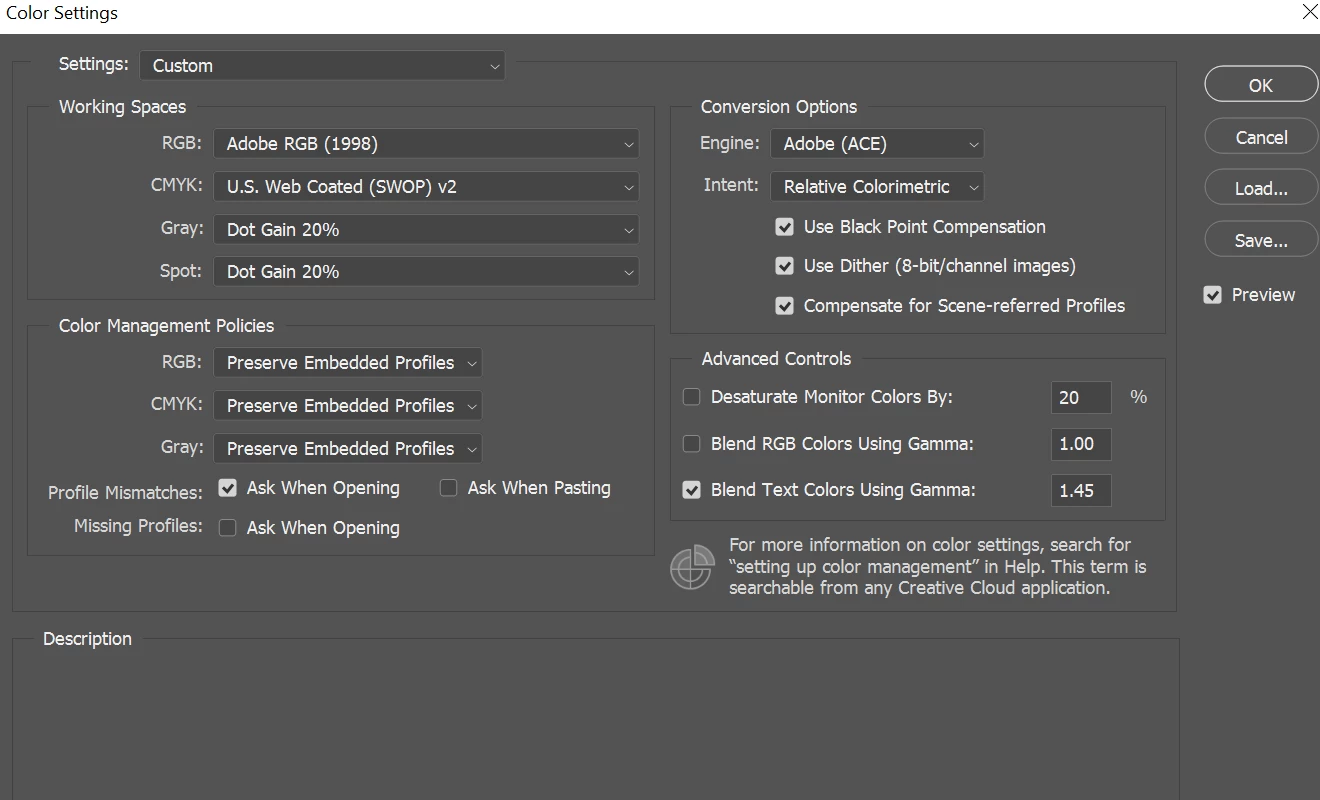
I have my monitor colour calibrated for RGB as my monitor is 99.9% RGB PA329Q Asus. I have my colour editing settings on Adobe RGB. I don't believe this is a colour management issue if I export from lightroom to Adobe RGB the image looks as it should. If I export from photoshop it appears as it does in Photoshop (incorrect and without a profile)


This topic has been closed for replies.

5 replies

GoldingD
Legend
November 25, 2020

Sounds like a bug exists that involves some camera matching profiles.


One member has suggested that a wirkaround may be to allow LrC to create the sidecar xmp files

set the option Catalog Settings > Metadata > Automatically Write Changes Into XMP.


johnrellis
Legend
November 25, 2020

"So is this only an issue for PS2021?"


It may be LR 10, it may be PS 22.0 / 22.0.1, or a combination of both. You could try rolling back to PS 21:

https://helpx.adobe.com/download-install/using/install-previous-version.html


Adobe releases a new version of LR every two months, so the next one should be due in a couple of weeks. However, though an Adobe employee has partipated on the bug-report thread, the bug isn't yet marked "acknowledged", meaning there isn't an internal bug report filed for it.


So the more customers who provide feedback, the more likely Adobe will prioritize a fix.


[Use the blue reply button under the first post to ensure replies sort properly.]

johnrellis
Legend
November 18, 2020

Unfortunately, PS 22.0.1 doesn't fix the bug.


[Use the blue reply button under the first post to ensure replies sort properly.]

Just Shoot Me
Legend
November 17, 2020

There is an update to Ps 22. Check the CC desktop for this update.

johnrellis
Legend
November 17, 2020

In general, when you apply a non-Adobe profile to a raw that doesn't have an xmp sidecar, and then edit that photo in PS, PS loses the profile (LR 10, PS 2021). See this bug report:

https://feedback.photoshop.com/conversations/lightroom-classic/lightroom-classic-editing-raw-file-in-ps-from-lr-loses-profile/5f9043b035f40c2520b9e964 


Please add your constructive opinion to the bug report, and be sure to click Like and Follow at the bottom of the first post. That will make it a little more likely that Adobe will prioritize a fix, and you'll be notified when the bug's status changes.


A simple workaround: Check the option Catalog Settings > Metadata > Automatically Write Changes Into XMP.


[Use the blue reply button under the first post to ensure replies sort properly.]


Participant
November 25, 2020

Hey John, thanks for the reply.


So is this only an issue for PS2021? This never used to be an issue in my workflow and I never used to need an xmp sidecar etc to right click and edit in Photoshop.


Will add my opinion to that bug report. Also I agree that update didn't fix it.