Answered
Cant see or access exported Lightroom images in Mac Finder
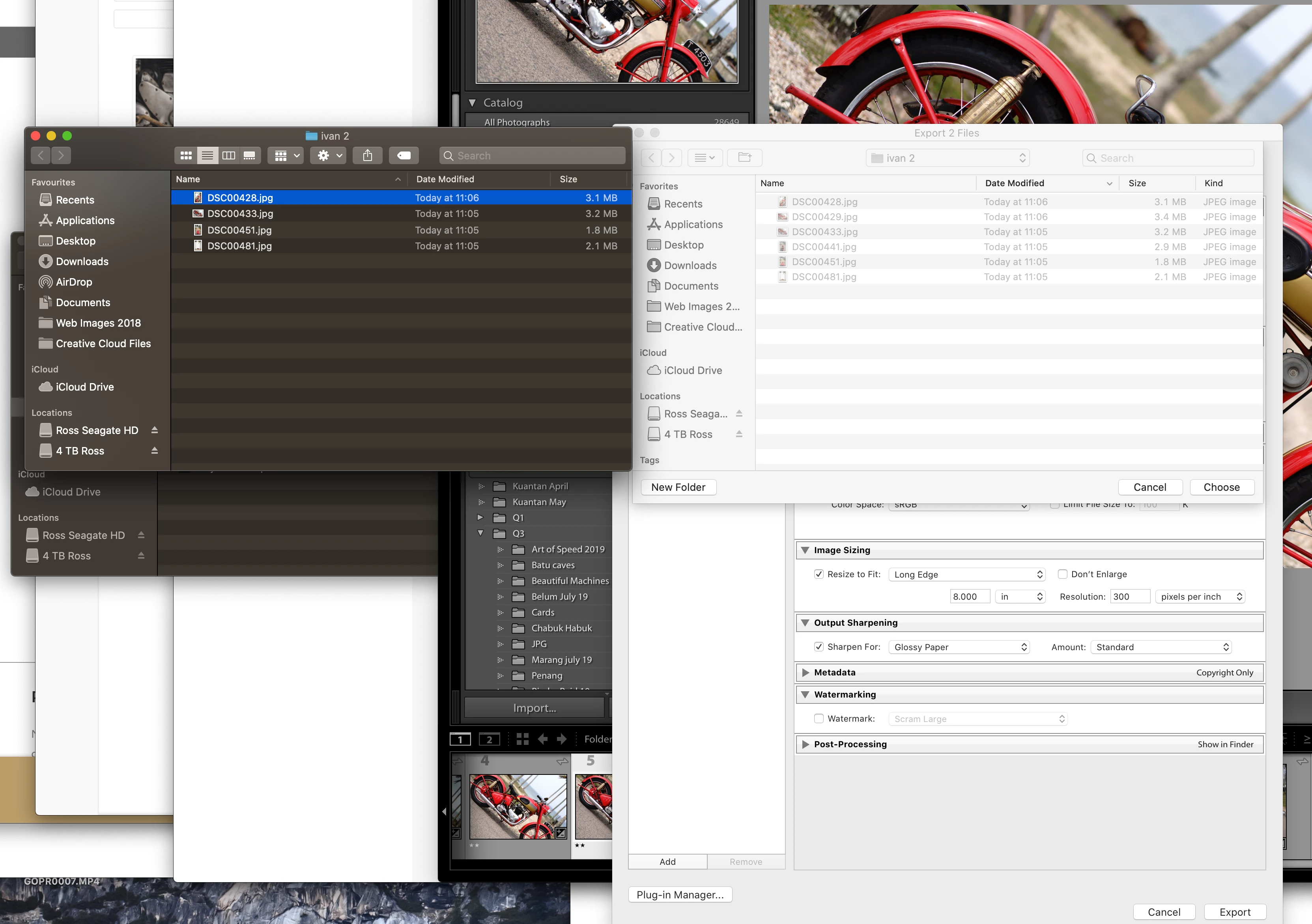
Hi there, so when I export a bunch of photos to a new folder in documents all of the files can be seen and accessed in Finder. However when I try to add a group of other photos to the same folder only one file appears in Finder the rest that I am trying to export dont. If I try the same export again Lightroom shows that all of the files are already in the folder and asks if I want to overwrite.
If I export the photos individually and overwrite the ones I cant see or access this works but exporting as a group does not.
I have tried First Aid on the HD. I dont know what elsoe to try, can anyone help?
 AdChoices