
Debod
Participating Frequently
September 23, 2018
Answered

Cant see raw file after import. jpeg and raw

  • September 23, 2018
  • 1 reply
  • 3124 views

I save both jpegs and  raw files on my camera and since changing to lightroom classic cc I  can only see the jpeg in lightroom. I do understand that you should tick the box in the import dialog box to show both side by side but I only want to see the raw file. I cant seem to do that since upgrading. I also can only see the jpeg not the raw file.  Any suggestions appreciated.
    This topic has been closed for replies.
    Correct answer Jao vdL

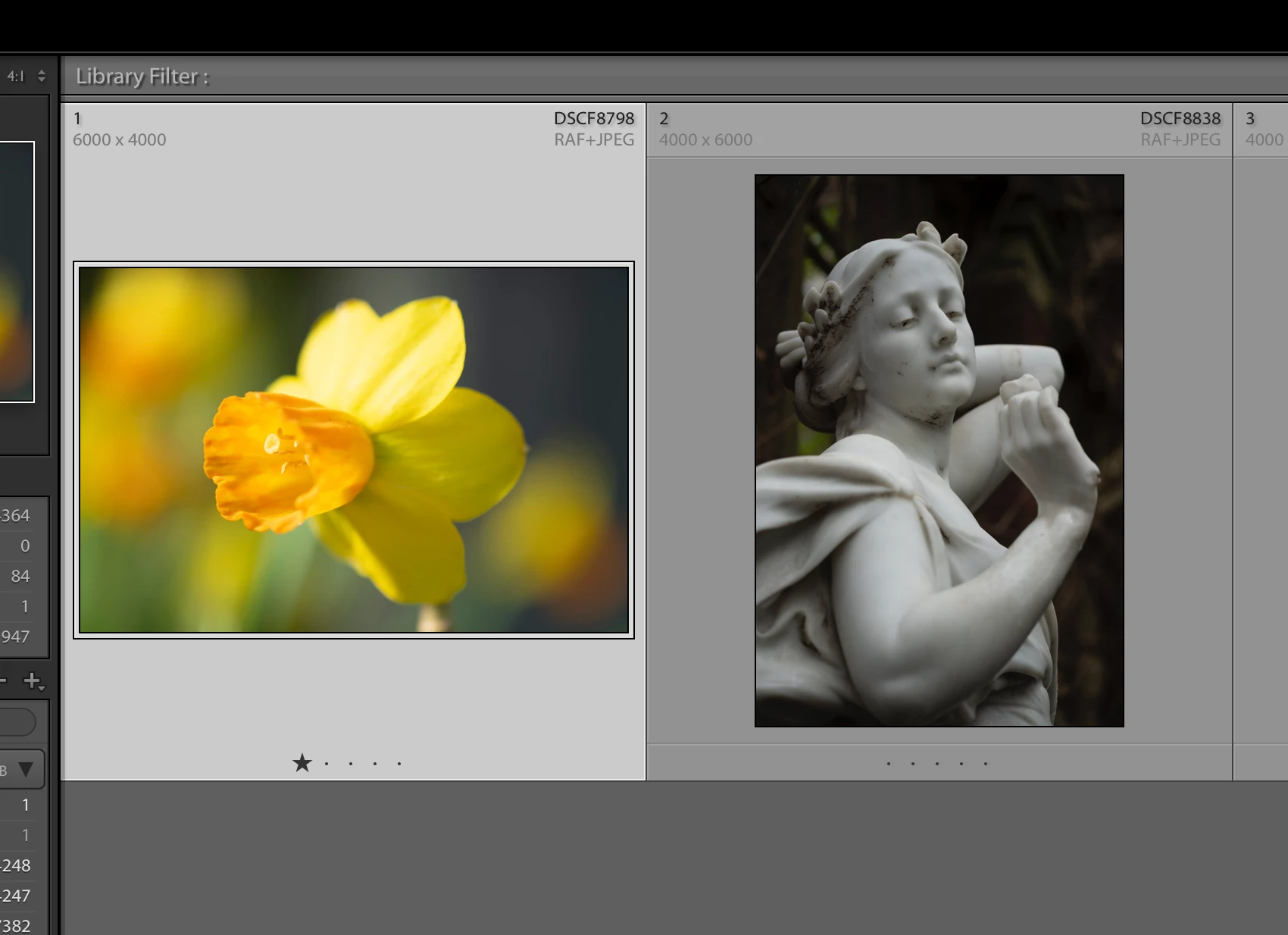
    Thanks for your reply and assistance. I have tried that and this is now what I still see -the files show that the Raw and JPEG are still together but when I go to work on them the file is still a jpeg.


    The file on the left is a raw file. The jpeg is only used as a sidecar for your raw file, not for anything else. Why do you think it is a jpeg when you work on it?

    1 reply

    Akash Sharma
    Legend
    September 23, 2018

    Hi Debod,

    Sorry that you cannot filter your imports in Lightroom Classic CC to show only the Raw images.

    Ideally, as you've mentioned on the General tab of the Preferences dialogue, there's a checkbox "Treat JPEG files next to raw files as separate photos". You'll need to tick/un-tick that box to let Lightroom import both the file formats and show them together in library.

    Which exact version of Lightroom Classic CC are you using? Have you tried importing just the Raw files alone with the jpeg's kept in a different location temporarily?

    Thanks,

    Akash

    Debod
    DebodAuthor
    Participating Frequently
    September 23, 2018

    HI Akash thank you for replying. I have version 7.5. In the previous lightroom I was able to import both formats but only see and work on the raw file. Ideally I want to only see the Raw file but I save the jpeg as well so that I can use them with my Fuji App which only works with jpegs.

    Will I now have to reimport all my files since the update to bring in the Raw files and how do I do that now?

    john beardsworth
    Community Expert
    Community Expert
    September 23, 2018

    There is an option in Preferences - Treat JPEGs next to raw files as separate photos.

    If you leave it unticked, LR will only show the raw files for all images you import from now on. Tick it, and you'll see both files for all images you import from now on.

    To fix the problem with files you've already imported, you would have to reimport. First set the preference, then select the files and use CtrlS / CmdS to save you work back to the files. Then remove them from the catalogue - make sure you remove and don't delete! Then right click the folders and use Folder > Synchronize to reimport them. First try this on a small number of images .