
linvilt
Known Participant
April 11, 2024
Question

Capitalization question

  • April 11, 2024
  • 1 reply
  • 280 views

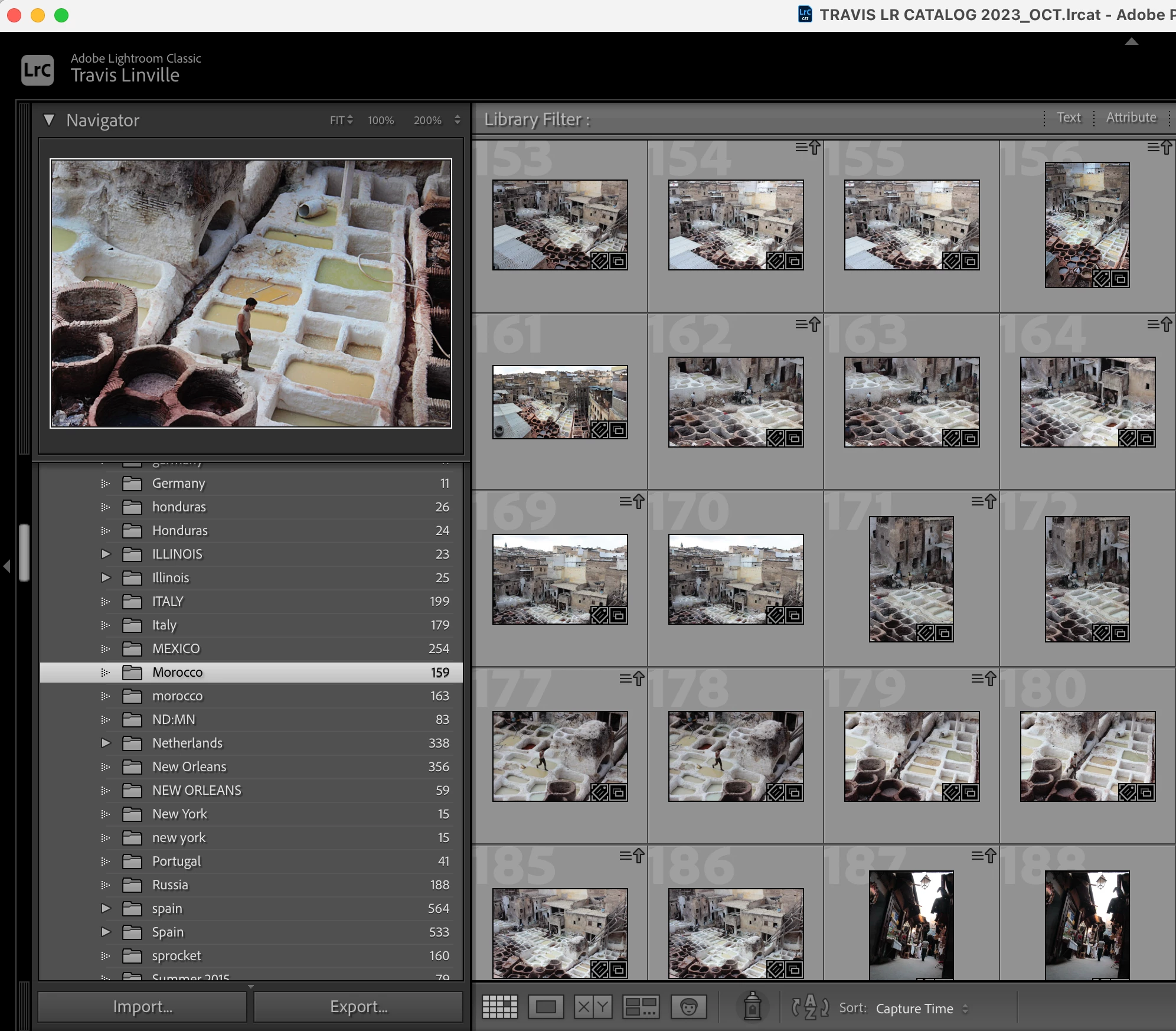
I know variations on this have been posted previously but the proposed solutions don't seem to resolve the issue and there are some additional discrepancies in my catalog.   I am seeing duplicate folders in some cases, but not for all folders.  And the number of supposed images in each folder (the capitalized and it's lowercase duplicate) are not the same in all instances.  I followed recommended solutions in other post replies but no success.

Mac OS 14.4.1 

LR Classic 13.2
This topic has been closed for replies.

1 reply

JohanElzenga
Community Expert
Community Expert
April 11, 2024

It is normal to see different numbers of images in the two folders, because for Lightroom Classic these are real folders with real images inside them. If you look at the folder in the MacOS Finder, the number of images should be those two numbers added together, because for MacOS these folders are one and the same. Please explain which 'recommended solutions' you tried, because this is too vague to be useful. Or just try this one: 

https://www.lightroomqueen.com/capitalization-catalog-error/


-- Johan W. Elzenga
linvilt
linviltAuthor
Known Participant
April 12, 2024

Thank you.  Why are they divided into separate folders to begin with? I never created these duplicate folders.  Not sure if it's the result of an OS or Adobe update/upgrade.  So what is the factor that determines why some files are associated with the lower case folder and some with the uppercase folder?  I too, have found explanations too vague to be useful.  The numbers do not add up in my circumstance.  I had gone to that link initially before posting but it did not resolve my issue.  

JohanElzenga
Community Expert
Community Expert
April 12, 2024

Nobody really knows how or why those two folders are created. This is not something the user did.


-- Johan W. Elzenga