


Catalog folder structure in LR Classic doesn't match folders on disc
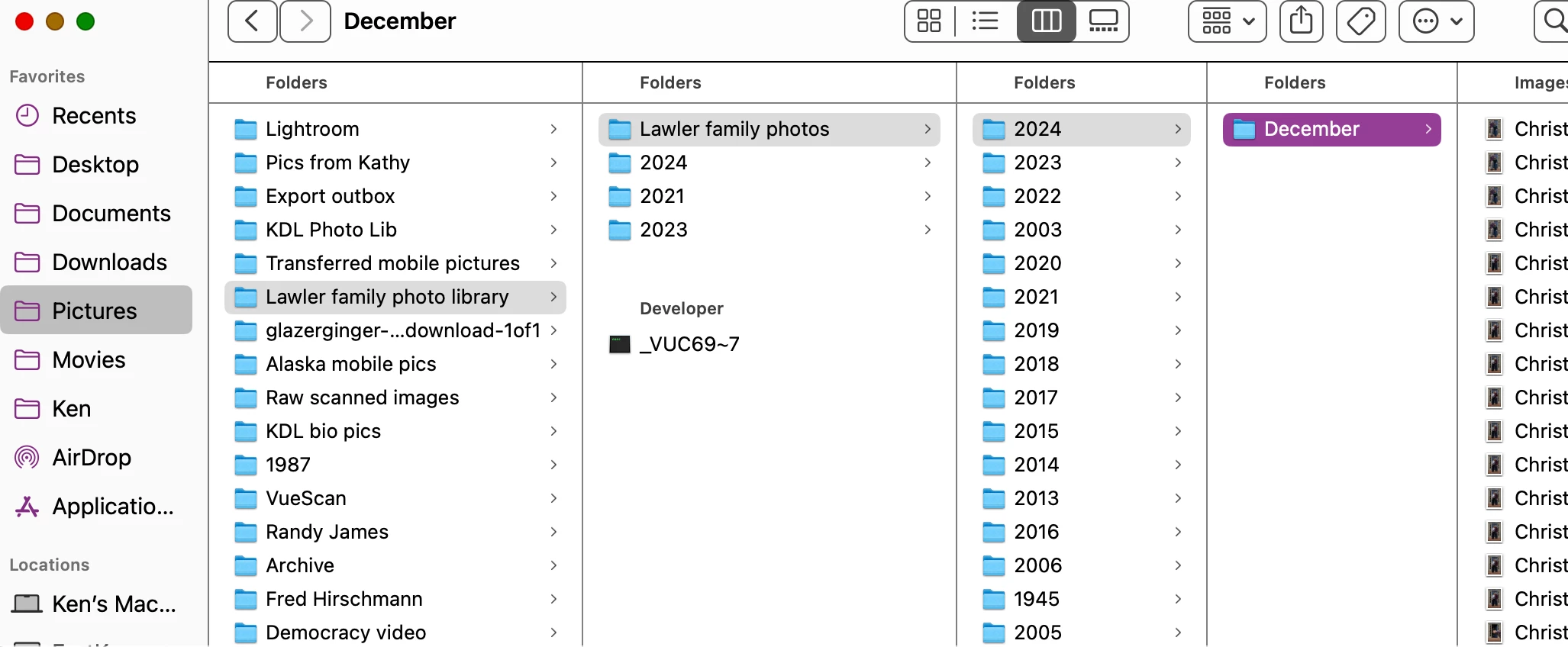
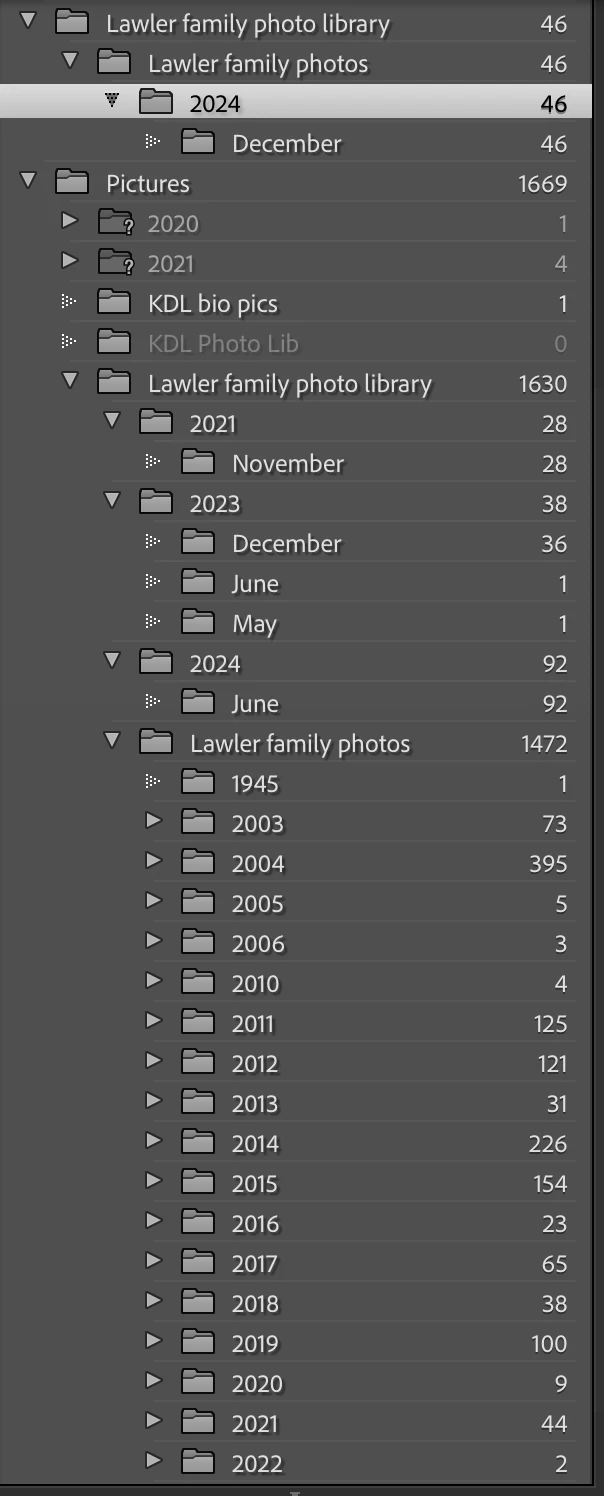
I apologize in advance for starting what may be a long thread. I have a LR Classic catalog that houses a collection of family snapshots accumulated over the years. Part of this catalog used to reside on a NAS device, but a few years back I migrated it all onto my Mac hard drive. The catalog is organized as a simply YYYY / Month structure. When I import new images, such as from my annual holiday photo shoot, the images land in 2024/December for example. However, over the LR Classic catalog display doesn't reflect the folder structure on my hard drive. Let's start with a simple example - see screen shots attached. On disk, the 2024 / December folder is in the desired location: Lawler Family Photo Library / Lawler Family Photos / 2024 / December. But notice that the LR catalog display shows this structure disconnected from the other YYYY / Month collection (see highlighted line in LR catalog). If I try to drag the 2024 folder from the highlighted location down to the bottom with the other years, LR reports that the folder is already there. But it is not listed under the longer list of years (which ends at 2023, not visible). There are other errors, but if I could understand this case, perhaps I can solve the others.
Guidance appreciated.
I have another LR catalog on this same computer for landscape photos that doesn't have this problem.

 AdChoices