
Heirloom Bob
Inspiring
September 26, 2022
Question

Catalog Merge

  • September 26, 2022
  • 2 replies
  • 489 views

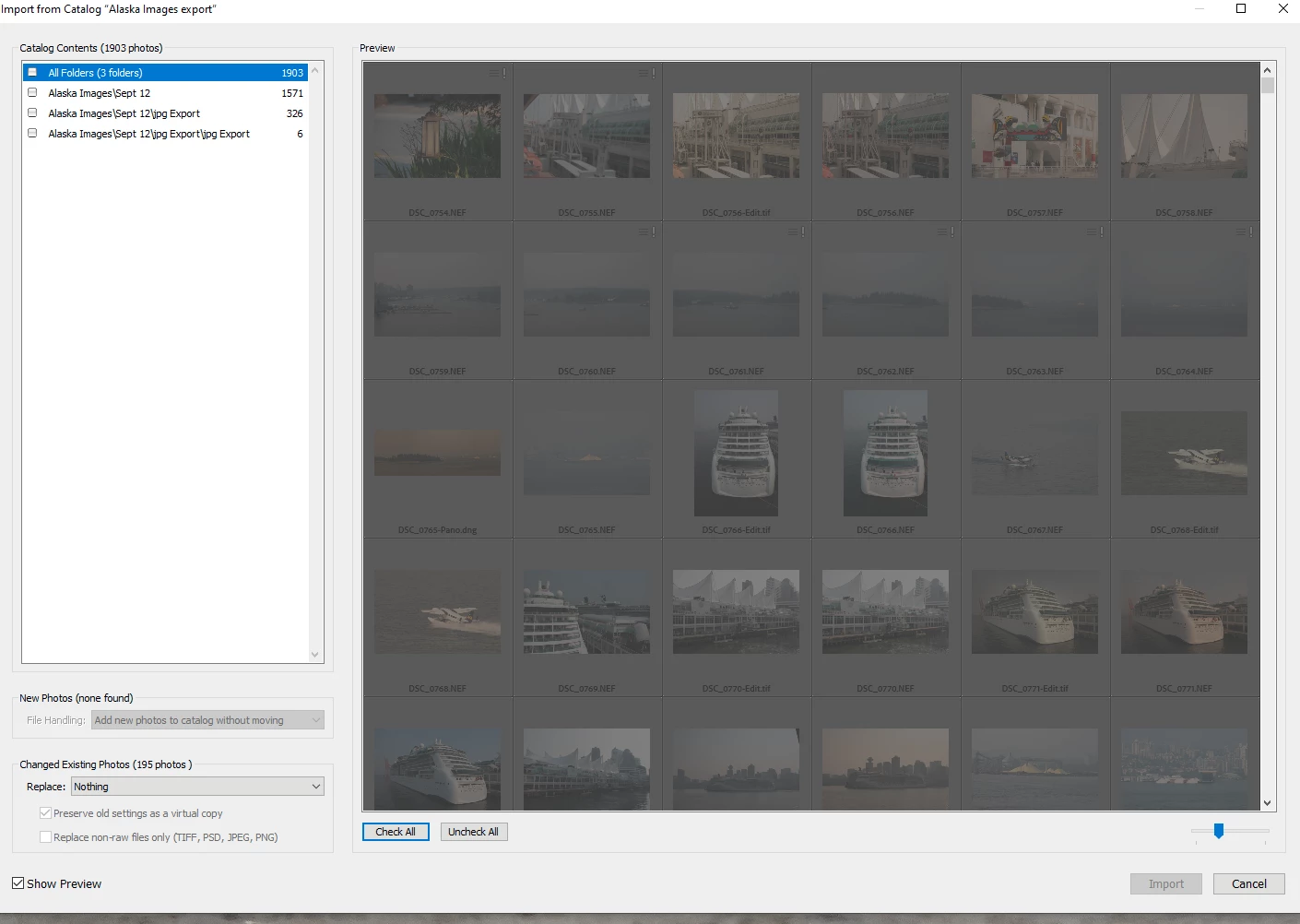
Edited my travel images on my laptop and once completed, exported as a catalog, to an external drive. Plugged the drive into my desktop to merge catalogs. process shows the images, edited and RAW but all images are "greyed" out and will not import.An I missing something here? Lightroom Classic 11.5 and Windows 10
 

This topic has been closed for replies.

2 replies

JohanElzenga
Community Expert
Community Expert
September 26, 2022
quote

Edited my travel images on my laptop and once completed, exported as a catalog, to an external drive. Plugged the drive into my desktop to merge catalogs. process shows the images, edited and RAW but all images are "greyed" out and will not import.An I missing something here? Lightroom Classic 11.5 and Windows 10


By @Heirloom Bob


You haven't selected anything.  Check 'All Folders' in the top left corner...


-- Johan W. Elzenga
Heirloom Bob
Inspiring
September 26, 2022

No option to Check "All Folders"


JohanElzenga
Community Expert
Community Expert
September 26, 2022

Those sure look like normal checkboxes to me... Have you tried the three folders individually?

BTW: Not exporting the negatives should not be the problem. In that case you can still import the new images, you just can't move them to another location because they are still linked to the original image location, which is 'missing'.


-- Johan W. Elzenga
TheDigitalDog
Inspiring
September 26, 2022

With the Export with Catalog, did you use the option to export the 'negatives'?

Author “Color Management for Photographers" & "Photoshop CC Color Management/pluralsight"
Heirloom Bob
Inspiring
September 26, 2022

Good thought. I will export again.

Yes...I had selected Export Negative Files and Included available previews. Export in progress.

TheDigitalDog
Inspiring
September 26, 2022

This works for me, YMMV: I clone (backup) my entire hard drive of photos, the catalog (one), presets etc to multiple drives. I take a clone on the road and work on that, adding images, editing, whatever. Then when I return, I clone that drive to the other(s), and only the new images, edits, etc are cloned back. It is fast, and it allows me to have access to all the other images on the road. Might be worth trying. 

Author “Color Management for Photographers" & "Photoshop CC Color Management/pluralsight"