


Julien McRoberts Photo
Inspiring
April 18, 2025
Answered

Catalog update question

  • April 18, 2025
  • 1 reply
  • 355 views

Hello 
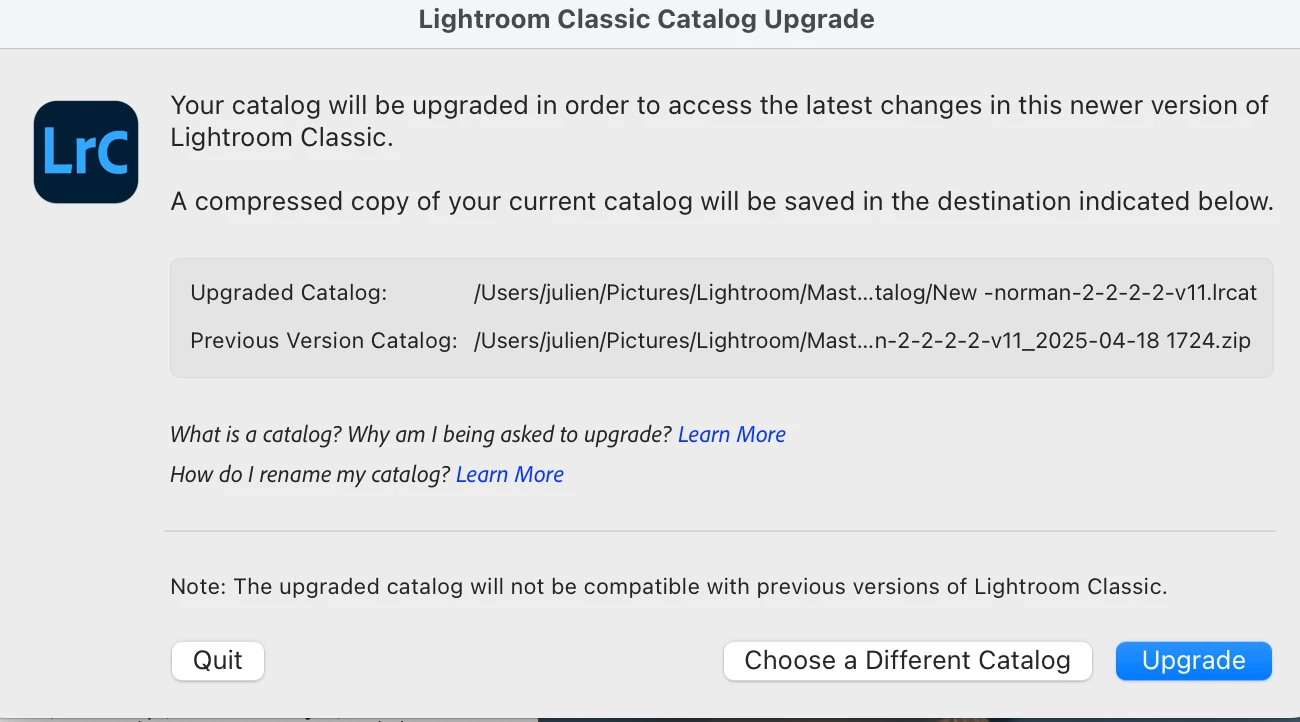
I have Lightroom Classic and just did an update to the most recent version (it's been awhile) and when I went to open LR I got this notice below. 
This makes be a bit nervous as in the past I had bad issues with another update. Will all my images be accessible in this new catalog or do I need to jump back and forth between the new and old one?

Is someone can simply explain this that would be helpful. Thank you! 
 

Correct answer JohanElzenga

The catalog upgrade is a necessity. Without it, the new version of Lightroom Classic cannot use your existing catalog, so you would have to start from scratch again. Don't worrry, all your images will be in the new catalog and a copy of the old catalog is saved as well. You should not notice any difference.


1 reply

JohanElzenga
Community Expert
JohanElzengaCommunity ExpertCorrect answer
Community Expert
April 18, 2025

The catalog upgrade is a necessity. Without it, the new version of Lightroom Classic cannot use your existing catalog, so you would have to start from scratch again. Don't worrry, all your images will be in the new catalog and a copy of the old catalog is saved as well. You should not notice any difference.


-- Johan W. Elzenga
Julien McRoberts Photo
Inspiring
April 18, 2025

Thank you Johan!  I kinda suspected that might be the case but wanted to be 100% sure. In the past I have lost images so better to be cautious. 
Have a great weekend. 
Julien

Rob_Cullen
Community Expert
Community Expert
April 18, 2025

Hi @Julien McRoberts Photo  And a suggestion- It is probably time you renamed your new catalog to something more appropriate- Goto Main menu File > Rename Catalog...


Regards. My System: Windows-11, Lightroom-Classic 15.1.1, Photoshop 27.3.1, ACR 18.1.1, Lightroom 9.0, Lr-iOS 10.4.0, Bridge 16.0.2 .
