
benny gamzola
Participant
March 11, 2020
Answered

change color profile

  • March 11, 2020
  • 2 replies
  • 525 views

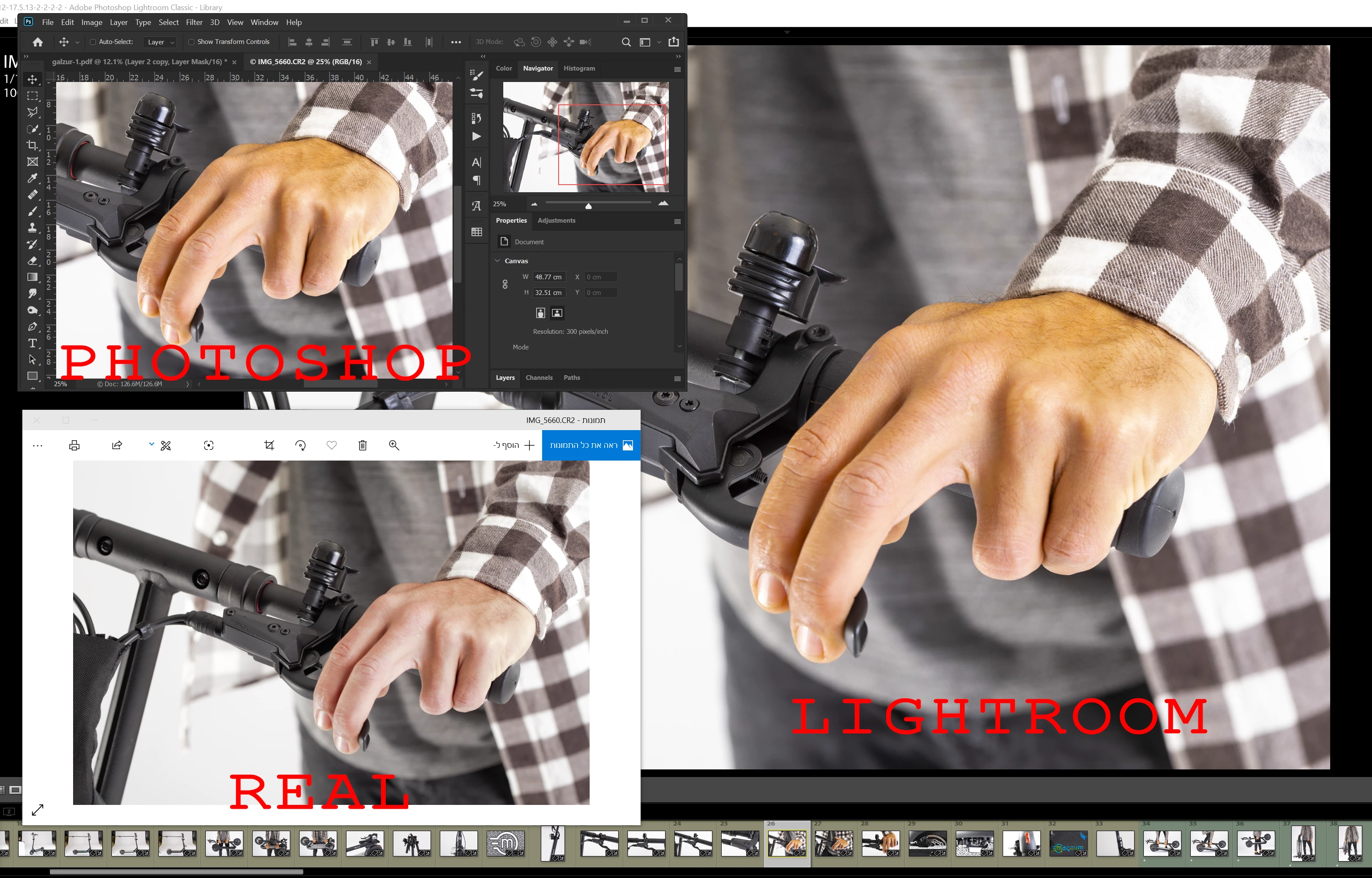
my lightroom and photoshop seems like they use a different color management than the real one.
how can i change it in boat of them?
photo attach

    This topic has been closed for replies.
    Correct answer D Fosse

    Per is right - but all that said, this looks like a corrupt/broken monitor profile. There is an unpleasant yellow skin tone here that doesn't look right.


    Are you using a calibrator to make your monitor profile? That's the only way to get fully reliable color (in color managed applications, not Windows Photos).


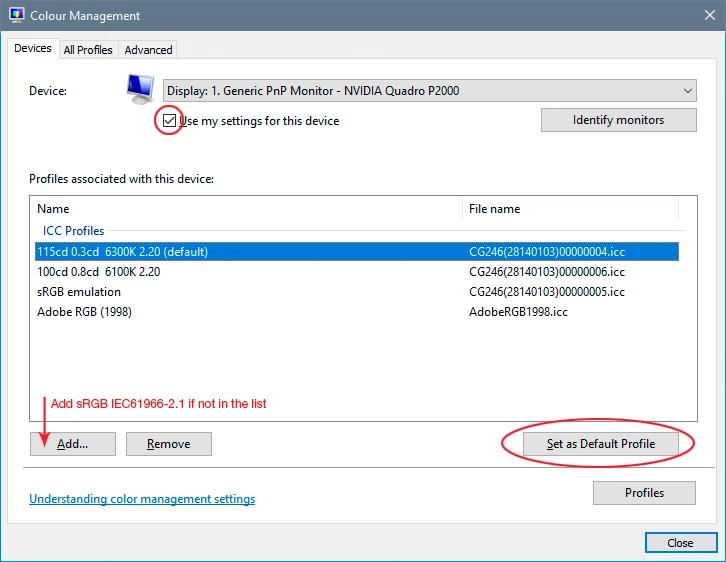
    If you don't have a calibrator, you have probably received a bad manufacturer profile distributed through Windows Update. If so, you can replace it with sRGB IEC61966-2.1. This won't be entirely accurate, but it will be better than a broken profile. Relaunch Lightroom when done, it needs to load the new profile at startup:
    2 replies

    D Fosse
    Community Expert
    D FosseCommunity ExpertCorrect answer
    Community Expert
    March 11, 2020

    Per is right - but all that said, this looks like a corrupt/broken monitor profile. There is an unpleasant yellow skin tone here that doesn't look right.


    Are you using a calibrator to make your monitor profile? That's the only way to get fully reliable color (in color managed applications, not Windows Photos).


    If you don't have a calibrator, you have probably received a bad manufacturer profile distributed through Windows Update. If so, you can replace it with sRGB IEC61966-2.1. This won't be entirely accurate, but it will be better than a broken profile. Relaunch Lightroom when done, it needs to load the new profile at startup:

    benny gamzola
    Participant
    March 11, 2020

    thanks
    that fix the problem, i appreciate it

     
    Per Berntsen
    Community Expert
    Community Expert
    March 11, 2020

    Photoshop and Lightroom are color managed, and it is they that show you the "real" image.

    Color managed applications use the monitor profile to display correct colors. The image is converted from the document profile to the monitor profile.

    The Photos app does no such conversion, (it's not even aware of the monitor profile) and sends the uncorrected colors to the monitor.


    No native Windows applications are color managed, so I suggest that you start using a third party color managed image viewer, like FastStone, which is free for personal use. Color management needs to be turned on in Settings.

    You can also use the free Adobe Bridge.