
Change Drive without Reimport and Lightroom Sync
Hello,
I have two questions;
First one is :
I am using lightroom Classic on my PC. All the pictures I import are on my External Drive, which is almost permanently connected to my PC. (I transfer them from my Sony to my Drive then import them).
I recently bought a SSD and copied all the images from my drive to my SSD.
I am willing to use my SSD as a replacement of the other drive as a backup.
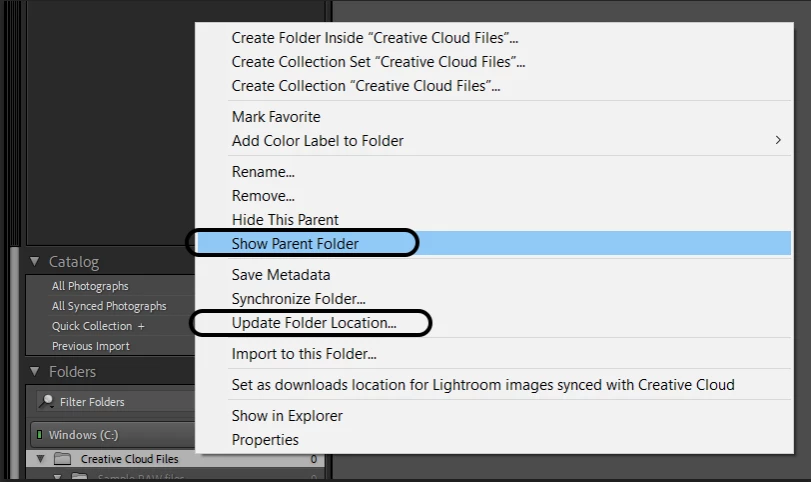
How can I simply keep editing my pictures (almost 5k imported) on the new drive whitout reimporting (like plug and edit) ? The path is exactly the same (Root/Images/xxx or yyy)
If I am obligated to import, will LR recognize the files thanks to the catalog and save the edits?
My second question is :
I am thinking about buying the package PS+LR with CC.
I want to be able to edit on my Macbook and my PC using the SSD and keep all the edits everytime, what is the best option ?
Move the lrCat on the SSD? Or does the CC subscription keep the edits "on the cloud" ?
 AdChoices