
Question
Change the app dark background and font.
I just installed LRC on my Vaio SX14 Windows 10 laptop.
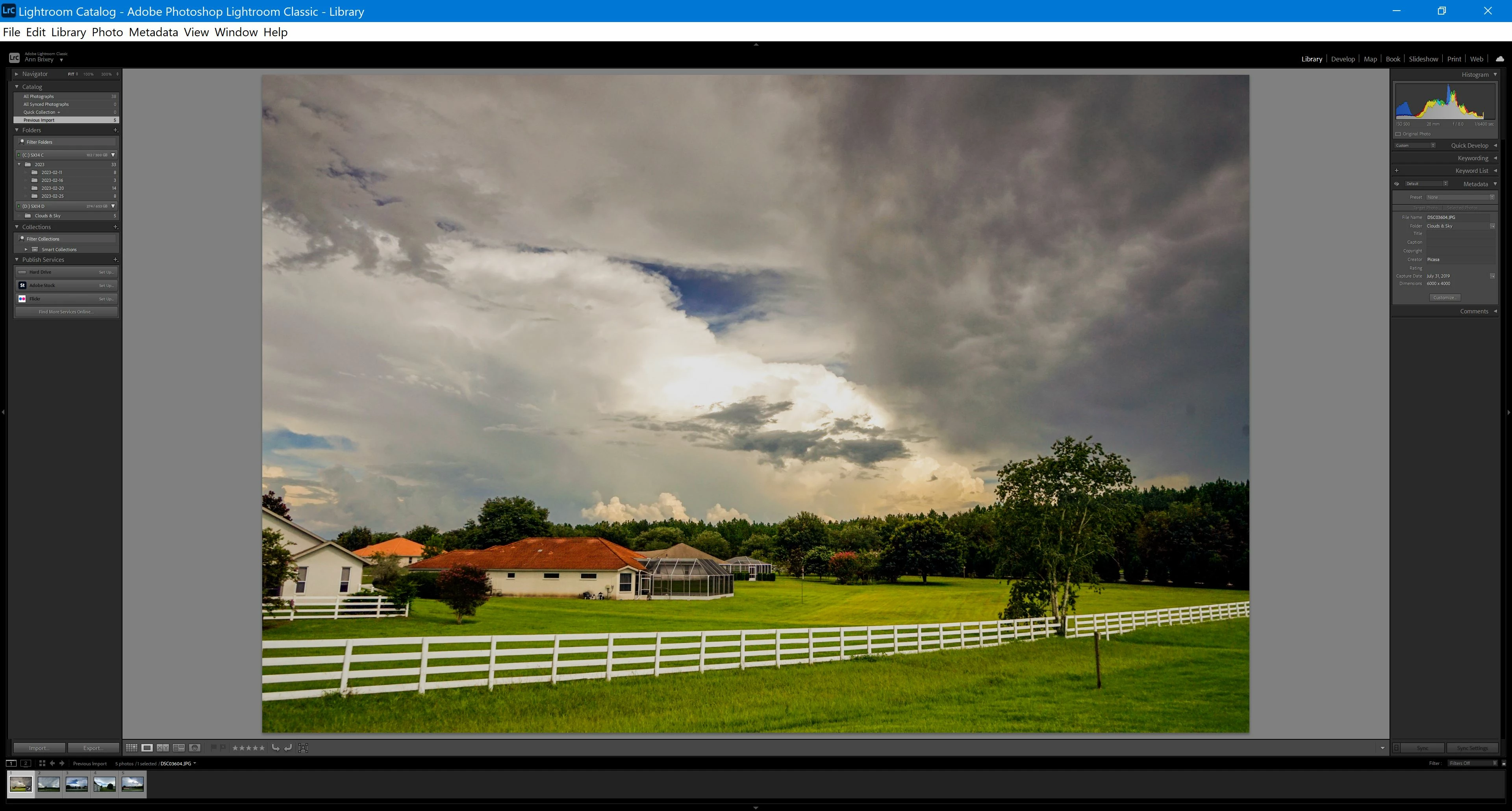
I can barely read any of the text in the shortcuts and buttons on the screen. The text is grey on a dark grey background and the font is so tiny I have to use a strong magnifying glass to read what is on the labels. In essence, this means that I cannot use the program. If I project to a larger monitor what is on the screen is larger of course but I still cannot read the labels due to the colors and font size.
Is there any way to change the background color and font size so that I can see what is on my screen?
See attached picture.
 AdChoices