Classic Catalog Update Frozen - Lightroom 4 to Lightroom Classic
I have a 3.25 GB Lightroom catalog from Lightroom v4 in an external hard drive (HDD) that I am trying to open with Lightroom Classic in my new Creative Cloud subscription.
The Catalog Upgrade in Progress window comes up but freezes shortly after starting, with the new catalog file seemingly frozen at 1.12 GB.
Things I have tried:
1. Deleting lock files and leaving the update running for 3 hours, but there is not progress.
2. Making sure permissions of all files in the drive are set to current user with: sudo chown -R myusername enclosing_catalog_folder
3. Looking for any information in log files, for example, /private/var/tmp/lr-classic-cef.log but I am probably looking at the wrong place as this file is empty.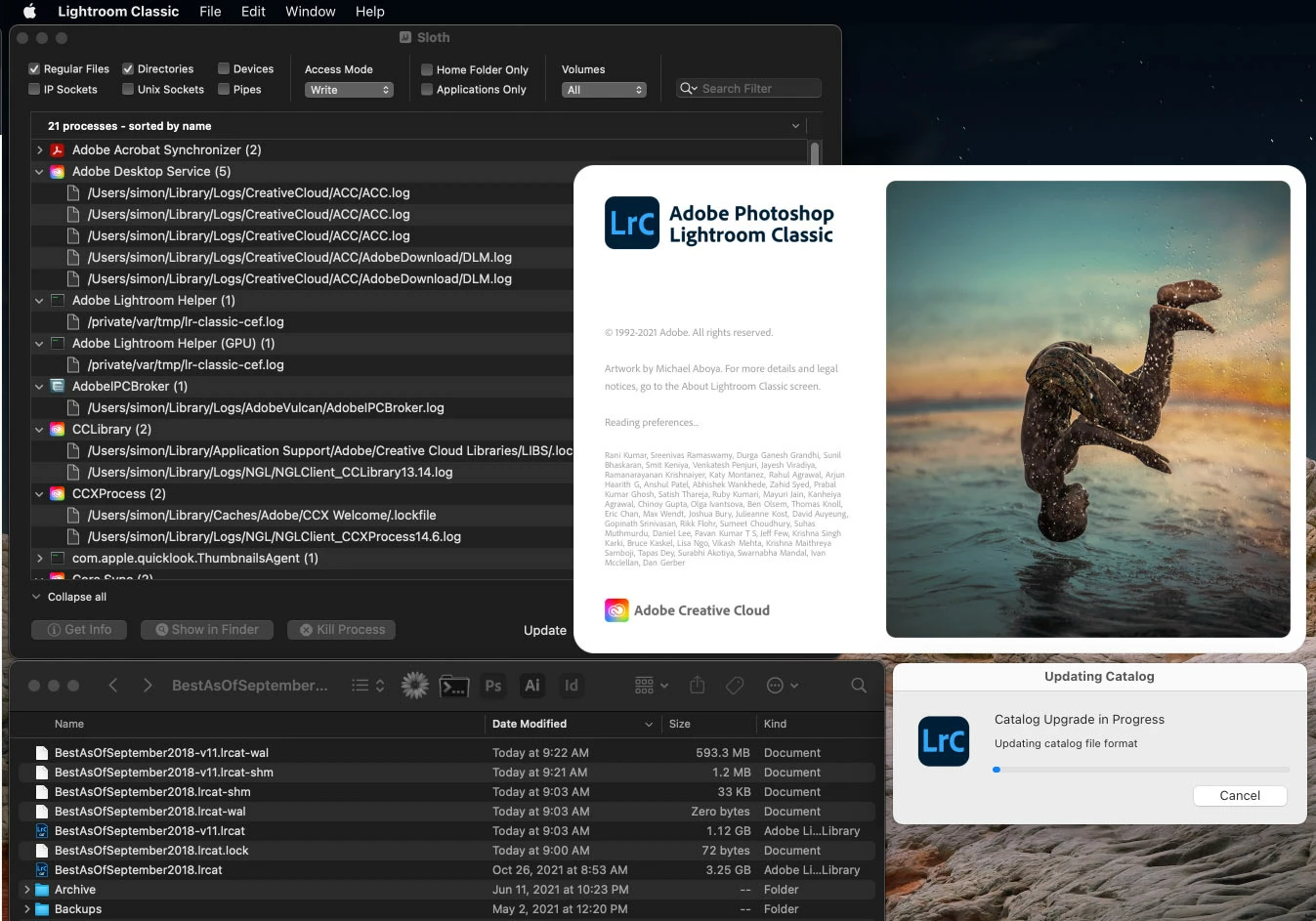
I am going to try leaving it overnight to see if it completes, then come back and update this thread, but thought I’d ask for suggestions in the meantime. Any help is much appreciated.
Simon
 AdChoices