
Clicked photo is not displayed in Develop mode
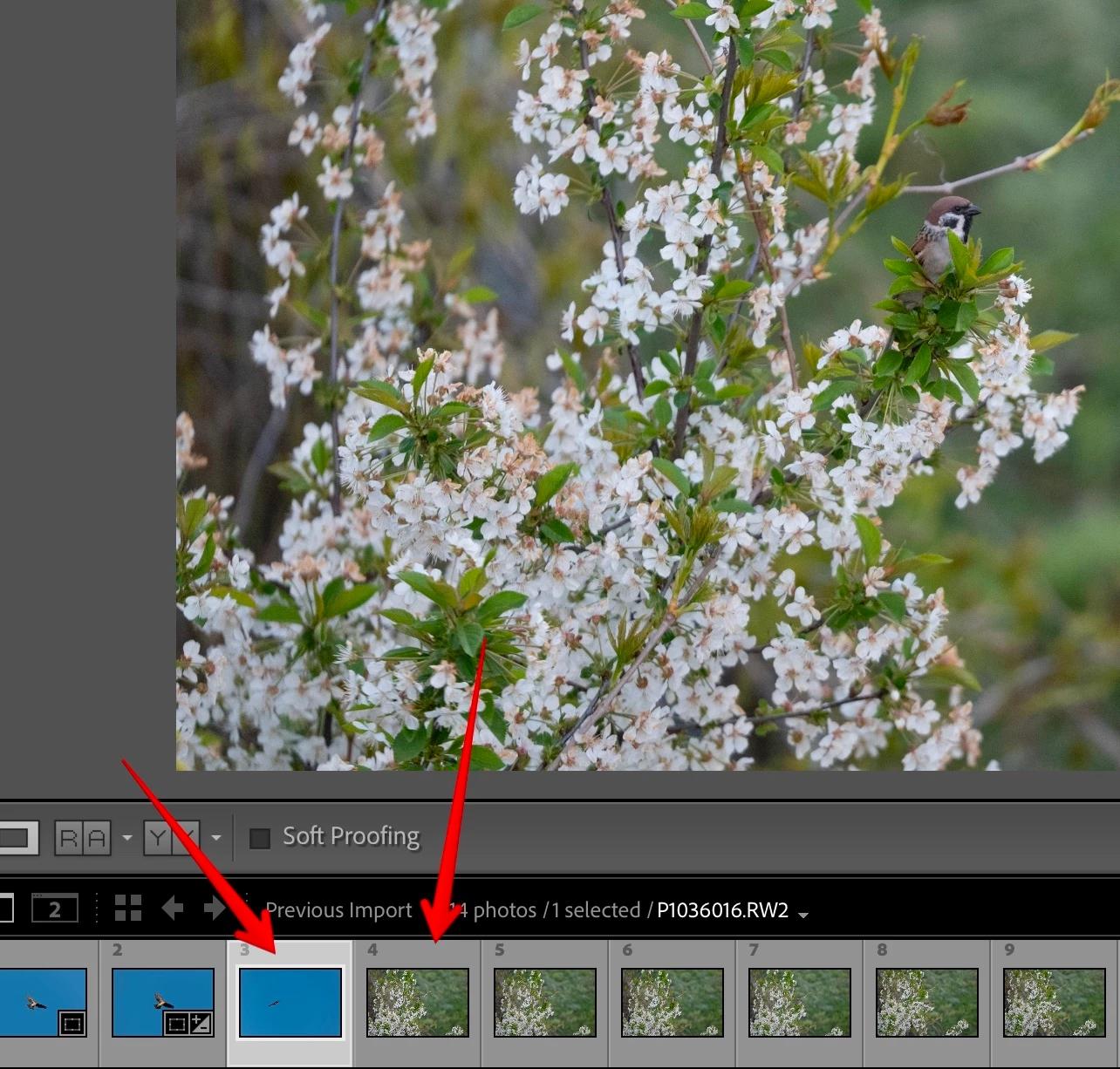
I have a problem that currently clicked photo sometimes is not being shown in Preview in Develop mode. This is especially annoying when having a series of photos (burst) and you want to find the best one by clicking on the bottom miniatures - you don’t know if the preview was really refreshed or not.
On the screenshot below I was able to catch that glitch on very a different photos so you can see the problem - the selected miniature is the one with blue sky, but LR still displays the other photo.
It seems that LR registered the “click” properly as it selected the “blue” image on miniatures panel, but somehow lost the event to repaint/refresh the main preview window. To preview “blue” image I would need to click on another photo, and again the “blue” one.
I’ve seen that since a couple of versions of Lightroom Classic.
OS: macOS (26.3.1), MacBook Pro 14” 2023
LR: 13.3, Camera Raw: 18.3
 AdChoices