
Color Correction in RAW
Hi all. I've been noticing a really noticable shift in colors from the in-camera process to my RAW image in Lightroom.
I know that the color profile in-camera and Lightroom use different alogorithms and won't be exactly the same all the same, and I know that RAW images are usually flat and require processing. However, I haven't noticed a shift this significant before.
I haven't found it possible to edit it to a similar place without losing dimension in her skin and hair (messing with reds in camera calibration and red/orange hue). I normally shoot in RAW landscapes, but these are some of my first studio-lit portraits.
I've looked into switching the color profile (Adobe Color vs. Camera-matching), but the camera-matching profiles aren't available for some reason in my program (I've gone into browse, tried managing profiles, etc, they're just not there).
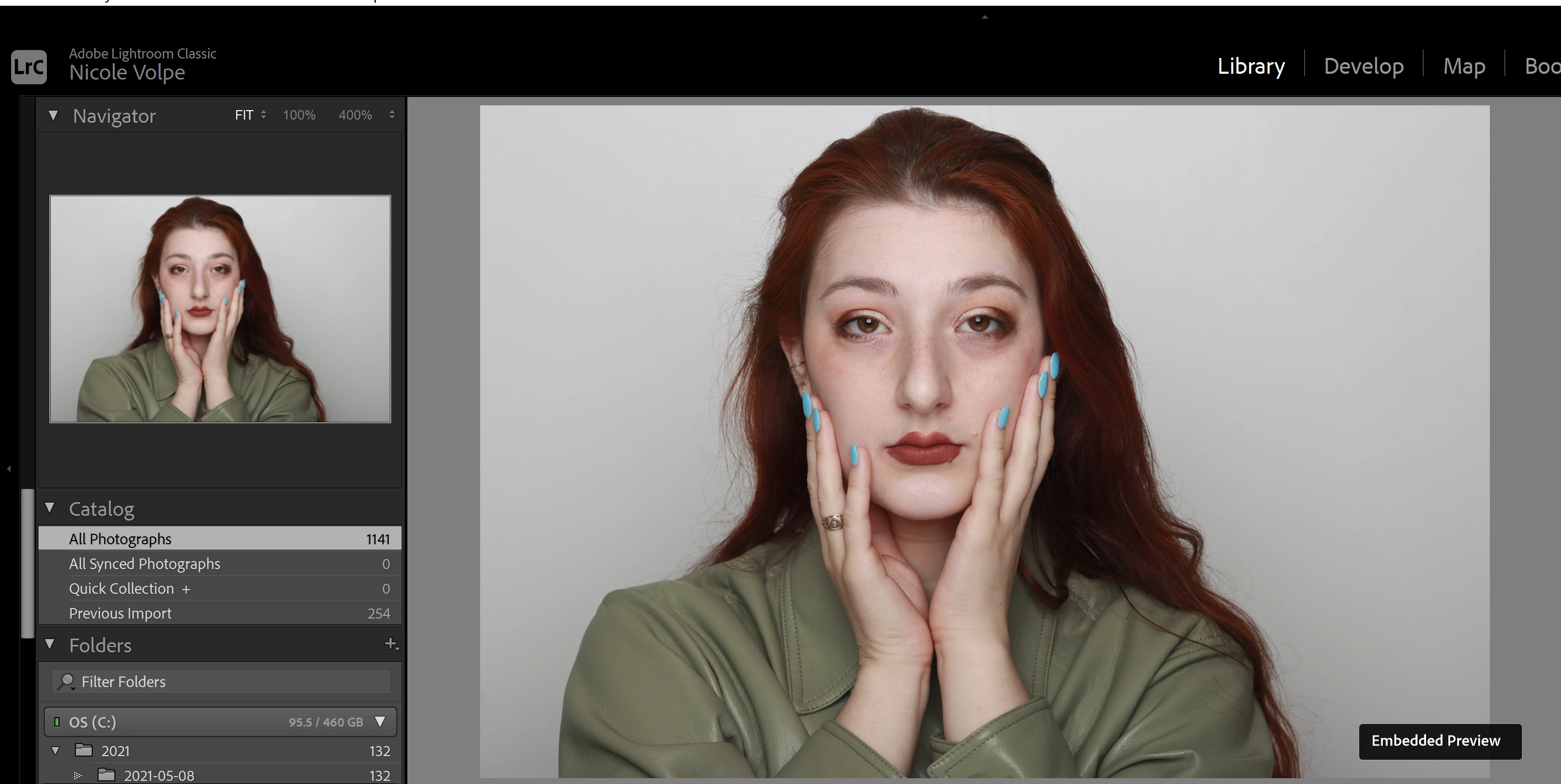
I use a Canon 90D. Here is an example of the difference I'm seeing.
Preview image, colors look true to life:
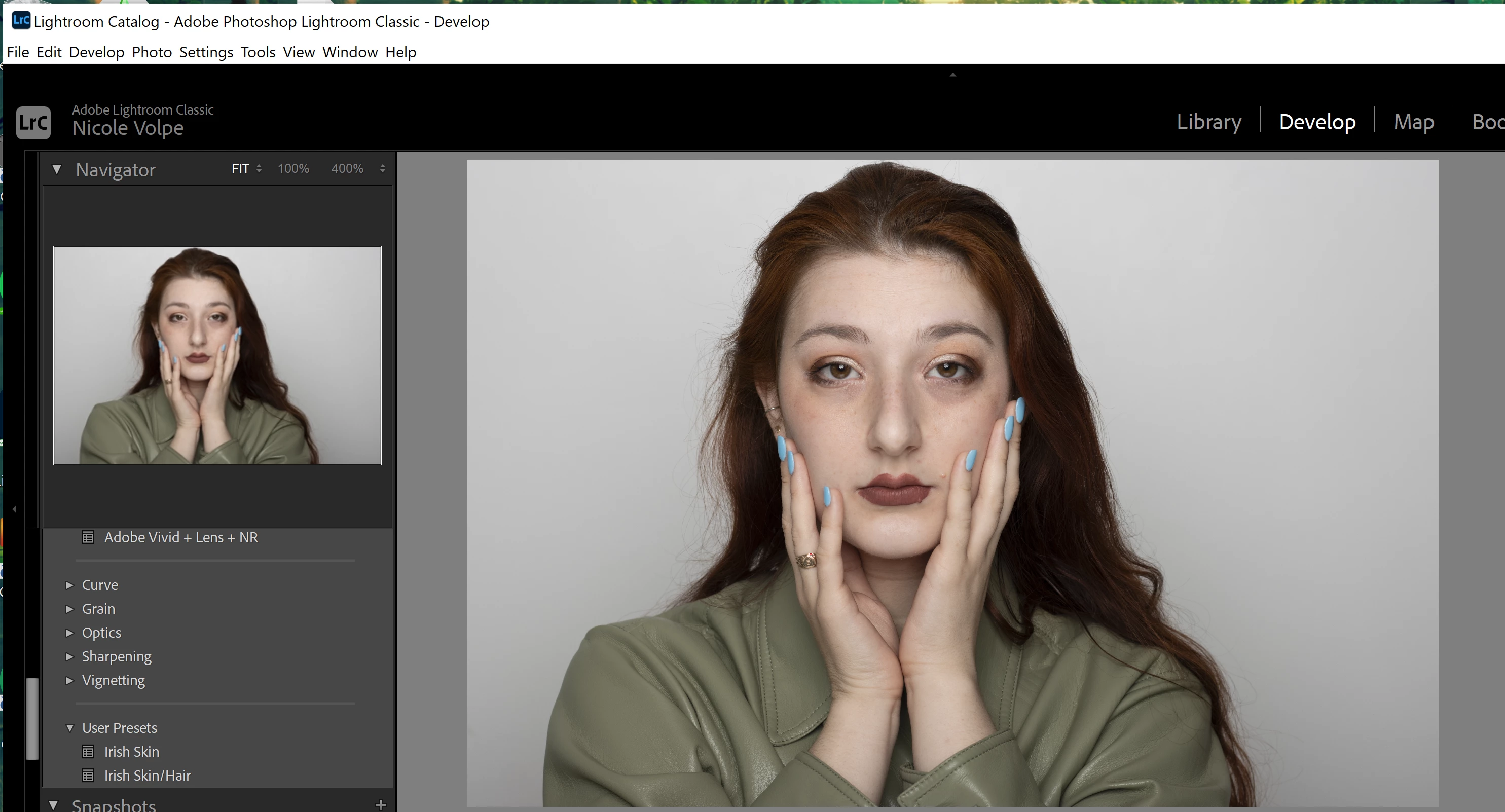
RAW undeveloped, skin tones shift green and I lose her hair:
Unavailable camera-matching profile:

Preview image in thumbnail, RAW color-shifted image in develop window.

Any thoughts on how to best get the image to a better starting place and/or manual editing tips to get closer to camera-processed colors would be fantastic. Thanks!
 AdChoices