


Color differences exporting to sRGB & soft proofing not working
I develop photos exclusively for web use in Lightroom Classic. That means I'm exporting in sRGB colorspace to post images on my website and social media. However, exported photos look completely different than what I see while developing. I assume this is because Lightroom uses a different ProPhoto colorspace. My monitor is a Dell S2721DGF IPS monitor. It has a wide-gamut and excellent color reproduction, though I have not done any calibration myself.
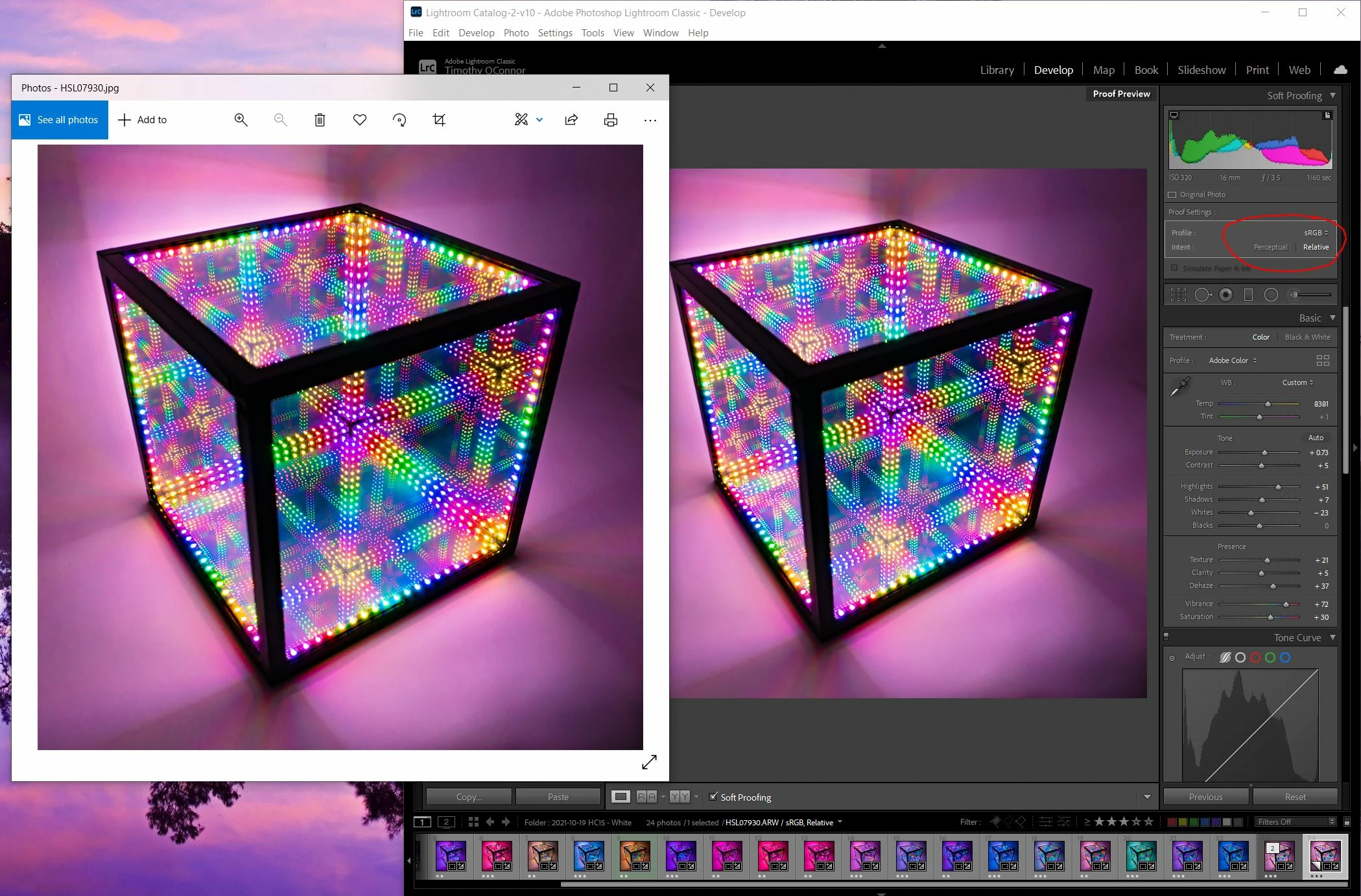
Now, I understand that Lightroom is a color managed program and windows/web is not, therefore I expect to see color differences when exporting to sRGB. I'm trying to use soft proofing to predict the differences and make changes, but the issue is that the soft-proofing doesn't appear to be working correctly. The picture I open in Windows does not reflect the soft-proofed sRGB copy displaying in Lightroom. Furthermore, the soft-proofed copy doesn't appear any different than the original in a side-by-side comparison inside Lightroom.
See the image below. The sRGB proof in Lightroom still appears different than the exported sRGB image. The exported image (left) is darker, higher contrast, and more saturated. Any ideas why these images would still be different after soft proofing? Alternatively, is there any way I can change the colorspace inside Lightroom to simply develop in sRGB and see the same colors when I export? Any help is appreciated, thank you.
 AdChoices