Participant
November 19, 2016
Answered

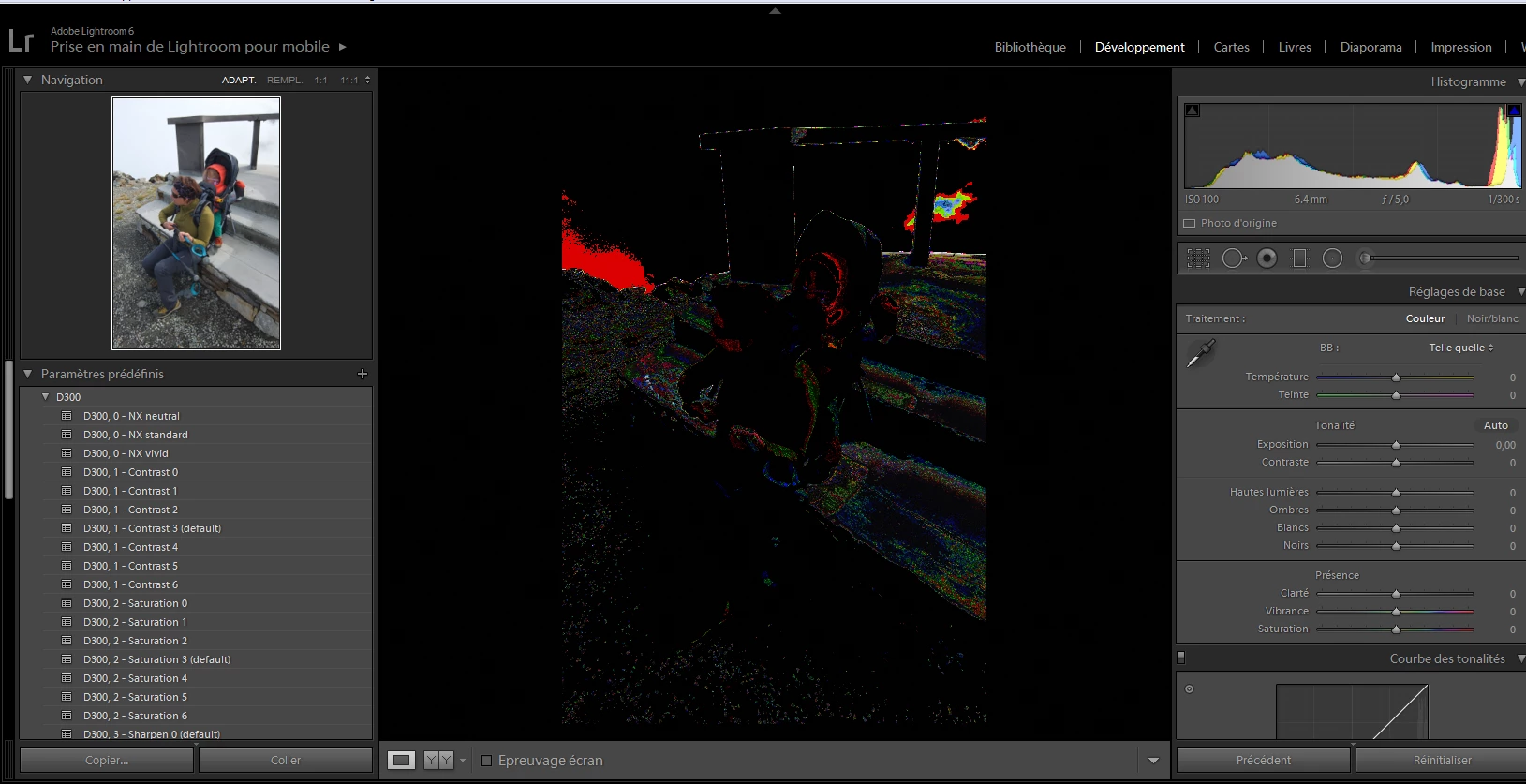
Color problem with development module

  • November 19, 2016
  • 3 replies
  • 520 views

I have a problem with adobe lightroom V6.6.1

When i go to development module the color of  my picture is very bad.

Someone have a solution.

thanks in advacne
    This topic has been closed for replies.
    Correct answer Per Berntsen

    Turn off the GPU.

    Go to Edit > Preferences > Performance (On a Mac: Lightroom > Preferences > Performance).

    Uncheck Use graphics processor.

    3 replies

    Participant
    December 7, 2016

    This was just what I needed thanks for posting it

    Participant
    November 26, 2016

    Thanks a lot

    Per Berntsen
    Community Expert
    Per BerntsenCommunity ExpertCorrect answer
    Community Expert
    November 19, 2016

    Turn off the GPU.

    Go to Edit > Preferences > Performance (On a Mac: Lightroom > Preferences > Performance).

    Uncheck Use graphics processor.

    TheDigitalDog
    Inspiring
    November 19, 2016

    Two other possibilities:

    1. Are you sure the clipping indicators are not on (can't see the full Histogram so they might be). The triangle in the upper right at the top of the Histogram.

    2. Make sure you are NOT using an ICC display profile that's been built using a Version 4 (V4) setting. Recalibrate the display, check the settings.

    Author “Color Management for Photographers" & "Photoshop CC Color Management/pluralsight"