
Participant
April 1, 2021
Question

Color profiles gone, can't add new ones

  • April 1, 2021
  • 2 replies
  • 2521 views

Recently updated to new LrC version 10.2 & Adobe camera Raw 13.2.


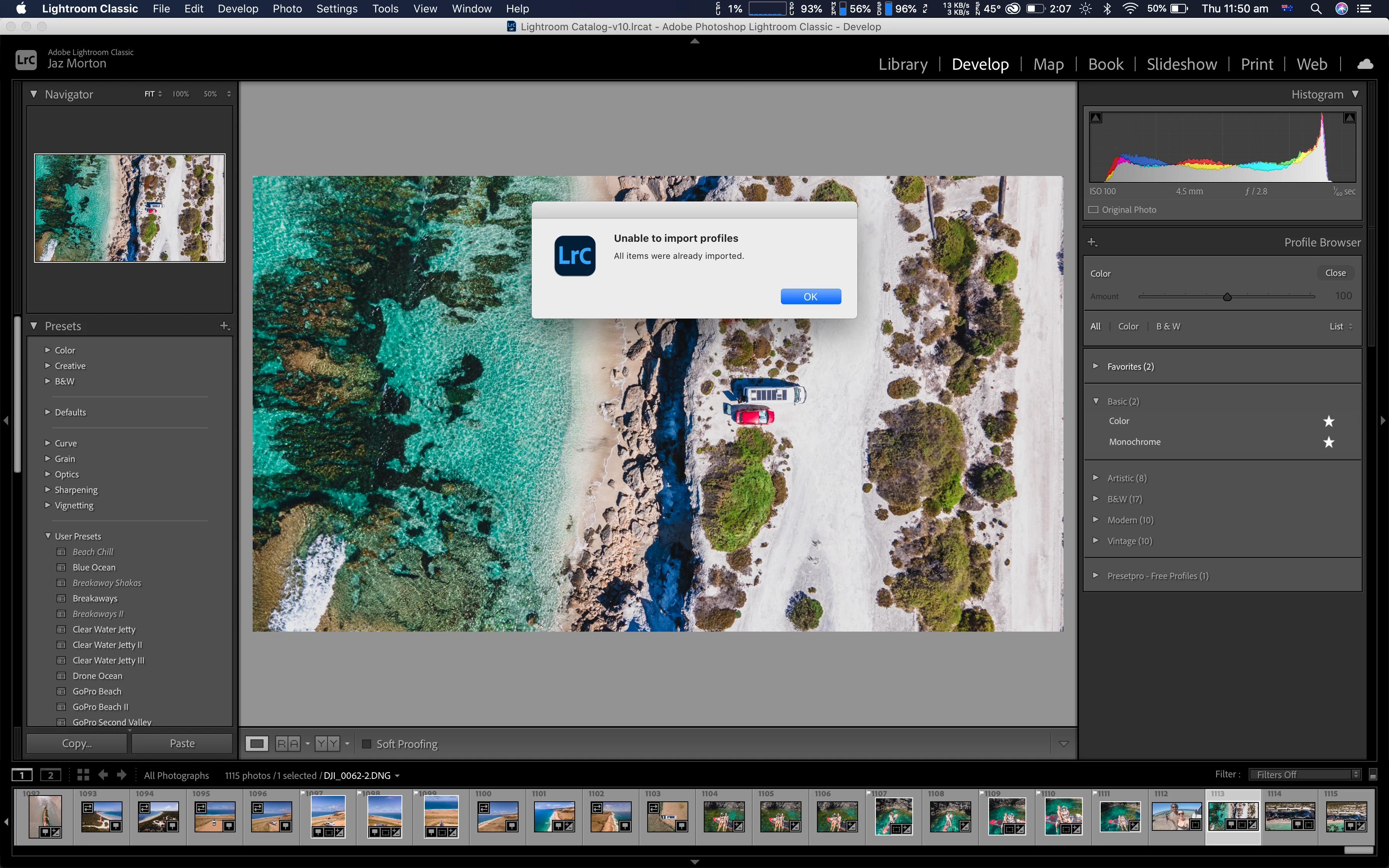
Since then, when I import a photo, and go to develop, I can no longer see some of my treatment profiles that are usually there. I like to use the Neutral profile, or Landscape, but they aren't there anymore. I just have Color & Monochrome, and also the folders of Artistic, B&W, Modern and Vintage.


I have manually found the folder that contains the Adobe Neutral.xmp and Adobe Landscape.xmp files, they're in Macintosh HD > Library > Application Support > Adobe > Camera Raw > Settings > Adobe > Profiles > Adobe Raw.


When I try to manually import them in profile browser in lightroom, an error message comes up (Unable to import profiles, All items were already imported).


So why can I not see them then if they are already imported?
 

This topic has been closed for replies.

2 replies

Rob_Cullen
Community Expert
Community Expert
April 1, 2021

You may find answers in this 2018 interesting forum thread at-

https://www.lightroomqueen.com/community/threads/dng-still-image-not-treated-as-a-raw-file.34879/


Apparently Adobe do not always provide Profiles for all raw formats, and all DNG files are not necessarily 'raw' data- they can be RGB data stored in the DNG file 'wrapper'. ie. not 'raw' files.


Regards. My System: Windows-11, Lightroom-Classic 15.1.1, Photoshop 27.3.1, ACR 18.1.1, Lightroom 9.0, Lr-iOS 10.4.0, Bridge 16.0.2 .
JazMortonAuthor
Participant
April 5, 2021
Thank you this was very helpful.
Per Berntsen
Community Expert
Community Expert
April 1, 2021

The Adobe Neutral and Landscape profiles are only for raw files.

They won't show up if you're working with RGB files, like jpg or Tiff.

JazMortonAuthor
Participant
April 1, 2021
I am working with Raw files, my drone files are DNG which is raw. I only
ever shoot in raw.