
Answered
Color Range Mask Slider not responding
While the Range Mask Luminance sliders seem responsive, the color range slider does nothing for me. The mask does not grow or shrink as it should when I try to adjust the mask using the slider.
While the Range Mask Luminance sliders seem responsive, the color range slider does nothing for me. The mask does not grow or shrink as it should when I try to adjust the mask using the slider.
As an example-
1. Apply a Gradient to a large area of an image- (Exposure reduced in screen-clip)
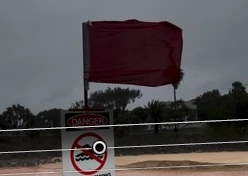
2. Turn on the 'Range Mask' set to 'Color'
3. Pick up the Color selector dropper and click on the Color you want to selectively change
4. Adjust the Gradient sliders for the effect to the selected color.
5. As advised by 99jon- press [Alt] as you move the Range Mask Slider to preview the 'Range' of the selected color that is affected by the Range mask.
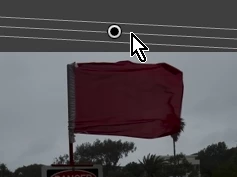
eg. Selected color is the Red flag. [ALT] pressed to preview-
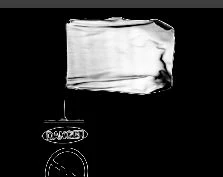
Gradient Exposure reduced-
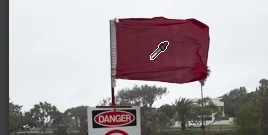
Gradient Exposure Increased-
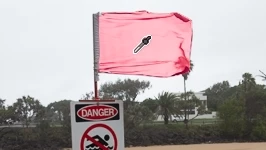
A hint: you can add a Gradient filter to the whole image by starting to drag the cursor OUTSIDE the image and drag AWAY from the image!
Already have an account? Login
Enter your E-mail address. We'll send you an e-mail with instructions to reset your password.
 AdChoices