
Known Participant
October 14, 2024
Question

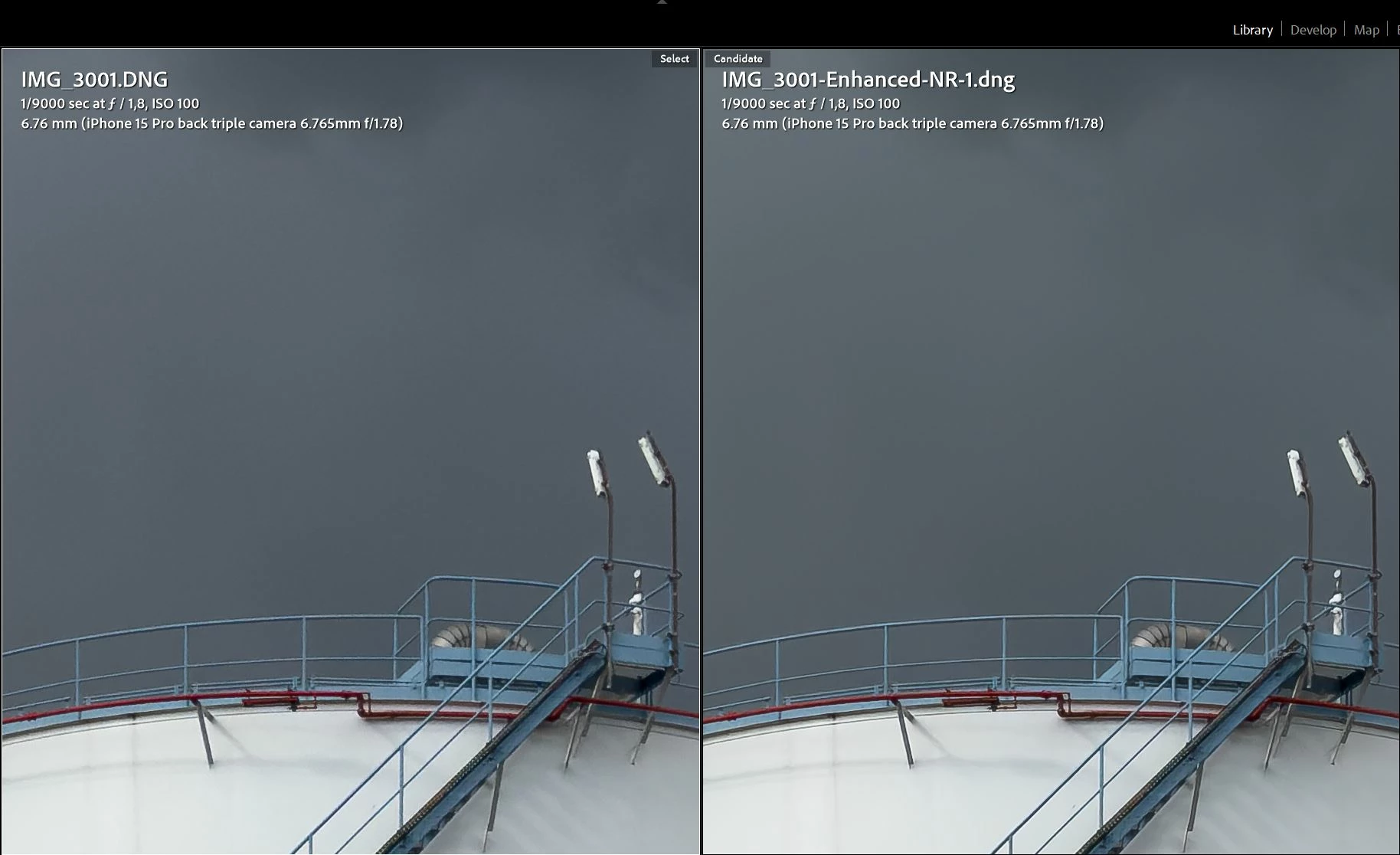
Color shift when denoising ProRAW DNG (iPhone 15 Pro)

  • October 14, 2024
  • 2 replies
  • 689 views

Just updated to LRC 14.0 and wanted to test Apple DNG denoise, something I've been waiting for for so long. And immediately noticed a color shift, well visible in this screenshot (I hope). Sky in the left (original) photo has more blue tones, denoised version is more grey.
 

This topic has been closed for replies.

2 replies

Rikk Flohr_Photography
Community Manager
October 14, 2024

The team had a chance to look at your sample files—thank you. The Denoise operation allows for slight color shifts, which are typically global and can be handled with a simple tint adjustment. If the area is more regional, a subtle Point Color adjustment can correct. 

This is not something new. Since Denoise first launched, subtle color shifts have been possible. 


Rikk Flohr: Adobe Photography Org
Known Participant
October 15, 2024

Well, yes, but you fix it at the root? It's a bit unexpected (as it doesn't happen with other raw formats), illogical and therefore annoying, you know.

Rikk Flohr_Photography
Community Manager
October 14, 2024

Would you be willing to Export this file as a DNG and share it with us so the engineers can look at it? 

Rikk Flohr: Adobe Photography Org
Known Participant
October 14, 2024

Which file do you need? I already have the original Apple .DNG, do you want me to export the resulting shifted file from a LR to a .dng as well? And where can I submit it?

Rikk Flohr_Photography
Community Manager
October 14, 2024

The original 

Rikk Flohr: Adobe Photography Org