
Participant
December 12, 2022
Question

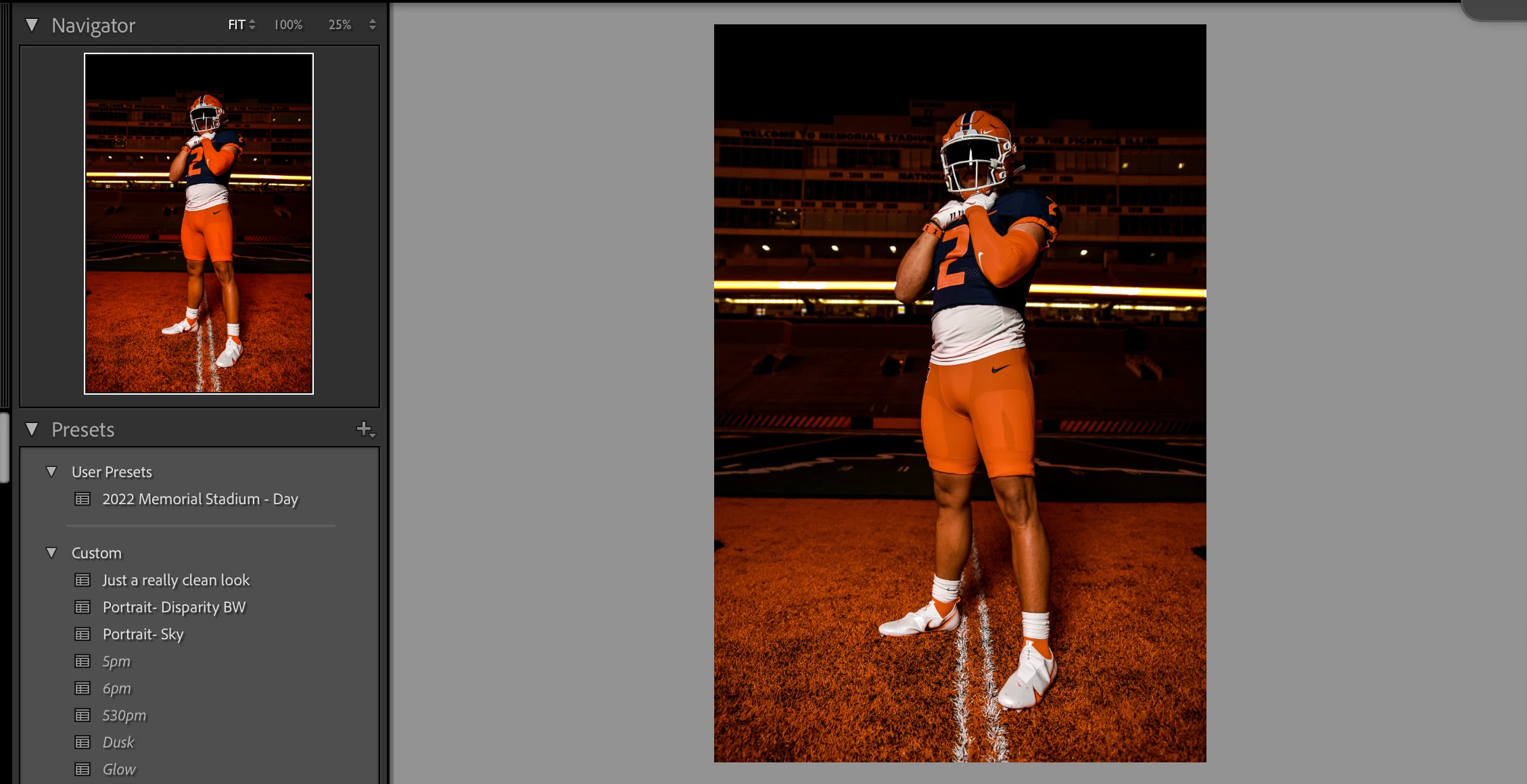
Coloring/Edits in Navigator Preview Different from Main image

  • December 12, 2022
  • 2 replies
  • 224 views

I've noticed after making edits (main image) the navigator image appears richer in color/edits (notvce how navigator orange is deeper than main, more washed). And when exported, the exported image is closer to the navigator image than the main image.. any way to fix this issue? I find myself now looking at the navigator for final product/more accurate export than the main image
 

This topic has been closed for replies.

2 replies

hannan40Author
Participant
December 13, 2022

Figured it out.. I switched the "use graphics processor" from "auto" to "off" and now theyre matching


GoldingD
Legend
December 13, 2022

Following is not (I think) the cause of your current problem, but it will become a performance issue as you increase the number of photos in a current post processing session. That Camera RAW CACH limit if 5 GB (default value) will be way too small. Might want to bump up to say 20 GB for a start. Mainly effects performance in Develop.

Rob_Cullen
Community Expert
Community Expert
December 13, 2022
Regards. My System: Windows-11, Lightroom-Classic 15.3, Photoshop 27.5, ACR 18.3, Lightroom 9.3, Lr-iOS 10.4.0, Bridge 16.0.3 .