
Participant
December 18, 2022
Question

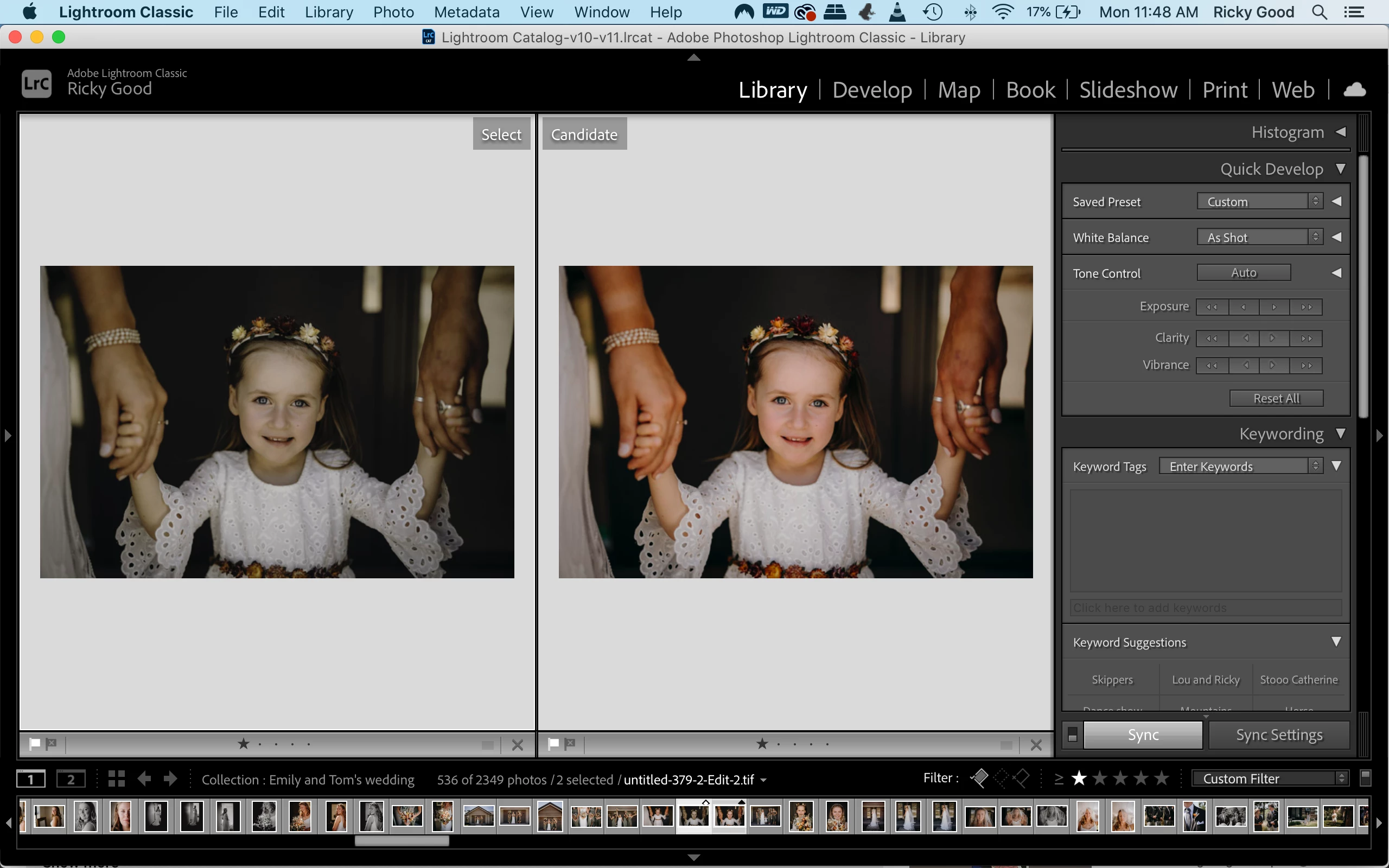
Colour change when editing from lightroom to photoshop and back.

  • December 18, 2022
  • 1 reply
  • 122 views

Hi everyone. 

I'm editing in Lightroom classic 11.5 release. 

I do final edits in Photoshop 23.4.2.

I'm on a MacBook Pro 10.15.17.


For some reason my photos have started drastically changing colour when saving from photoshop back to lightroom.

Any ideas?


Thanks  
This topic has been closed for replies.

1 reply

TheDigitalDog
Inspiring
December 19, 2022

Be sure you are on the latest versions of PS and LR to avoid a bug in the last where the round trip stripped the profile from what came into Photoshop from Lightroom Classic. The newer builds should fix this issue. 
All the images you processed in the buggy version will be untagged, so simply use the Assign Profile command in Photoshop and select the profile you originally asked for (ProPhoto RGB etc). 

IF you still have issues and are on the latest version that did fix this round trip bug, and you see that the Photoshop images are indeed tagged, try disabling GPU in preferences as that might be an issue. 

Author “Color Management for Photographers" & "Photoshop CC Color Management/pluralsight"