
Colour Difference Between Photoshop and Lightroom
I'm having issues with colour difference between Photoshop and LIghtroom.
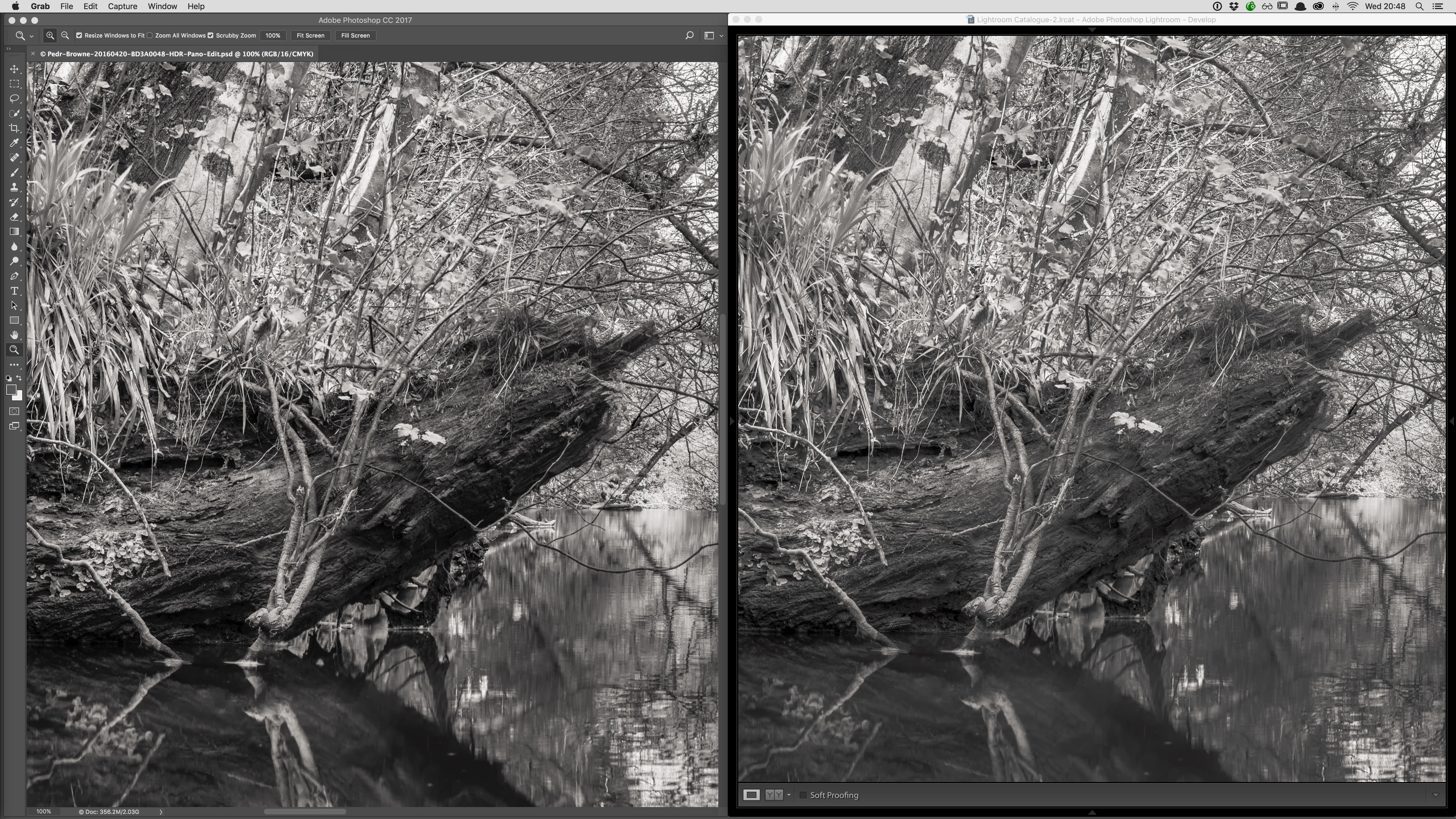
The file originated as a panorama in lightroom which I then opened as a Smart Object in Photoshop. The file was too large to save as a TIF, so I saved as a PSD. This was saved back to Lightroom. However there is an obvious difference between how the image renders (and exports) in Lightroom, and how it renders (and exports) from Photoshop.
My Lightroom settings are:
Preferences > External Editing
File Format: TIFF
Color Space: Pro Photo RGB
Bit Depth: 16 bits/component
Compression: None
My Photoshop Colour Settings are:
Edit > Color Settings
RGB: Pro Photo RGB
Image > Mode > RGB Color : 16 Bits / Channel
Note: The image is toned, so it isn't greyscale.
Here is a screen cap of the images side-by side (Photoshop on the left, Lightroom on the right):
 AdChoices