

Constant, rapid memory leak then crash after creating slideshow
Lightroom Classic 11.1, MacOS Monterey 12.0.1, M1 Max MacBook Pro
The following is repeatable for me and leads to a constant and rapid memory leak that will consume all avaiable system memory:
1. Add around 250 photos and some videos to Quick Collection. Select Quick Collection
2. Select slideshow. Run the slideshow
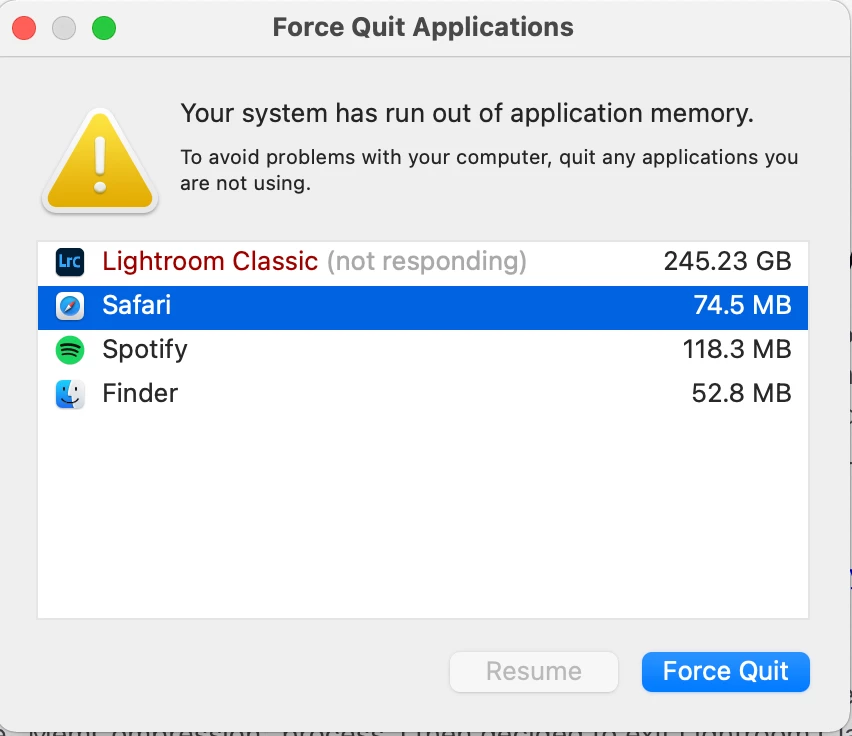
3. Lighroom will now leak memory at a rate of several GB per minute until all system memory is exhausted. Attempting to quit the application will hang with a spinning beachball. Memory continues to leak while the application is unresponsive until it's forced to quit.
4. Now whenever I start Lightroom the same behaviour occurs - it begins leaking memory immediately, regardless of whether I attempt to run the slideshow or not
5. The only way to fix this is to start Lightroom, quickly clear the Quick Collection, then force quit. Lightroom is now back to normal.
In anticipation of the initial response I have reset Lightroom settings using the Opt/Shift on startup, and the above still occurs.


 AdChoices