Cinbert
Participant
February 23, 2024
Question

Convert photos to DNG reverts to original orientation

  • February 23, 2024
  • 1 reply
  • 432 views

Lightroom Version Number Lightroom Classic version: 13.2

Operating System Windows 11


Images captured in RAW on a camera that has "Auto Image Rotation" turned off. Images are shot with the camera facing straight down for copy work. All images come in with EXIF Orientation = Horizontal (normal). If I rotate the images in the catalog and then convert to DNG with the Library Menu --> Convert photos to DNG, the image in the catalog will revert to the original Orientation = Horizontal (normal) during the conversion process.


This problem started second half of 2023.


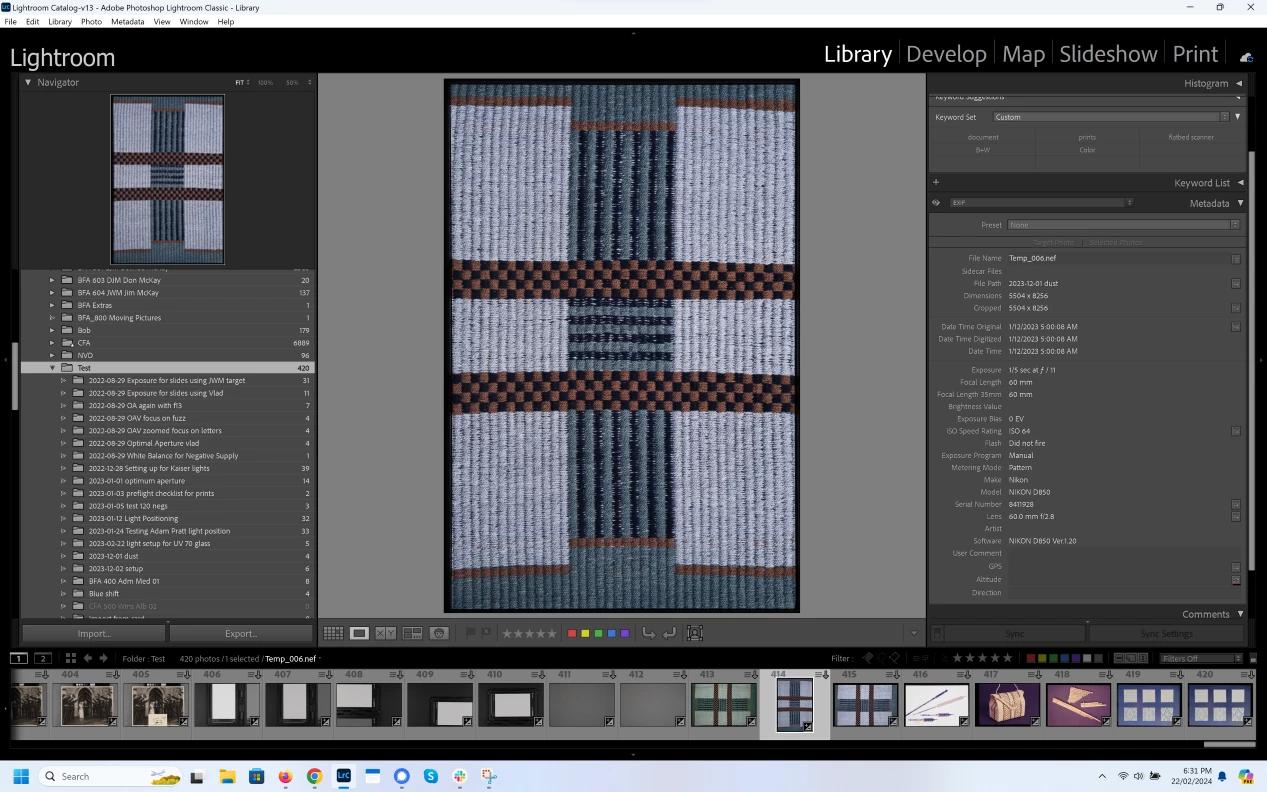
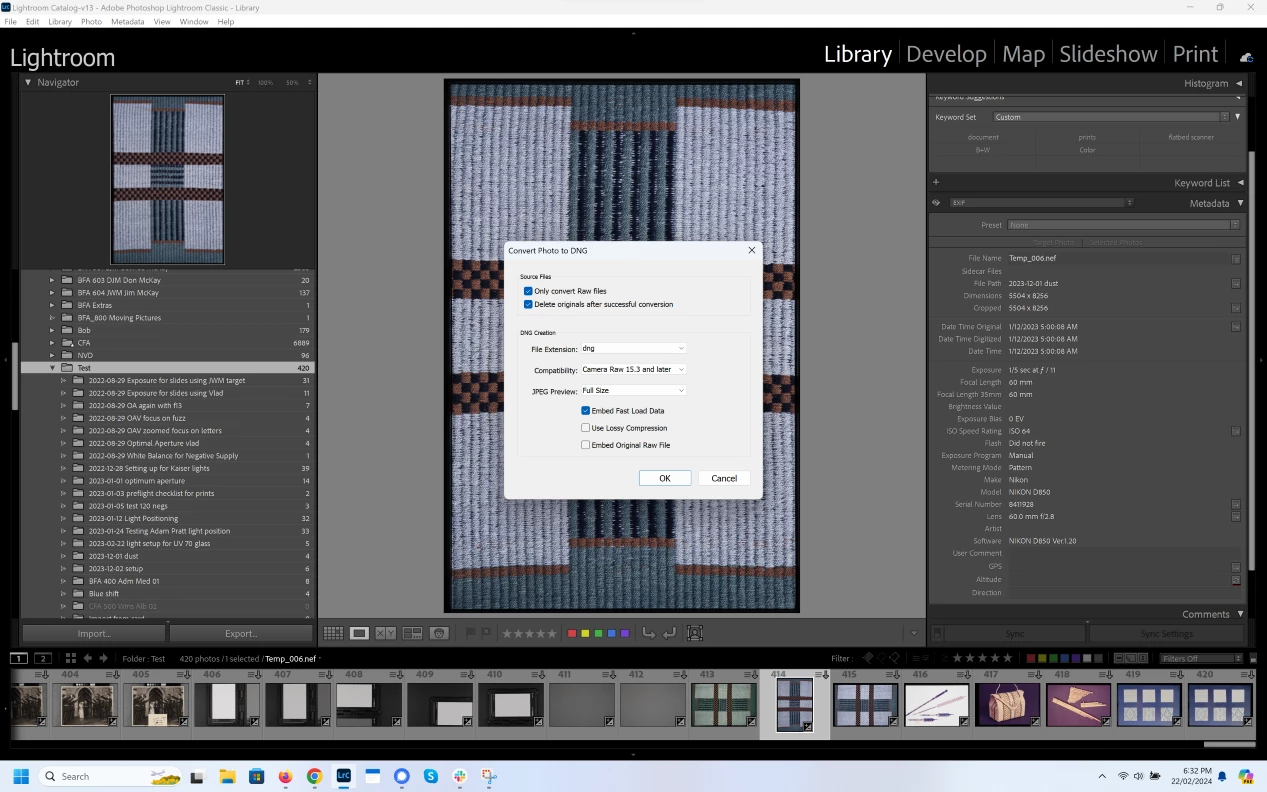
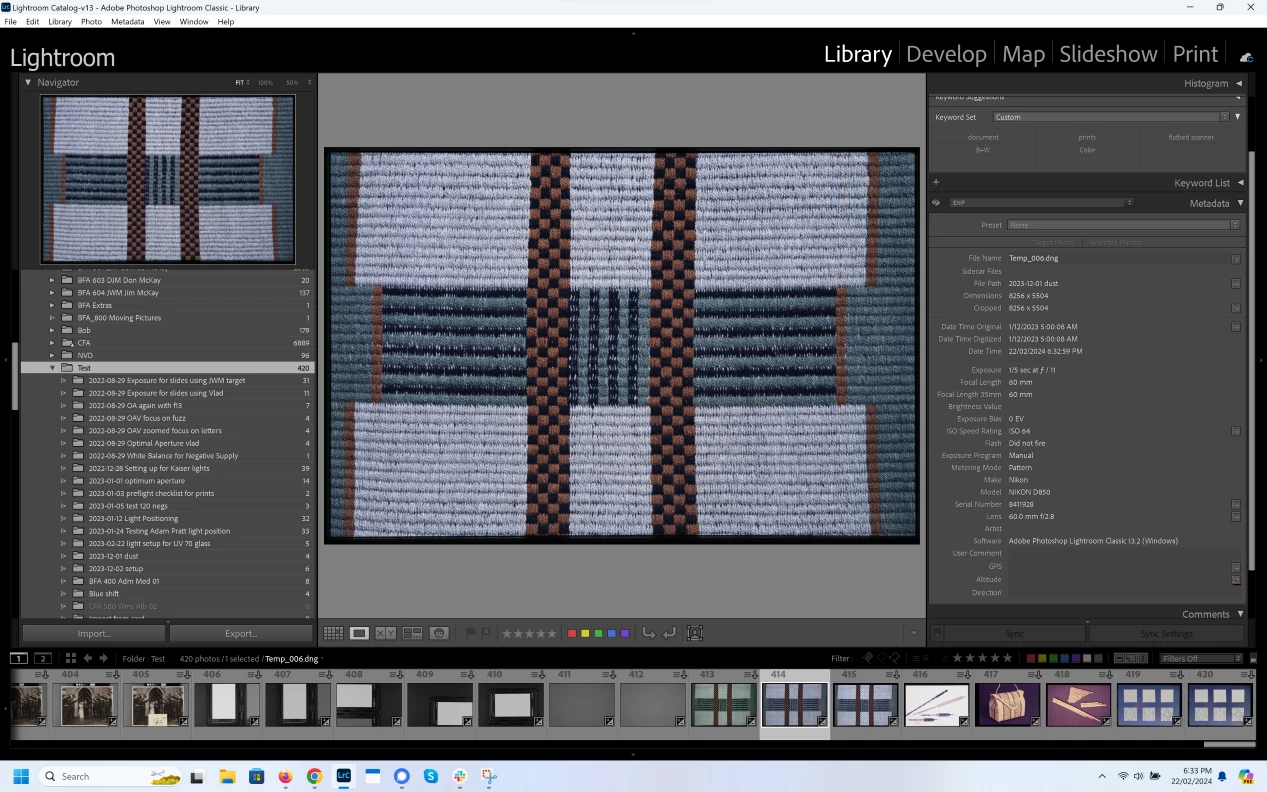
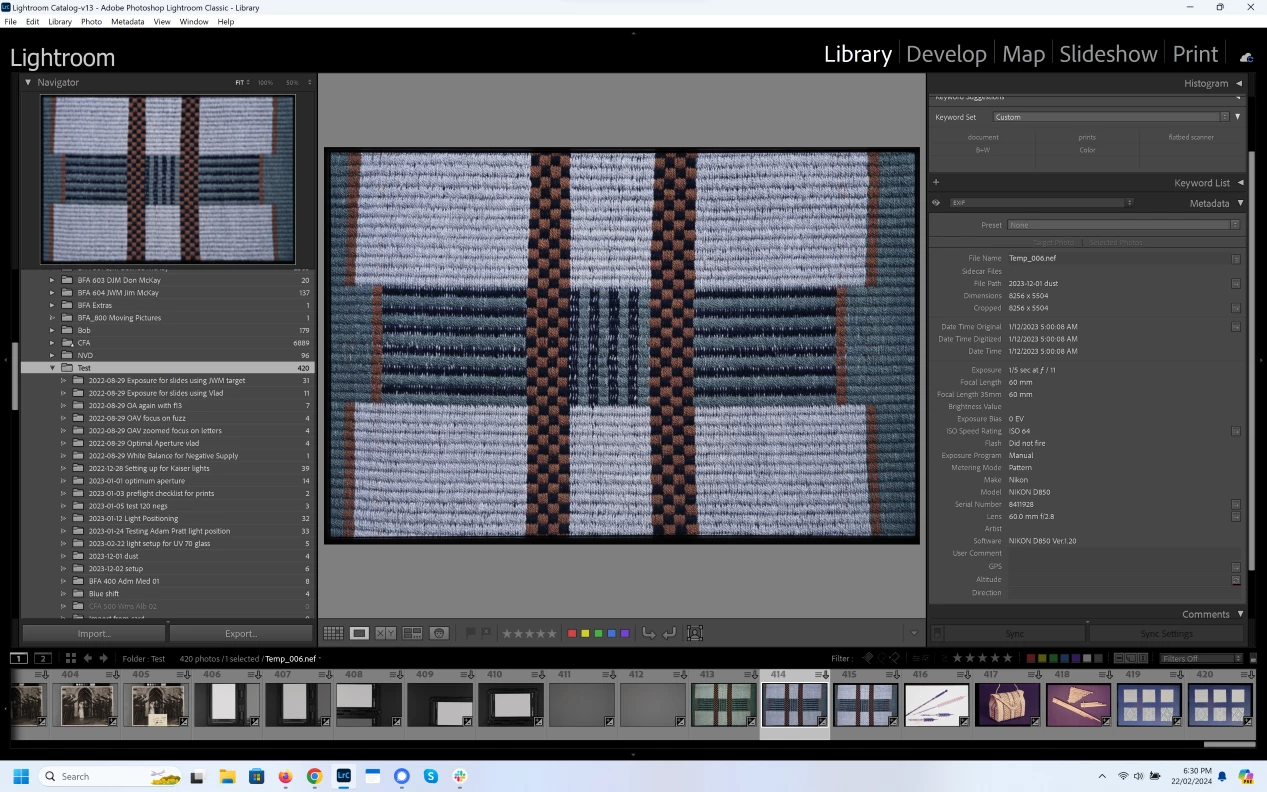
I have attached 4 screenshots in progression showing the Image and EXIF data for 1) a landscape image right out of the camera (RAW), 2) image rotated 90 degrees, 3) convert to DNG, 4)converted DNG image has rotated back to Landscape.


The only recovery is to rotate all the images again after they have been converted to DNG. I will stop converting my images to DNG until I can figure out what is happening here.


What am I missing or could this be a bug.
1 reply

Harald E Brandt
Known Participant
February 6, 2025

The same happens in MacOS, and the bug is still present in LrC 14.1.

In addition, not only rotation is reverted, but also Flip Horizontal or Flip Vertical reverts to the original import status.

For me, this is a troublesome bug because:

I do camera scan of slides, and they must always be scanned (i.e photographed) in landscape orientation. For technical reasons, they are also scanned mirrored (emulsion towards the camera).

Therefore, I have to Flip Horizontal of all photos and rotate the ones in portrait format. When I later convert to lossy DNG, all photos revert to the original import status which forces me to re-do all flip horizontal and rotate. Very annoying!

Harald E Brandt
Known Participant
February 7, 2025

Note: This bug started in LrC v13, it certainly did not exist in v10.

Cinbert
CinbertAuthor
Participant
February 7, 2025

Yes, Still a bug for me in LrC 14.1 and it started when I upgraded to 13. My current workaround for copy work is to shoot my batch then convert to DNG before doing anything else. I can then do my flips and rotates and other edits without worrying about the DNG conversion undoing anything.