Participant
December 16, 2019
Question

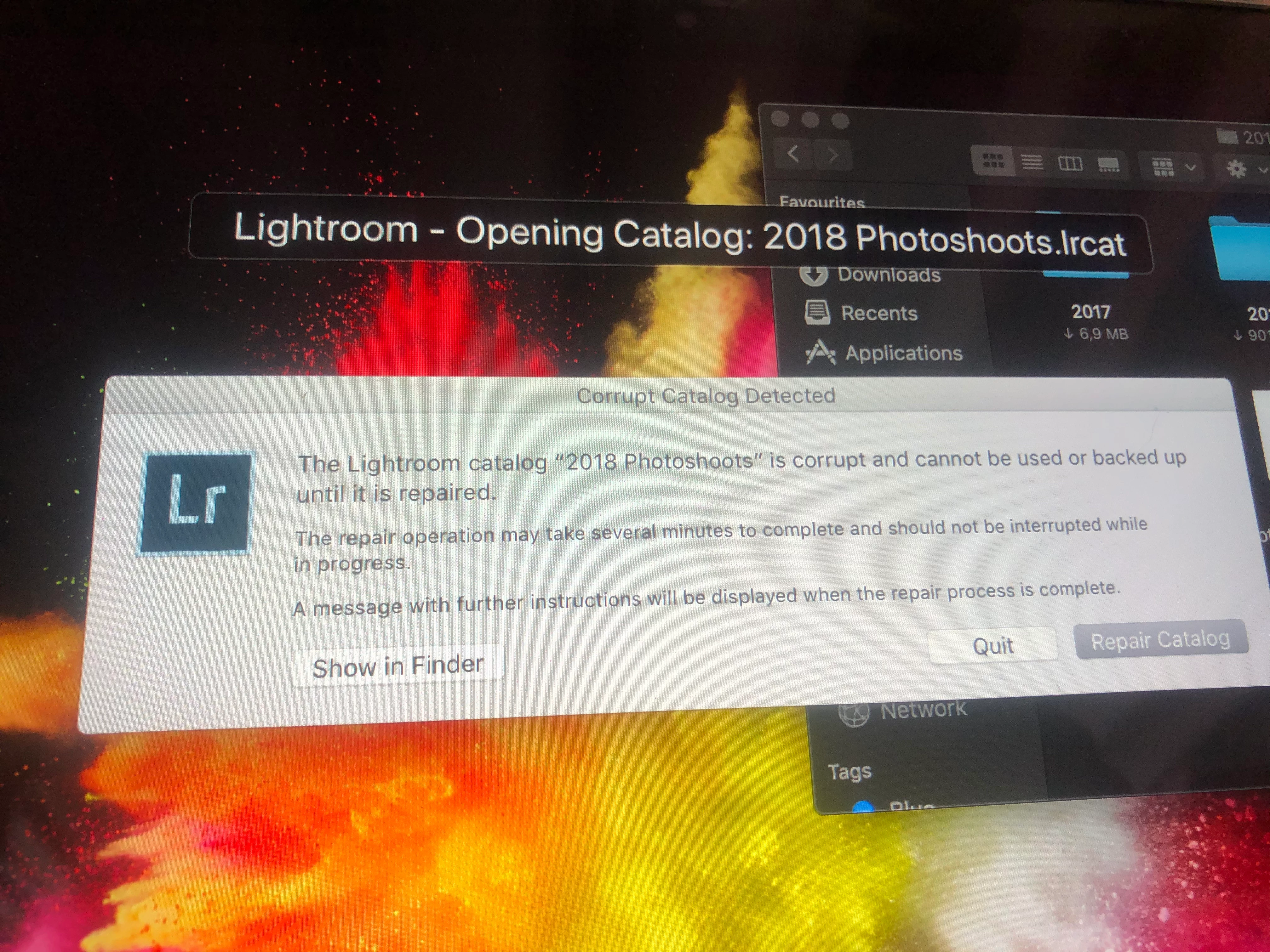
Corrupt Lightroom Classic Catalog

  • December 16, 2019
  • 2 replies
  • 248 views

Please help!! I've been working endlessly on a project (400+ images) for the past 2 weeks straight. Came home now to continue and received this message when trying to open my LR (see image). I think it has something to do with the catalogue being uploaded to icloud (I am so sick of mac to be honest) and I can't seem to get it back now? Please help me what can I do? 😭
 

This topic has been closed for replies.

2 replies

nikunj.m
Legend
December 16, 2019

Hi there,


As suggested by dj_paige, you can try an restore a backup of the catalog in case you have made one recently and store the catalog in a location which is not getting synced to the iCloud storage.


Apart from that, if repairing the catalog does not work and you do not have a recent backup of the catalog, you can create a new catalog and try to import the images from the corrupt catalog to the new catalog to check if that works.

You can check the steps mentioned here: https://helpx.adobe.com/in/lightroom-classic/kb/catalog-faq-lightroom.html#HowdoImergetwocatalogsorimportfoldersfromanothercatalog


Regards,

Nikunj

dj_paige
Legend
December 16, 2019

Restore a recent backup of your catalog file. Do not store catalog files in "the cloud".