
Participant
April 19, 2024
Question

Création de livre dans lightroom

  • April 19, 2024
  • 2 replies
  • 183 views

Je suis en train de créer un livre (enregistré)  Blurb avec papier standard de 302 pages avec 340 photos.

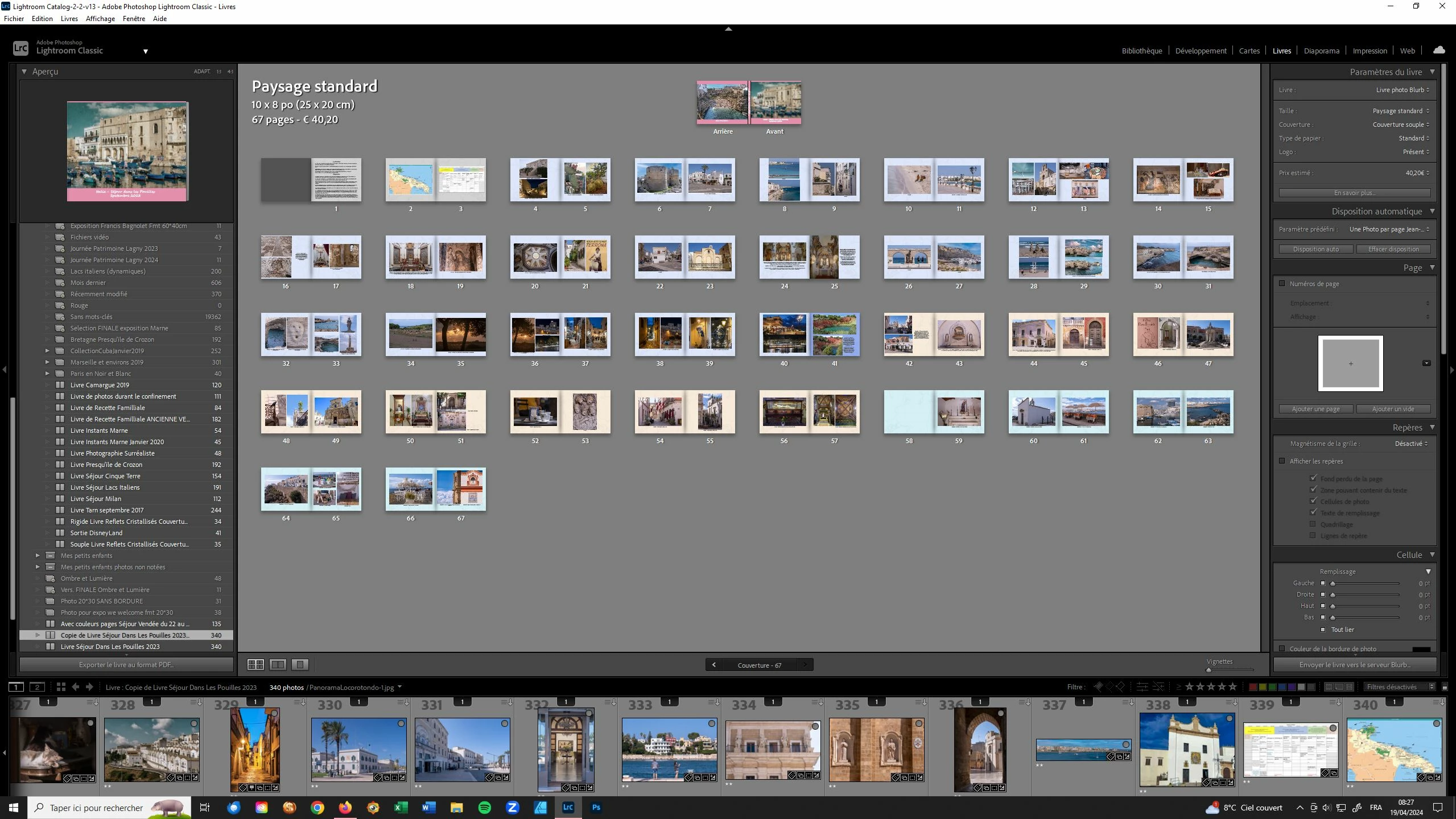
Après un plantage lightroom mon livre reste limité à 67 pages.

J'ai relancé la disposition automatique : il me complète bien mon livre. Mais ce complément disparait si l'on change d'affichage (exemple : bascule module bibliothèque et retour dans module livre ).

Toutes les 340 photos sont bien indiquées comme "utilisées".

J'ai pensé que la sauvegarde du catalogue permettait de conserver la totalité de mon livre. 

Pouvez - vous m'aider ?

Ci-dessous une copie d'écran...
This topic is closed to new replies. Start a new post to keep the conversation going.

2 replies

Rob_Cullen
Community Expert
Community Expert
April 20, 2024

"Saving the Catalog" is not always sufficient to preserve your book editing. You must always [Create a Saved Book] which will appear in the Collections panel. It is only this Book Collection that will preserve all your book editing in the Catalog. AND you must ALWAYS Re-open (to re-edit or continue editing) a saved book from this Book Collection (Not a standard collection or a folder of images).

(If you dont see the tabs to [Create Saved Book] - press backslash key [ \ ]  to show the tabs.


Also, I have now seen two other posts where the pages in a book were limited with no obvious explanation. I suspect there might be a bug in the LrC 13.2 Book module.


I thought there might have been a limit to the pages (some book styles are max 240 pages) but  I just tried 365 photos and AutoLayout created 365 Pages! 


I can only suggest you [Clear] the book and keep trying Auto-Layout to see if you get all pages.


Regards. My System: Windows-11, Lightroom-Classic 15.4.1, Photoshop 27.8, ACR 18.4, Lightroom 9.4, Lr-iOS 10.4.0, Bridge 16.0.3 .
jm_salAuthor
Participant
April 20, 2024
Bonjour,
Merci beaucoup pour votre réponse.
Je m'en suis sorti en installant la version du catalogue (backup) d'avant
le crash ou bug. Et j'ai retrouvé toutes les pages de mon livre. Comme
j'ai paramétré une sauvegarde lightroom tous les jours j'ai juste une
journée à rattraper.
Bien à vous.
Jean-Marc Salerno