Sure thing, sorry for all the french :
When I launch LR or PS I see this message asking me to log in :
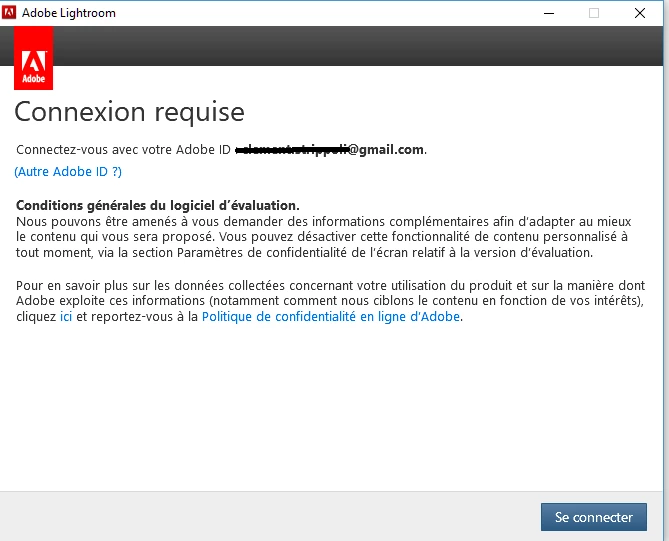
I confirm that the email address that I've hidden is the one that is associated with the Adobe account that has the photography plan activated.
So I click on "se connecter" which means connect.
Then I see this :
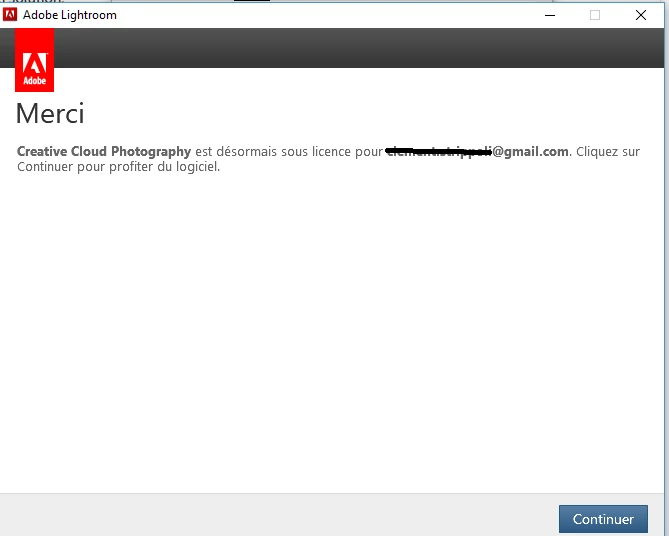
Which basically means "thank you, creative cloud photography is now licensed under 'your email address' click on continue to enjoy the software". When I click on continue the software does not launch, the first message appears again. And this goes on and on and on...
I already tried to uninstall and install again the Creative Cloud app and that didn't work...
OK, thanks, that looping back to the first message is very similar. The problem is probably in the data that CC has stored locally, meaning that the re-installed applications are still referring to the bad information.
So I would suggest that your next step is to try the Creative Cloud Cleaner Tool which wipes that data. See if it works for you. In my case, it didn't work and I had to contact Adobe support (go into "Account Issues" and look for "Show me my contact option" to get into Chat). I eventually needed to share my screen with the support guy, but I could follow his steps and I was happy with how the problem was resolved. Hopefully the CC Cleaner will do the job.




 AdChoices