
Participating Frequently
November 13, 2018
Question

Cropped pixels when opening an RAF or DNG file

  • November 13, 2018
  • 5 replies
  • 1516 views

If I open an original (Fuji) RAF file, or an converted DNG file, de CR and the LR too croppin about 130 pixels from every side. The SOOC jpeg files no have cropped pixels! When I open same file with an other RAW editing softver (One1 Photo RAW or Capture One) no problem.

This is the converted DNG file opened in Capture One
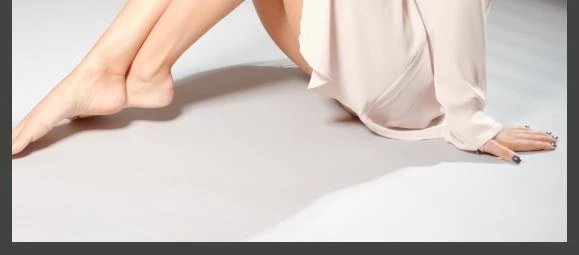
This is same file opened in LR CC Classic 8.0
Please help me somebody!

Regards, Sandor

This topic has been closed for replies.

5 replies

Pilkington001
Participant
May 10, 2024

Hi there, did you find a solution to this problem. I have just noticed that I have the same issue, I have also noticed that the image is cropped in my finder preview as well(???) . Any insights would be appreciated. thanks


Rikk Flohr_Photography
Community Manager
May 10, 2024

You’ve posted to an ancient thread. It is highly unlikely that the issue described in this thread, though not impossible, is the same one you are currently experiencing. Rather than resurrect an old thread that is seemingly similar, you are better off posting to a new thread with fresh, complete information, including system information, a complete description of the problem, and step-by-step instructions for reproduction. 


If the issue is the same, we will merge you back into the appropriate location. 


Thank you!


Rikk Flohr: Adobe Photography Org
Participant
February 22, 2022

It's the way LR's lens distortion correction works. Try switching it off.

GoldingD
Legend
November 13, 2018

hmm, possible issue: Images unexpectedly cropped in Lightroom

What version of LR? What Camera?

when answering what version of LR, get that by clicking on Help (in LR) then System Information, click the copy button, and past the resulting text file copy in your clipboard to your reply.

Participating Frequently
November 13, 2018

Fujifilm X-T2 and LR CC Classic 8 and CR 11

GoldingD
Legend
November 13, 2018

I am sorry, but many members of this forum have run into circular arguments on users stating they have version whatever. As such it is highly preferred to ask if you can click on Help (in LR) click on System Information, click on copy, and past that in a reply. We will see something like this (I have trimmed mine down a bit):

Lightroom Classic version: 8.0 [ 1193777 ]

License: Creative Cloud

Language setting: en

Operating system: Windows 10 - Business Edition

Version: 10.0.17134

Application architecture: x64

System architecture: x64

Logical processor count: 8

Processor speed: 4.0 GHz

Built-in memory: 16317.1 MB

Real memory available to Lightroom: 16317.1 MB

Real memory used by Lightroom: 968.7 MB (5.9%)

Virtual memory used by Lightroom: 8765.2 MB

GDI objects count: 997

USER objects count: 3494

Process handles count: 2244

Memory cache size: 165.2MB

Internal Camera Raw revision: 61

Maximum thread count used by Camera Raw: 5

Camera Raw SIMD optimization: SSE2,AVX,AVX2

Camera Raw virtual memory: 3271MB / 8158MB (40%)

Camera Raw real memory: 3305MB / 16317MB (20%)

System DPI setting: 96 DPI

Desktop composition enabled: Yes

Displays: 1) 1920x1080

Input types: Multitouch: No, Integrated touch: No, Integrated pen: No, External touch: No, External pen: No, Keyboard: No

Graphics Processor Info:

DirectX: NVIDIA GeForce GTX 980 Ti (23.21.13.8813)

Application folder: C:\Program Files\Adobe\Adobe Lightroom Classic CC

Library Path: W:\Active Projects\Photography\NAF El Centro 20120216\Blue Angels PhotoShoot 16Feb2012-2-2-2.lrcat

Settings Folder: C:\Users\goldi\AppData\Roaming\Adobe\Lightroom

Installed Plugins:

1) AdobeStock

2) Aurora HDR 2018

3) Canon Tether Plugin

4) ColorChecker Passport

5) Flickr

6) HDR Efex Pro 2

7) Helicon Focus Export

8) Iridient X-Transformer

9) Loupedeck

10) Luminar 2018

11) Nikon Tether Plugin

12) ON1 Photo RAW 2018

13) ON1 Resize 2018

14) SmugMug

Config.lua flags: None

Adapter #1: Vendor : 10de

    Device : 17c8

    Subsystem : 85481043

    Revision : a1

    Video Memory : 6103

Adapter #2: Vendor : 1414

    Device : 8c

    Subsystem : 0

    Revision : 0

    Video Memory : 0

GoldingD
Legend
November 13, 2018

Your camera being a Fujifilm, did you use Adobe LR to convert the RAW or an external RAW converter like Iridient X Transformer?

Participating Frequently
November 13, 2018

I had tried both. Converted with Irident X-Transformer to DNG and opened the RAF file directly with CR or imported to Lightroom. All of time the LR an CR cropped the pixels. When I opened the RAF or DNG file with other program (Capture One or One1 Photo RAW) this program didn't cropped the pictures.

Just Shoot Me
Legend
November 13, 2018

Can you upload those images to something like DropBox and then post a Public link to them. If possible if there are XMP files with them upload them also.

Which Fuji camera are you using and what EXACT version of LR. Go to Help then System Info and post the first 10 lines.

GoldingD
Legend
November 13, 2018

Please double check in the Develop Module, the images current crop settings in the crop panel. Is it set to As Shot?

Participating Frequently
November 13, 2018

Yes of course. The picture that I had posted here just an screen capture with windows tool. The picture is in original size.