
Participant
November 18, 2024
Question

Cropped plus masking causing bad results during export.

  • November 18, 2024
  • 1 reply
  • 495 views

1. LrC  14.0.1

2. Windows 10 Pro v.22H2

3. Add masks to image then adjust crop?


Hello,

Is there a bug with cropped images and masks when exporting from LrC? I ask this because I'm running into this problem.  

This is a screen grab from LrC Development workspace.
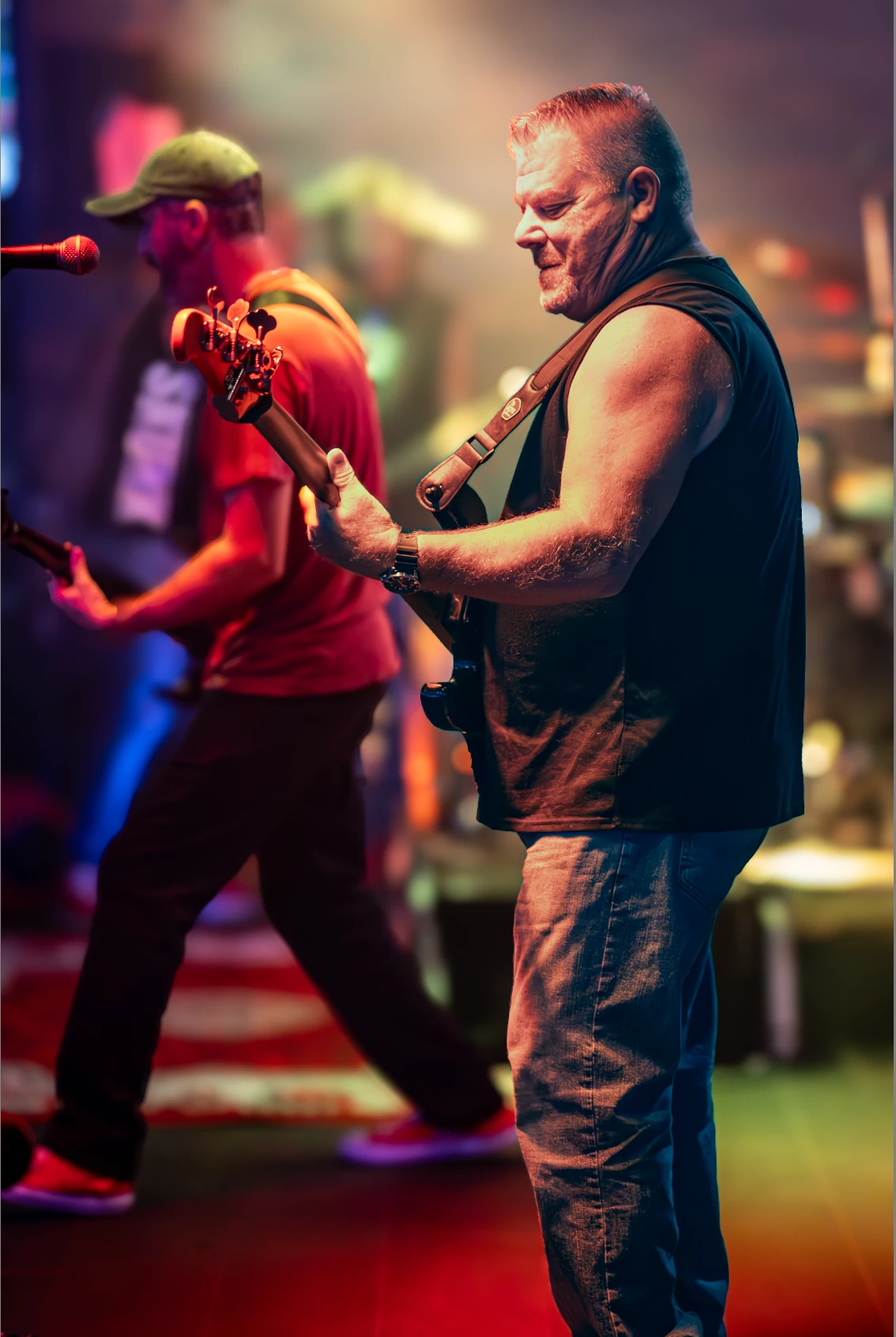
 

This is the exported image, if I delete the masks it doesn't do this.
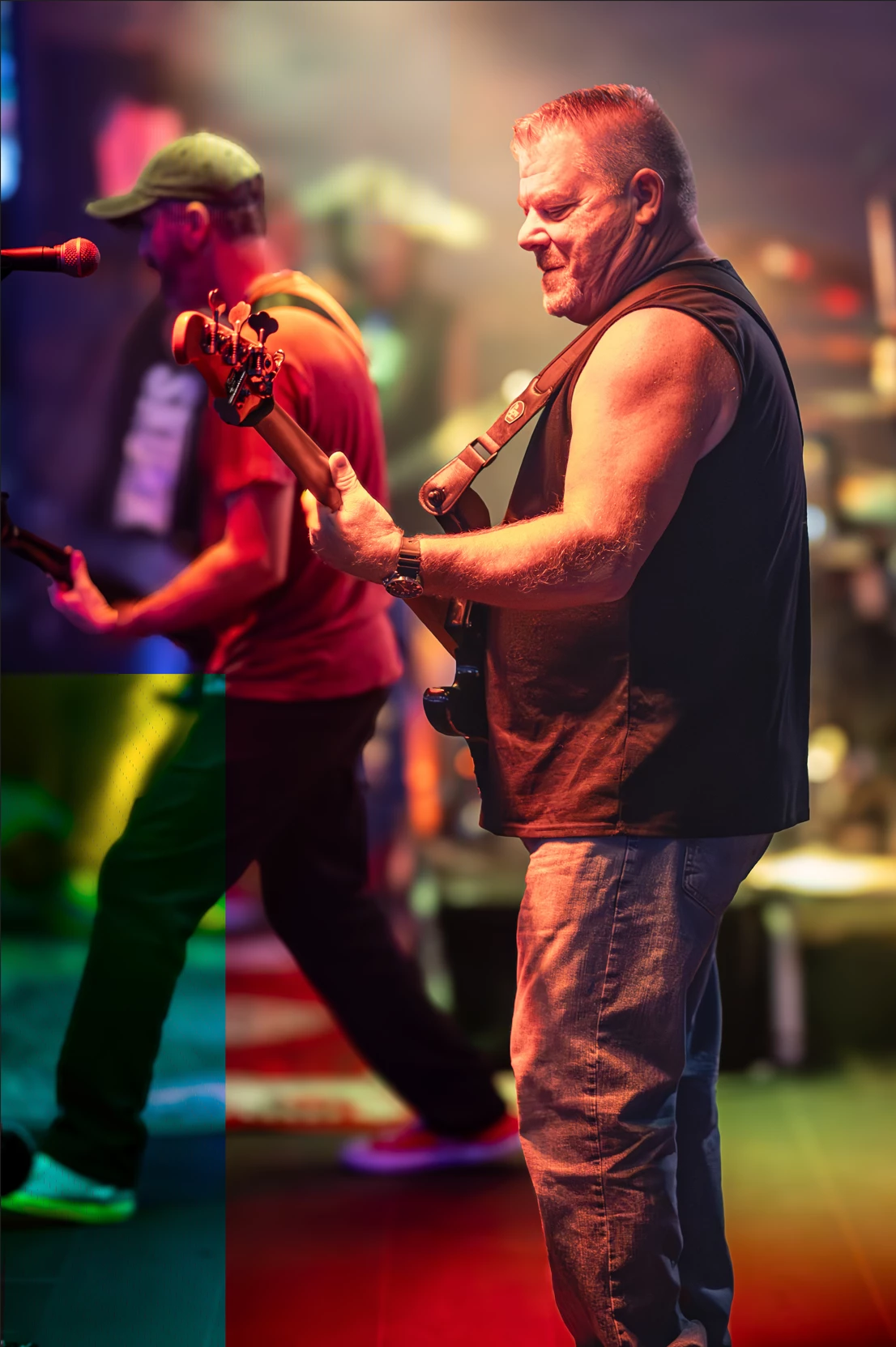


This topic has been closed for replies.

1 reply

JohanElzenga
Community Expert
Community Expert
November 18, 2024

Check that your GPU drivers are up to date.


-- Johan W. Elzenga
Participant
November 18, 2024

Thank you for the suggestion, there was an update but it didn't fix the problem. I have tried both the Studio and Game ready drivers and both give same result. LrC is behaving oddly and doesn't like masks when also enabling Lens Blur tool. The mask will randomly turn off like I'm clicking the hide eye while I'm working with other tools. 


After some troubleshooting, I can fix the problem by unticking the Lens Blur tool. I'm able to recreate the problem consistently with using the blur tool on different images, doesn't matter if I crop. My process is Denoise the image and then apply my masks which consists of a radial gradient and person subject mask. Then apply the Lens Blur tool. I'll get the top image issues everytime. 

Here's with Blur Tool:

Here's without Blur Tool:


johnrellis
Legend
November 22, 2024

 I'm unable to reproduce that behavior on my LR 14.0.1. To narrow this down and possibly file a bug report with Adobe, please do the LR menu command Help > System Info and copy/paste the entire contents here so we can see exactly which versions of hardware and software LR thinks you're running and important LR options that are set.