
Cropping misery in Adobe Lightroom Classic
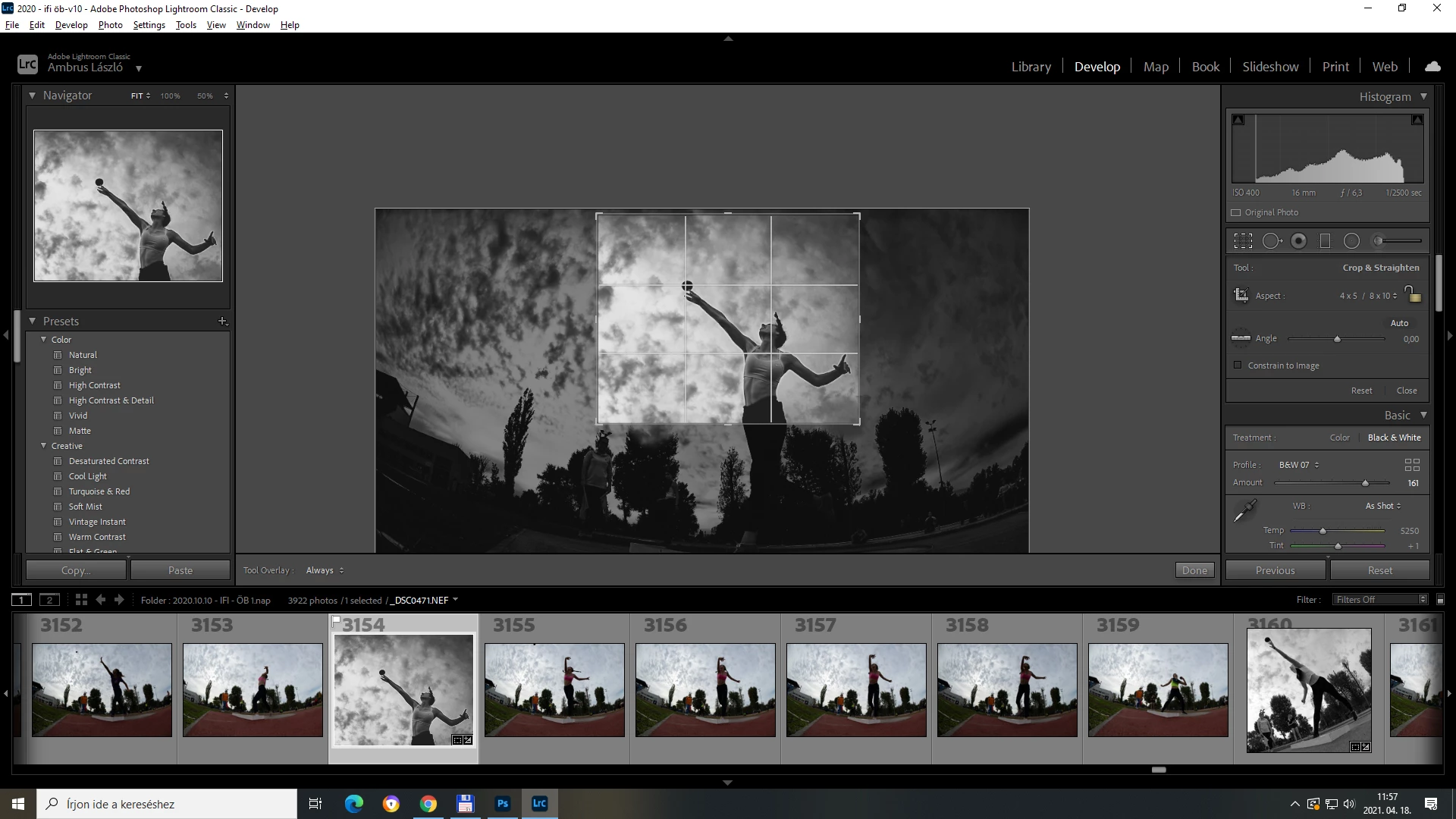
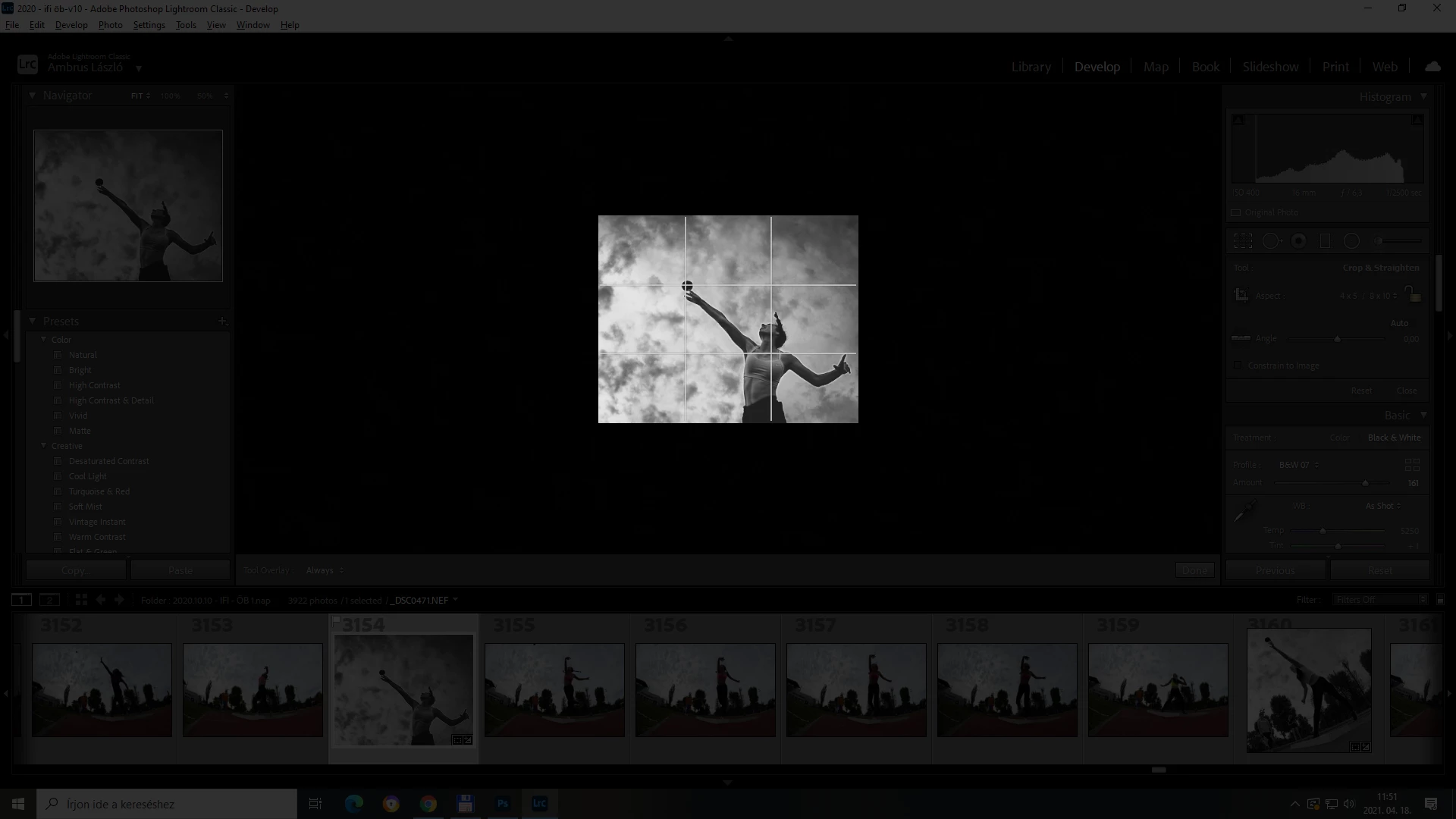
Ok, the most annoying thing in Lightroom is: when you're in crop mode, the crop window gets way to small to see the actual crop properly, the falling part of the crop is that i care the less.. but it fills 70 percent of the working area. Also the canvas should fit automatically to the middle... On the second screen shot i pressed the L key, do darken the falling area. But the problem here is the same. While in crop there is no possibility to zoom either.... A percentage auto zoom could be very useful. Another thing that would be very handy is, when in full screen mode (F), and crop mode(R), using the screen itself as a cropping or masking window, and moving the image itself around with a hand tool? This something that Adobe should definietely work on. It would help greatly my workflow.
{Moved from Lightroom Cloud to Lightroom Classic Forum by Moderator}
 AdChoices