Inspiring
March 25, 2025
Answered

Cropping tool acts strangely

  • March 25, 2025
  • 1 reply
  • 454 views

Hi guys,

When I press R in Lightroom now, several angled lines lines appear and the window is harder to resize, move around or navigate.


What is this and how to fix it?


Thans a lot.

Correct answer Ian Lyons

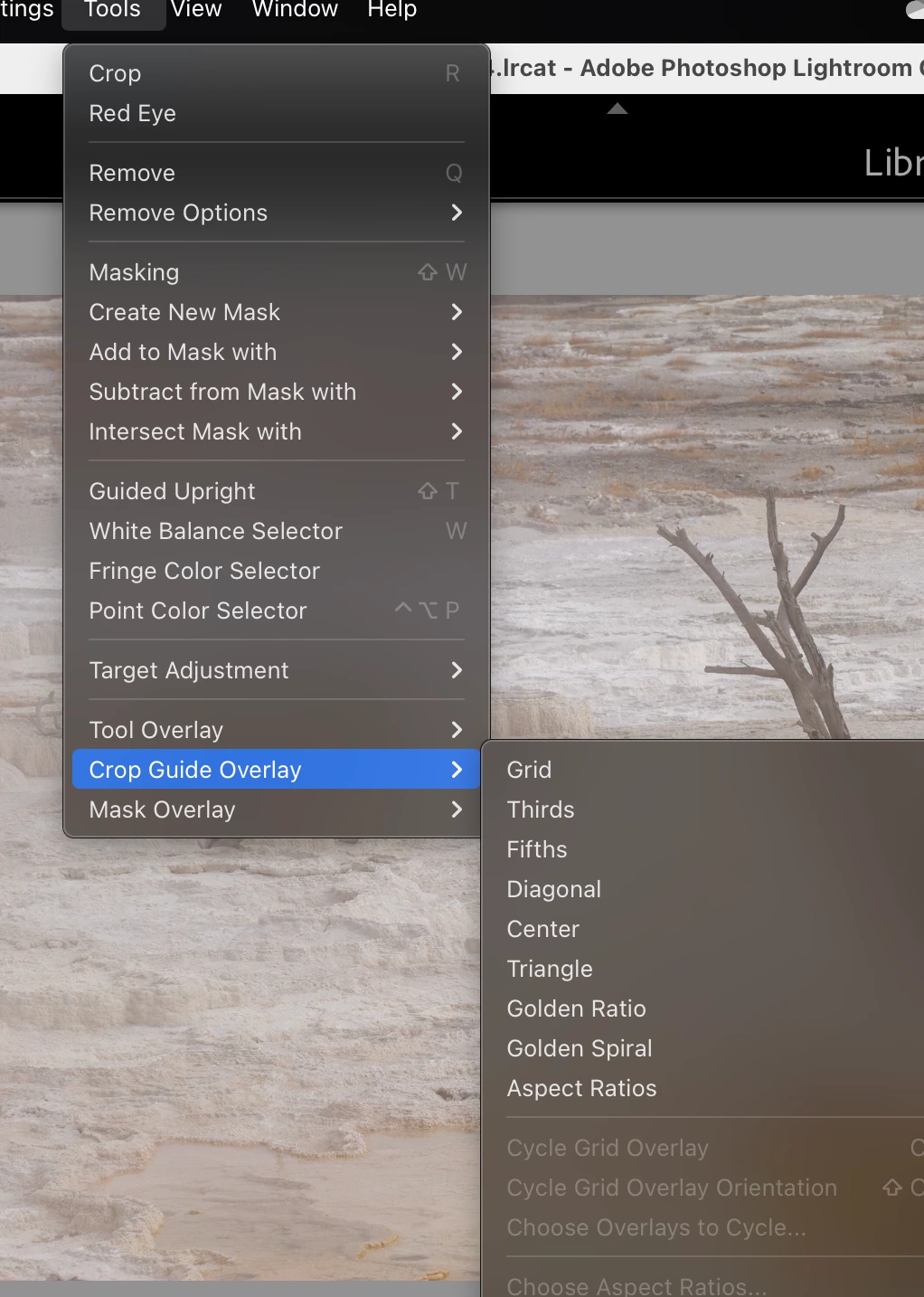
You can choose your preferred format from the 'Crop Guide Overlay' menu. I've attached a screenshot showing where you'll find the relavant sub menu.


1 reply

Rob_Cullen
Community Expert
Community Expert
March 25, 2025

"several angled lines lines appear"-  So i will have a guess that you have the overlay guides (for Compositional suggestions) turned on.

Keyboard [ O ]  Ohhh  will toggle through the various overlays.

Keyboard [ H ] will hide or show the overlay lines.


Regards. My System: Windows-11, Lightroom-Classic 15.3, Photoshop 27.5, ACR 18.3, Lightroom 9.3, Lr-iOS 10.4.0, Bridge 16.0.3 .
Inspiring
March 26, 2025

Thanks! That's it. 
But how do I get the gidelines back at right angles to one another again?

Ian Lyons
Community Expert
Ian LyonsCommunity ExpertCorrect answer
Community Expert
March 26, 2025

You can choose your preferred format from the 'Crop Guide Overlay' menu. I've attached a screenshot showing where you'll find the relavant sub menu.