
Participant
March 13, 2023
Answered

Cross app work flow

  • March 13, 2023
  • 1 reply
  • 459 views

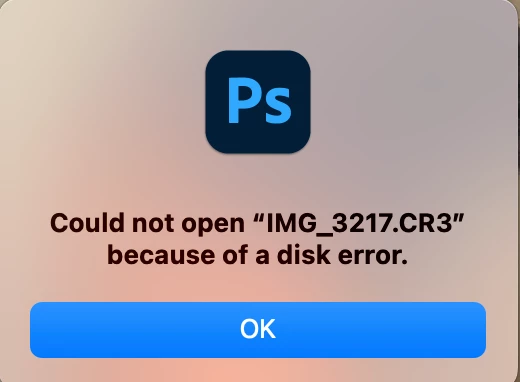
A pop up message comes up "could not open the image because of disc error in Photoshop. See image attached. This happens when I want to  further retouch images from LrC to Photoshop and I dont know how to fix the problem. I have latest versions of both applications as I am an Adobe online subscriber and I use Macbook pro 2019.
This topic has been closed for replies.
Correct answer Sean McCormack

Is Full Disk Access granted to both apps in the Privacy section of Security & Privacy in System Preferences/Settings?

1 reply

Sean McCormack
Community Expert
Sean McCormackCommunity ExpertCorrect answer
Community Expert
March 13, 2023

Is Full Disk Access granted to both apps in the Privacy section of Security & Privacy in System Preferences/Settings?

Sean McCormack. Author of 'Essential Development 3'. Magazine Writer. Former Official Fuji X-Photographer.
Panashe23Author
Participant
March 13, 2023

Thank you Sean. I have checked in the Security and Privacy and there is just LrC and I have turned iton.  The probelm still persist. I have never faced this problem for the past three years using the same computer.