

질문
Deleting Files/catalog from the cloud
I had a catalog that I synced to the cloud but was having trouble with, so I created a new catalog and reimported the files to it. Now when I go to sync the new catalog I get the following warning.
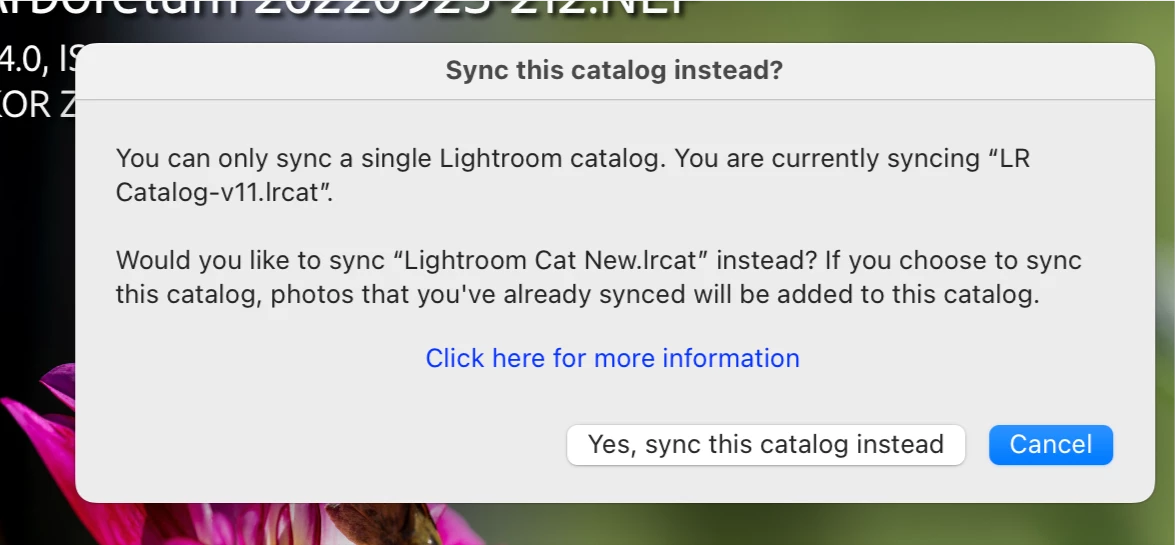
Now I do not want the files from the old catalog synced to the new catalog but the warning message seems to say that whatever is already synced to the cloud will be synced to the new catalog and that is not what I want. I'm looking to have only other files from the new catalog synced and the old files deleted from the cloud.
macOS Monterey v 12.6 and LR 11.5
 AdChoices