

DdeGannes
Community Expert
Community Expert
October 16, 2022
Answered

Deleting images in Library Module grid view error.

  • October 16, 2022
  • 1 reply
  • 194 views

I am trying to delete some old images from the Library Module grid view. I select the image and hit the "delete" key and the regular window pops up I then choose Delete from the disk. The following message is displayed.
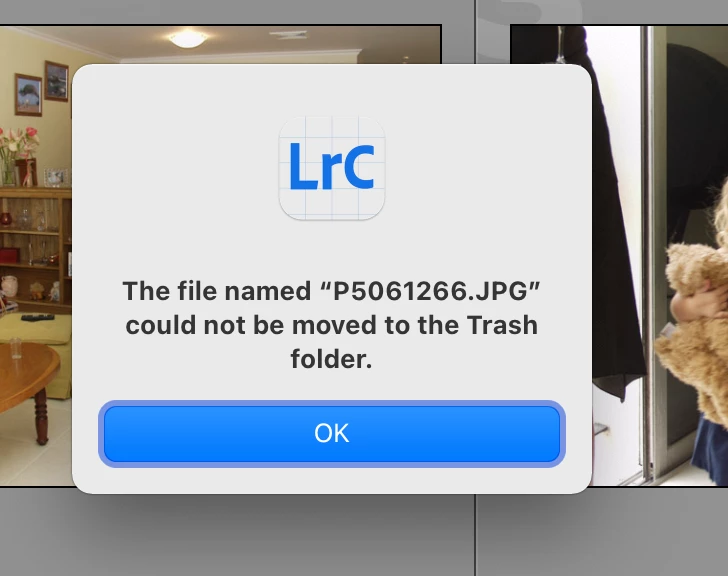
 

I can go to Finder and use the option "Get Info" and the image shows as "locked" and I can deselect the locked option.


Is there any option available in Lightroom to undo the protection? 


This topic has been closed for replies.
Correct answer Per Berntsen

There is no way to do this in LrC.

I'm not a Mac user, but can't you unprotect files at the folder level in the Finder?

1 reply

Per Berntsen
Community Expert
Per BerntsenCommunity ExpertCorrect answer
Community Expert
October 20, 2022

There is no way to do this in LrC.

I'm not a Mac user, but can't you unprotect files at the folder level in the Finder?

DdeGannes
Community Expert
DdeGannesCommunity ExpertAuthor
Community Expert
October 20, 2022

Yes I can do that in finder.


Regards, Denis: iMac 27” mid-2015, macOS 11.7.10 Big Sur; 2TB SSD, 24 GB Ram, GPU 2 GB; LrC 12.5,; Lr 6.5, PS 24.7,; ACR 15.5,; (also Laptop Win 11, ver 24H2, LrC 15.3; PS 27.0; ) Camera Oly OM-D E-M1.