
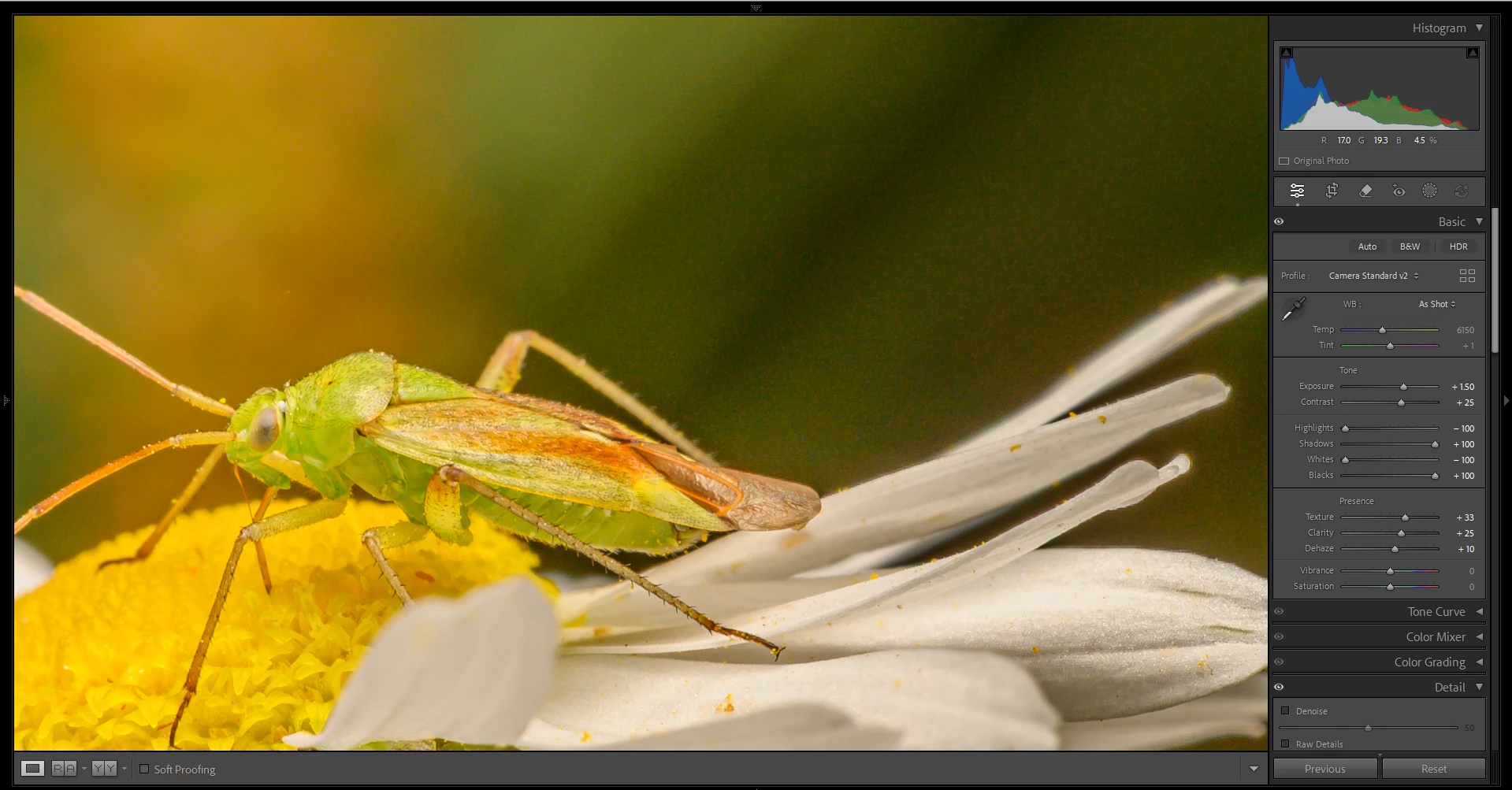
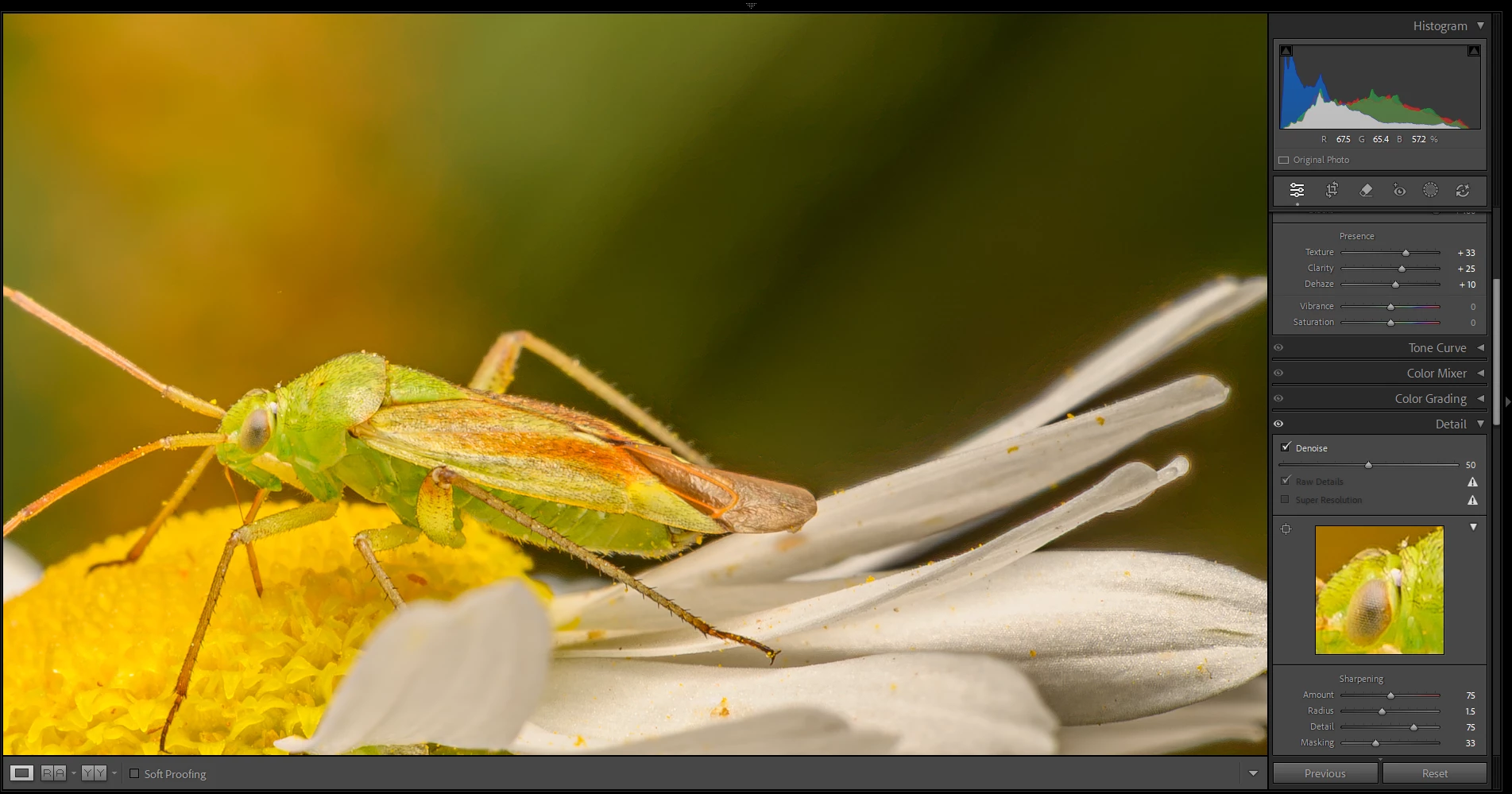
Denoise AI has severe image quality degradation with colour posterisation and pixelations at edge of high contrast and colour transitions.
After the updated 15.4 my images have degraded quality using the same editing workflow and editing process as before. When boosting the exposure the noise profile has changed to a more pixelated versions and artificial look. After applying Denoise AI the shadows and mid tones have a posterisation look, especially around high contrast edges, that did not appear before 15.4
No matter what amount of Denoise AI level I put the image quality looks horrible, where before using 50-100 looked great now it looks very bad and I can’t use more then 5-15 and have to accept noise in the images.
I have tried the same files on a Windows 11 with i7 9750H,16GB DDR4 and RTX 2060 6GB and Mac mini M1 base model with 16GB RAM with the same issue being presented. Both machines are OS and Drivers updated to Jul 2026. This problem has persisted for almost 3 weeks since the Lightroom Classic 15.4 and 15.4.1 was introduced. Both software have been installed via Adobe Creative Cloud with updated Adobe Camera RAW to 18.4
My main camera is Nikon Z6 but I have tested RAW files from Canon EOS 350D, Olympus OM-1, Minolta a-7, Panasonic G2. All RAW files are converted to DNG via the Import process.
Mac OS Hardware Info:
Lightroom Classic version: 15.4.1 [ 202606201310-b9f148a4 ]
License: Creative Cloud
Language setting: en-GB
Operating system: Mac OS 26
Version: 26.5.2 [25F84]
Application architecture: arm64
Logical processor count: 8
Processor speed: NA
SqLite Version: 3.36.0
Adobe GSDK Version: 1.4.0.213
Built-in memory: 16,384.0 MB
Dedicated GPU memory used by Lightroom: 6,692.1MB / 12,124.1MB (55%)
Real memory available to Lightroom: 16,384.0 MB
Real memory used by Lightroom: 1,072.6 MB (6.5%)
Virtual memory used by Lightroom: 437,779.9 MB
Memory cache size: 543.6MB
Internal Camera Raw version: 18.4 [ 2608 ]
Maximum thread count used by Camera Raw: 5
Camera Raw SIMD optimization: SSE2
Camera Raw virtual memory: 2495MB / 8191MB (30%)
Camera Raw real memory: 2766MB / 16384MB (16%)
Cache1:
Final1- RAM:1,141.0MB, VRAM:968.0MB, DSC_7647.DNG
NT- RAM:1,141.0MB, VRAM:968.0MB, Combined:2,109.0MB
Cache2:
m:543.6MB, n:188.7MB
U-main: 182.0MB
Standard Preview Size: 3840 pixels
Displays: 1) 3840x2160
Graphics Processor Info:
Metal: Apple M1
Init State: GPU for Export supported by default
User Preference: Auto
Enable HDR in Library: ON
GPU for Preview Generation: On (S5_11)
Application folder: /Applications/Adobe Lightroom Classic
Library Path: /Volumes/Scratch Disk Photoshop & Lightroom/Lightroom/Lightroom Catalog.lrcat
Settings Folder: /Users/oviwolfy/Library/Application Support/Adobe/Lightroom
Installed Plugins:
1) AdobeStock
2) Aperture/iPhoto Importer Plug-in
3) Flickr
4) Helicon Focus Export
5) LensTagger Exif Tool
Config.lua flags:
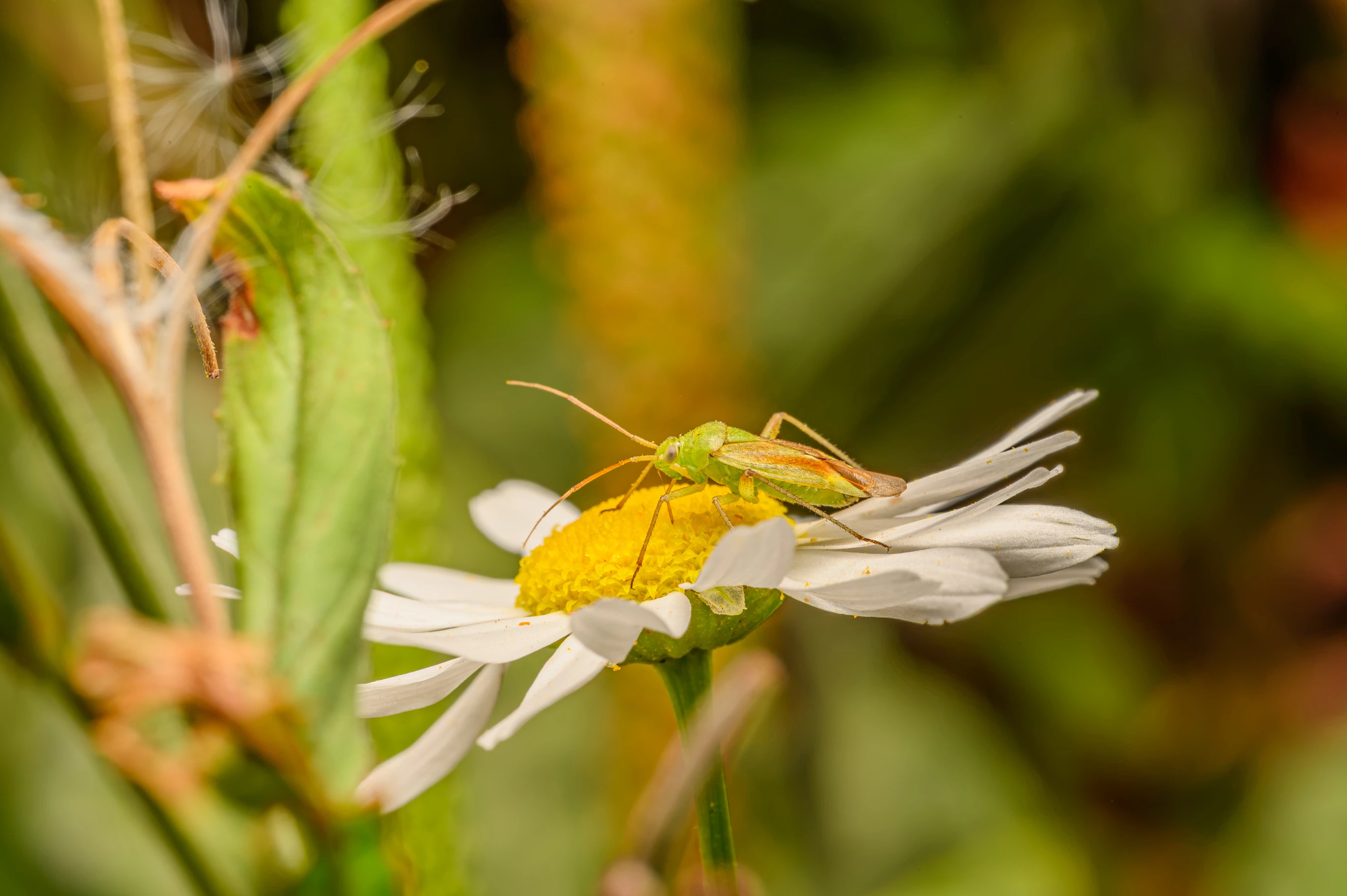
The export image showing the same issue, I tried exporting from both devices and it shows the same result.
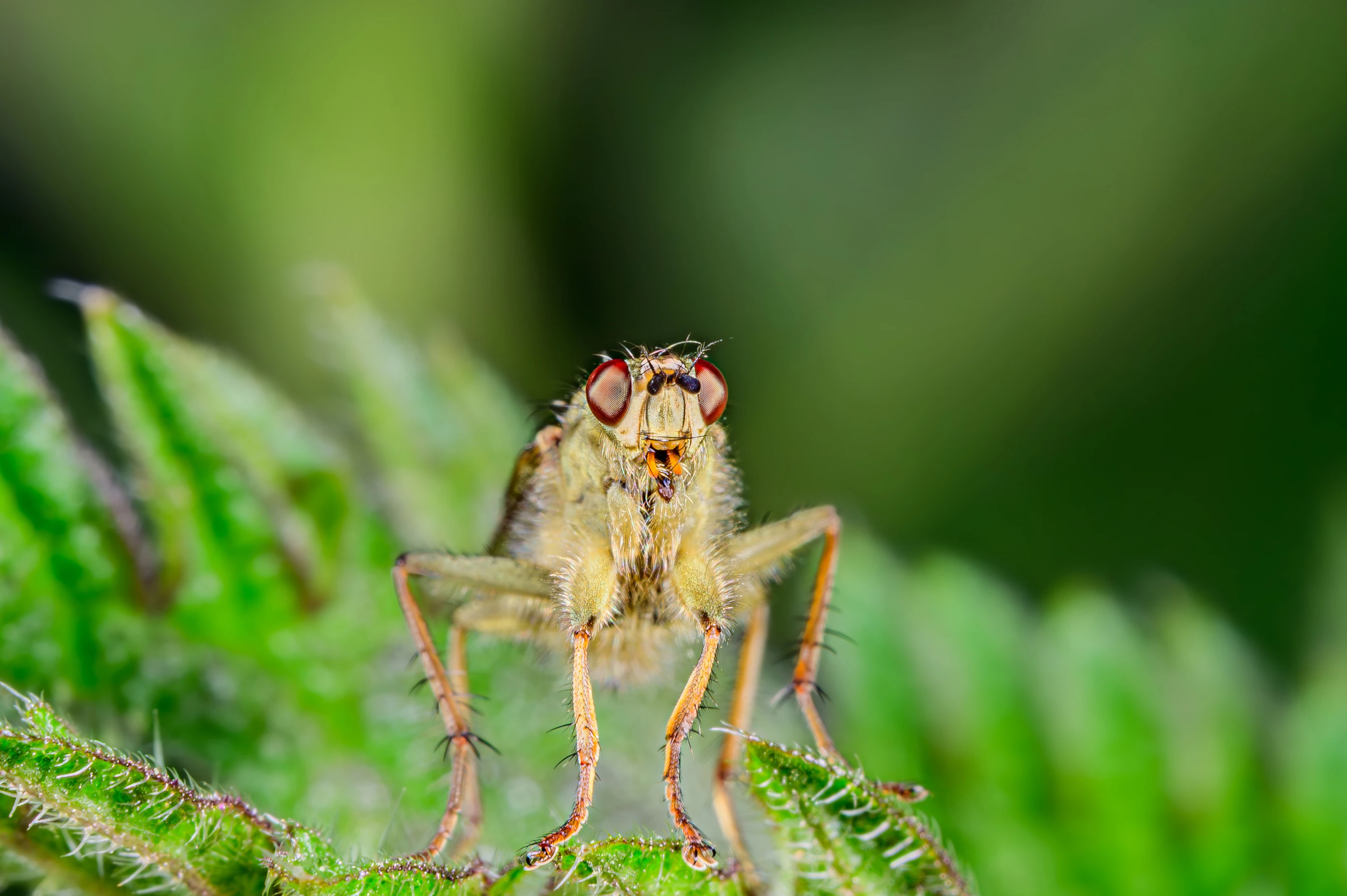
This is an export image using the previous Lightroom Classic 15.3 which does now show the issues and where I was more happy with the results then the image above.


 AdChoices