Participant
Nov 20, 2024 2:08 PM UTC
Answered

DeNoise Batching

Imagine. You have multiple images you want to apply DeNoise to. Highlight all (or several), set your settings, apply, grab a cup of coffee, boom... all done. 

This topic is closed to new replies. Start a new post to keep the conversation going.
Sean McCormack
Sean McCormackCorrect answer
Community Expert
Nov 21, 2024 10:09 AM UTC

I thought enhance was an auto settings option and not denoise specifically. I will try this. Thanks!


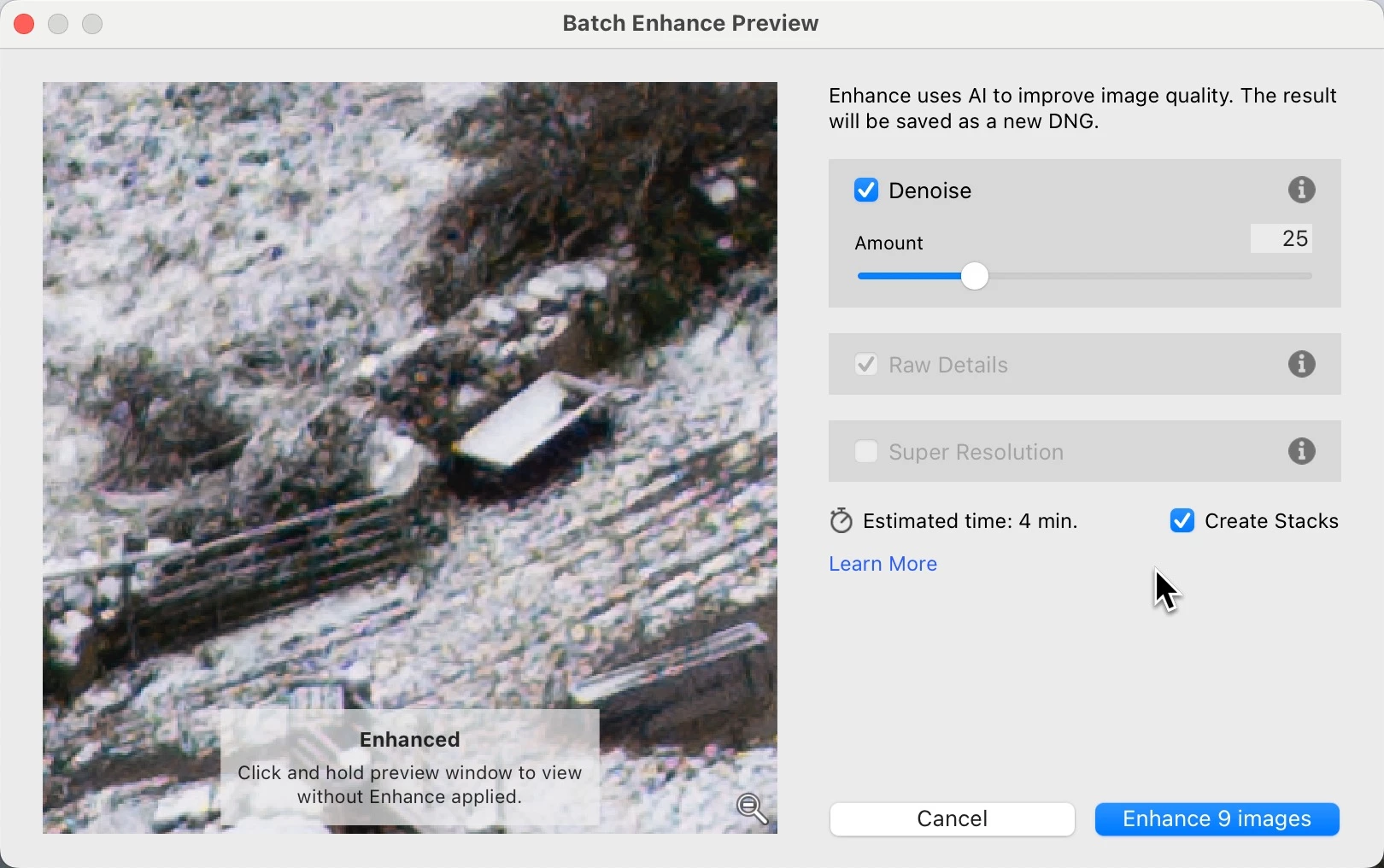
You don't even need to be in Library. Once the images are selected in advance, the DeNoise dialog show Batch Enhance Preview, and the action button displays the number of photos in the batch. 


Sean McCormack. Author of 'Essential Development 3'. Magazine Writer. Former Official Fuji X-Photographer.

9 replies

dj_paige
Legend
Nov 20, 2024 2:12 PM UTC

You can do that right now.

Translate
Participant
Nov 20, 2024 4:08 PM UTC

Can you? How? 

Translate
johnrellis
Legend
Nov 20, 2024 4:46 PM UTC

Go to Library Grid view, select all the desired photos, and do Photo > Enhance.


if you try this using the filmstrip in Loupe view (one large photo showing), LR will only enhance the current photo. Many (but far from all) commands only work on the most-selected photo in Loupe view.

Translate