
Participating Frequently
November 19, 2024
Question

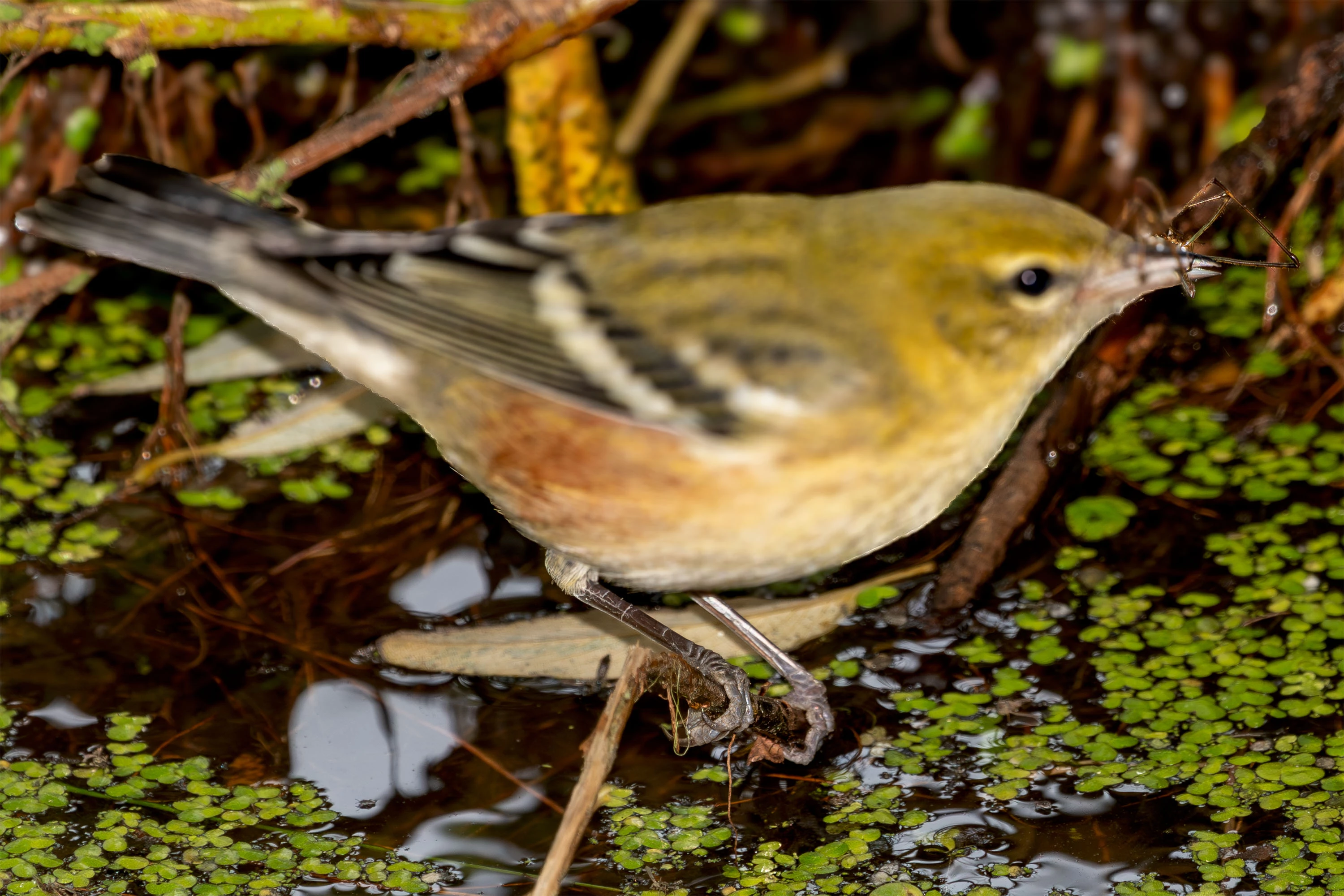
Denoise / Enhance Yields Strange Mask and Blurring

  • November 19, 2024
  • 1 reply
  • 219 views

One and only one image in my catalog looks bizarre after applying denoise under the Detail menu. A number of changes were applied (exposure, cropping, etc. — standard changes). Some were applied to a masked area as opposed to the whole image. When the denoise option is applied, the enhanced image is badly wrong. I cannot even describe it properly. I am including a sample image.


Work is being done on a 2023 M2 Macbook Pro running MacOS 15.1 (Sequoia), 96 GB RAM.


If I try similar changes to another image, I have no trouble, so I think I must have toggled on something for this image, but I have no idea what.
 

This topic has been closed for replies.

1 reply

Sameer K
Community Manager
Community Manager
November 20, 2024

Hey, @Doctor Hugh. Welcome to the Lightroom Community. I'll need more info to help you figure this out. 


Does this always happen with this specific image or group of images without any prior edits, too? If yes, please share a few sample images with me as a direct message. 


Here is a recommended order of edits to help avoid unexpected results: 

  1. Denoise
  2. Content-Aware Remove/Heal/Spot
  3. Lens Profile Corrections (CA and Profile, if available) 
  4. Profile
  5. Global Adjustments
  6. Local Adjustments

Head here to learn more: https://adobe.ly/4eI1msB


Let me know how it goes. Thanks!
Sameer K

(Use '@mention' to tag me when you reply)