
Inspiring
April 19, 2026
Question

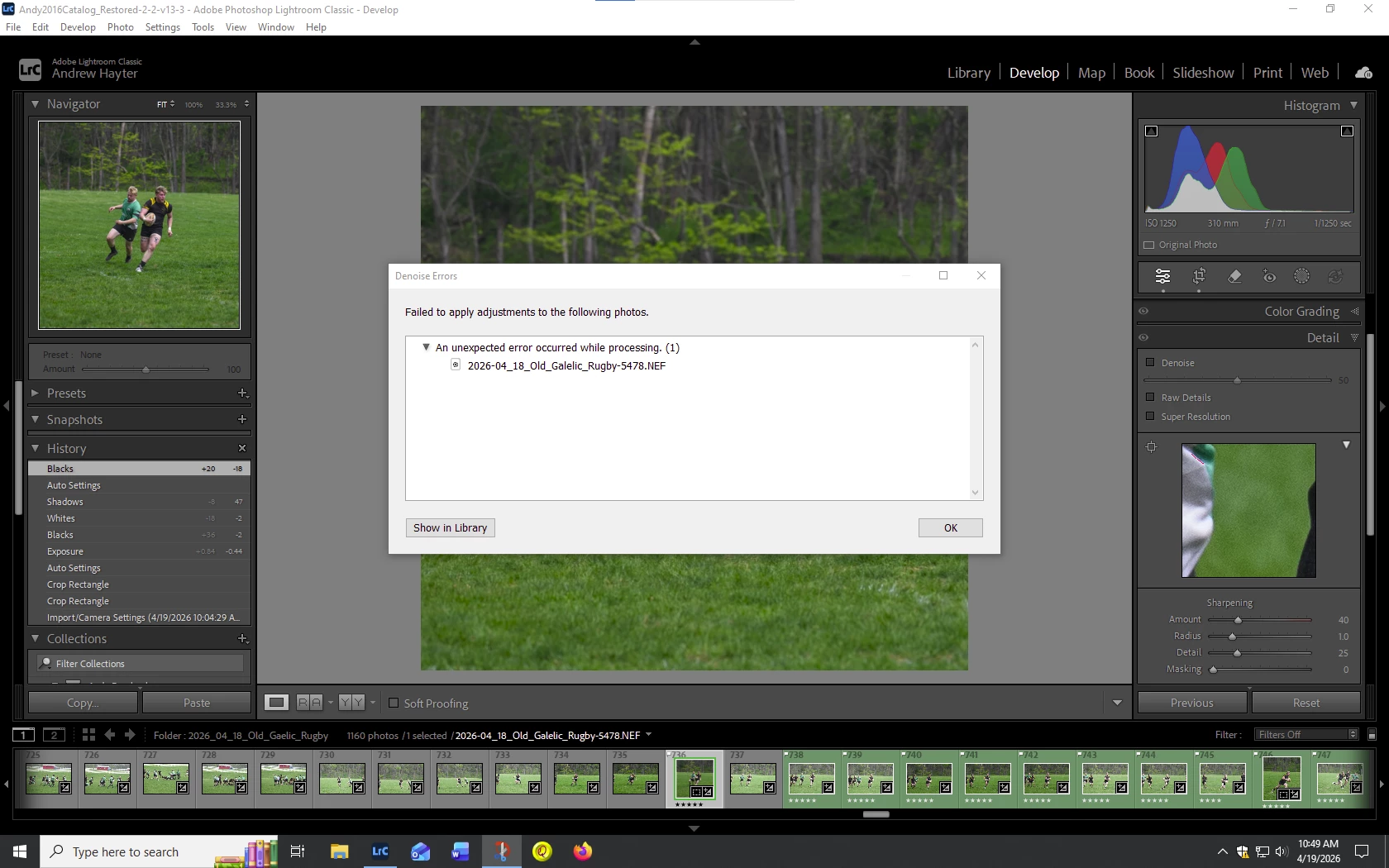
Denoise Error when applying denoise to an image a panel opens up, The message is "Unexpected error occured while processing (1). Lightroom Classic latest build.
  • April 19, 2026
  • 5 replies
  • 79 views

I have applied Auto in the develop module then selected denoise and this error occurs.

    5 replies

    dj_paige
    Legend
    April 20, 2026

    I saw your last screen shot and tried to explain it.

    Inspiring
    April 20, 2026

    This has not been a problem until yesterday. I have used it since the most recent update without any issues.  Now when I run denoise I get this screen and it works but takes a while.  I don’t get the progress window as I used to on the photo proper. I see the progress in the upper right and in the Lightroom Classic box on the Task Bar. I am at Build [2022604090947-8f3672ed]  


    dj_paige
    Legend
    April 20, 2026

    This spinning circle and message “An AI Process is running on the photo...” is expected to happen. It is new in LrC 15.3, allowing you to AI Denoise in the background, while you continue to do non-AI work on other photos in LrC. Yes, depending on a lot of things, it might take a while.


    This seems to be a different problem than mentioned in your title. Could you please clarify this?

    Inspiring
    April 20, 2026

    Yup, Seems to be a different problem now. Check ou the last screen shot I sent. 

    Adobe Employee
    April 20, 2026

    Hi ​@andrewh8412848,

    Could you please share a diagnostic report? You can generate it via EditPreferences (hold the ALT key to reveal the hidden options).


    Before generating the report, please try applying Denoise to any image so that the report includes relevant Denoise-related logs.


    Inspiring
    April 20, 2026

    Which part of the log do you want? It’s huge.

    cmgap
    Community Expert
    Community Expert
    April 20, 2026

    Is it only this image? Is it repeatable on other images?

    Community Expert
    April 19, 2026

    You probably want to describe your hardware. Typically this is a problem with the GPU driver being outdated. 

    Inspiring
    April 20, 2026

    Jao,

    My graphics card is an NVIDA GEOFORCE GTX 970.  I have never had a problem before. It seems to time with the recent update to Lightroom Classic. Now it won’t work on any photo. I am using Windows 10, 16Gb memory, Intel I7processor. The video card as 4mb of memory. 

    dj_paige
    Legend
    April 20, 2026

    First, a stated by ​@Jao vdL you need to make sure you are using the most current GPU driver for this GPU.


    This is a 12 year old video card, and may not be supported any more by LrC. Or LrC 15.3 requires GPU features that more recent GPUs have, but this GPU doesn’t have.