
Participant
November 15, 2024
Question

Denoise: GPU Error

  • November 15, 2024
  • 2 replies
  • 271 views

Hello,

since a few weeks there always is a GPU Error when i try to use the AI-Denoise-Tool in Lightroom Classic. I already updatet the drive and un- and reinstalled Lightroom. If you search in the Web, you can find many tips like this (deleting the "Camera RAW GPU Config" file) (e.g. here https://www.youtube.com/watch?v=ZOyv-8kA2hQ ). Maybe i´m just stupid but i can´t find such a file.
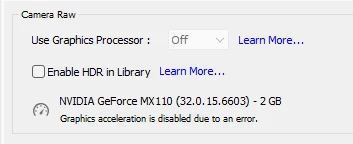
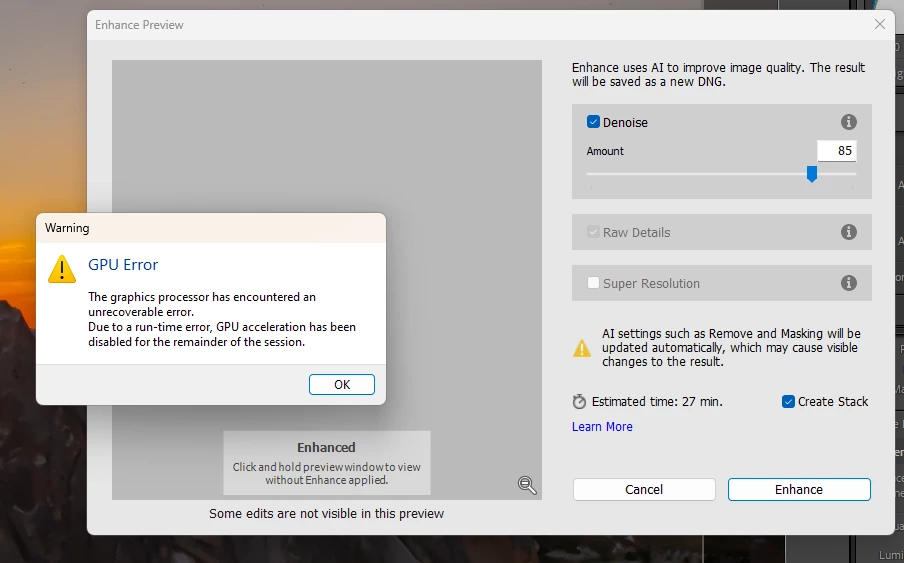
Would be very nice if somebody knows what the problem could be, thanks in advance 🙂


[moved from bugs to discussions according to the community rules - Mod.]

This topic has been closed for replies.

2 replies

GoldingD
Legend
November 15, 2024
johnrellis
Legend
November 15, 2024

You have driver 566.03 installed. There is a more recent driver, 566.14, for the MX110:

https://www.nvidia.com/en-us/drivers/details/235905/ 


That's a Game Ready driver.  Adobe and Nvidia recommend you use Studio drivers, which are tested more thoroughly with graphics apps, but the MX110 doesn't support Studio drivers (or rather, Nvidia doesn't do the Studio testing with the MX110). However, the driver 566.14 is the same as the Studio drivers for other graphics processors for which they do Studio testing.