
dcooper7
Known Participant
November 21, 2023
Answered

Destination folders not showing on import

  • November 21, 2023
  • 1 reply
  • 379 views

Hi 


Please can you help.


I'm currently on Mac. I have the latest version of Lightroom Classic.

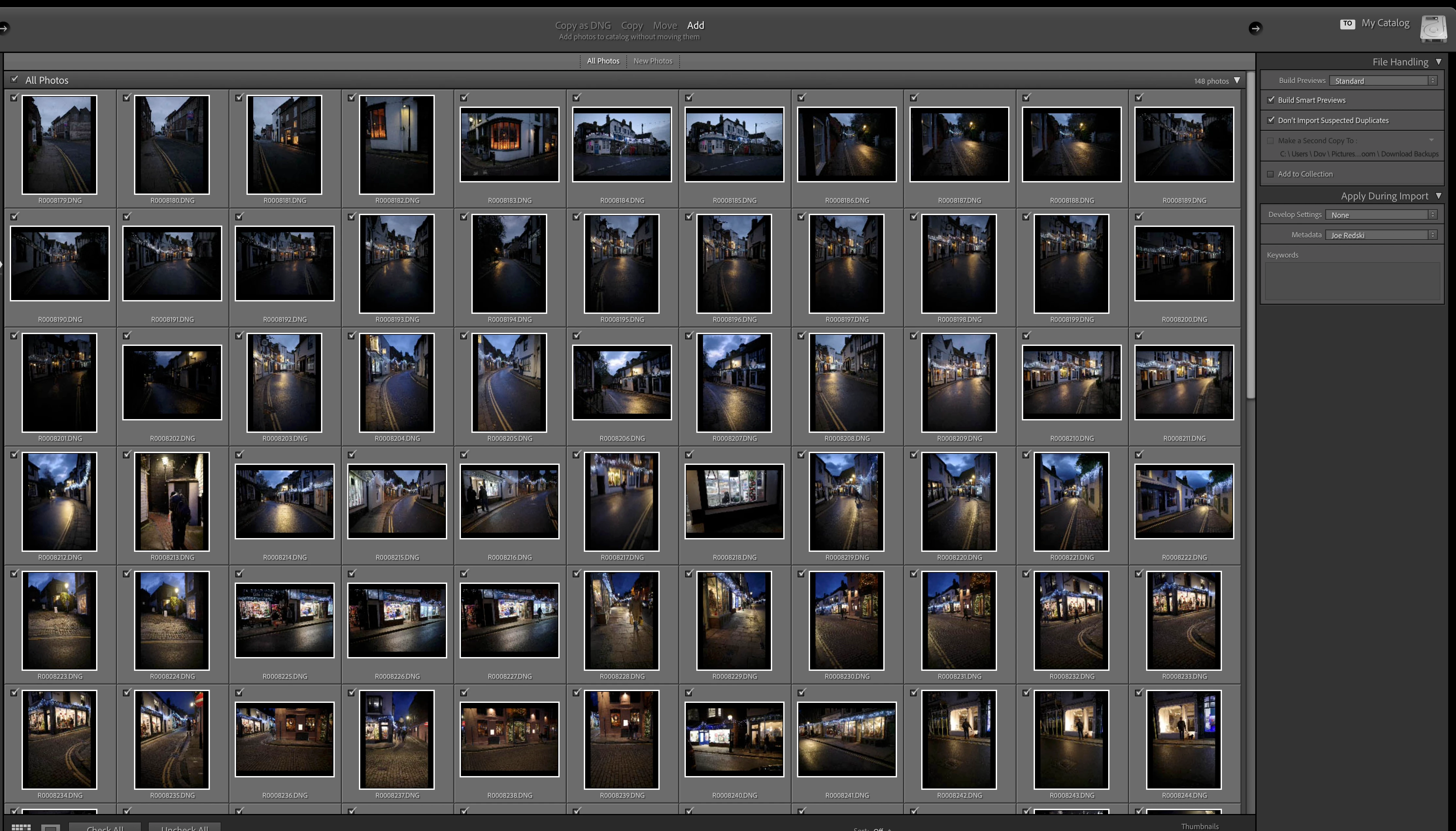
I've just tried to import some photos from an SD card, but the destination folders are not showing on the right of the page. 

I have a whole library structure that I've been working with for years and I've never had this problem before. The folder tree, which is on my Macintosh hard drive, still exist on the Library page, so I don't understand why it is not showing up on import all of a sudden.


Thank you.
This topic has been closed for replies.
Correct answer JohanElzenga

You have selected 'ADD' at the top center. That means the photos will be added to the catalog, but not be moved. And so there is no destination...


1 reply

JohanElzenga
Community Expert
JohanElzengaCommunity ExpertCorrect answer
Community Expert
November 21, 2023

You have selected 'ADD' at the top center. That means the photos will be added to the catalog, but not be moved. And so there is no destination...


-- Johan W. Elzenga
dcooper7
dcooper7Author
Known Participant
November 21, 2023

Thank you forgetting back to me so soon and thank you for clearing this up for me!