
Participating Frequently
April 24, 2026
Question

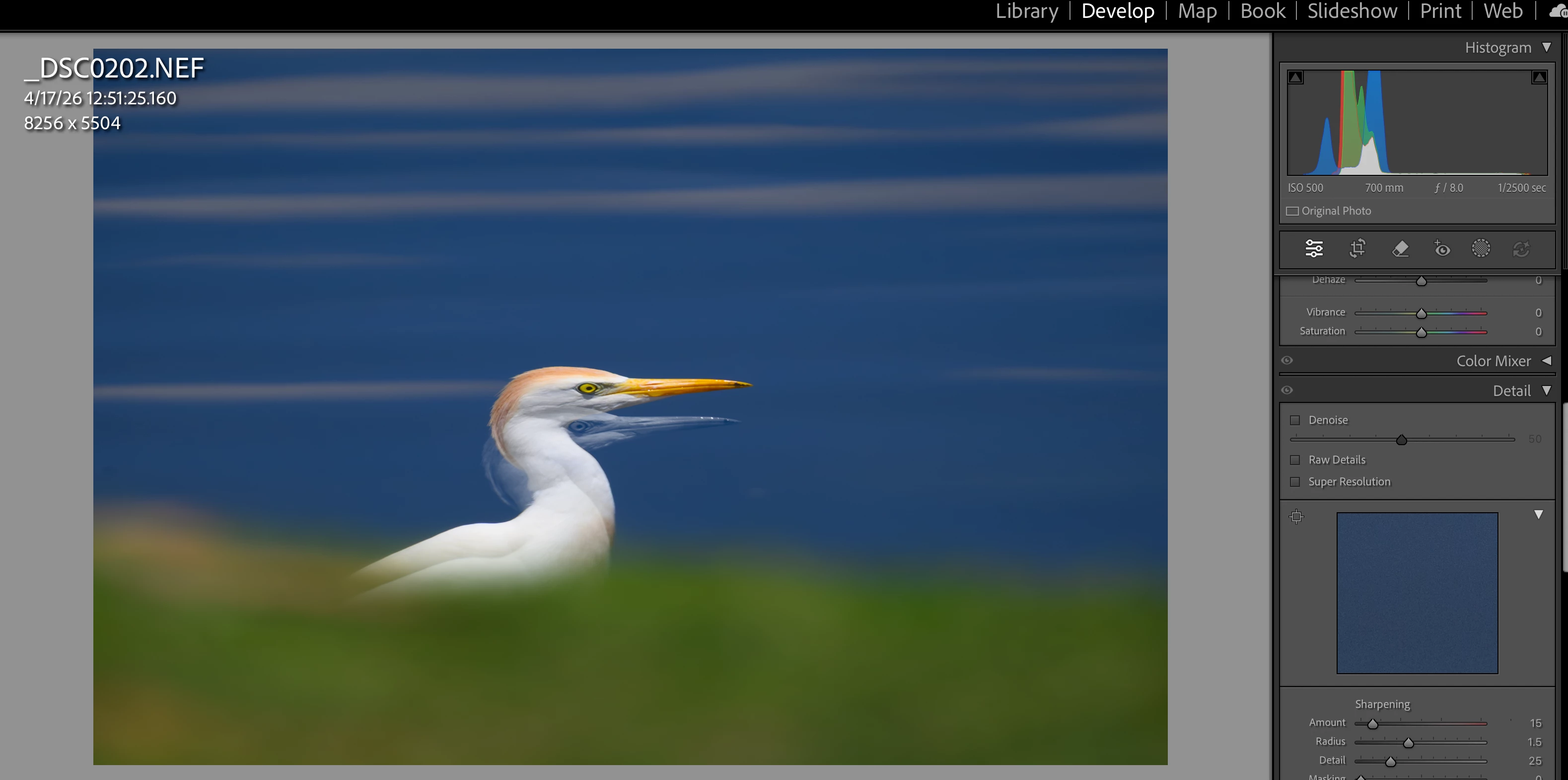
Develop module loupe view is showing a double exposure with the previously edited photo.
  • April 24, 2026
  • 1 reply
  • 41 views

I edit a photo, go back to Library grid, open another file for editing, when I enter Develop module loupe view what appears to be a double exposure appears. Problem is resolved by quitting LR and reopening, but returns after a few additional edits. Mac M2 Mini with Graphics Processor ON; Sequoia 15.6.1

 

    1 reply

    Ian Lyons
    Community Expert
    Community Expert
    April 24, 2026

    Have you tried resetting the LrC preferences?


    Details on how to can be found in the following Adobe help document.


    https://helpx.adobe.com/lightroom-classic/help/reset-preferences.html

    Participating Frequently
    April 25, 2026

    Thanks Ian. Well, yes...and then replaced with prefs from several days ago (using new prefs was adding too much work for that moment in time). For now things have settled down and I have not seen the problem return with the new (old) prefs.

    Participating Frequently
    April 25, 2026

    The problem persists. It’s gonna take me a minute to preserve my settings and plugins before I can really tackle it.
    NOTE: If I open the image in Secondary Display it shows the one pure image I’m trying to edit.


    Primary Display:


    Secondary Display: