Participant
December 10, 2022
Question

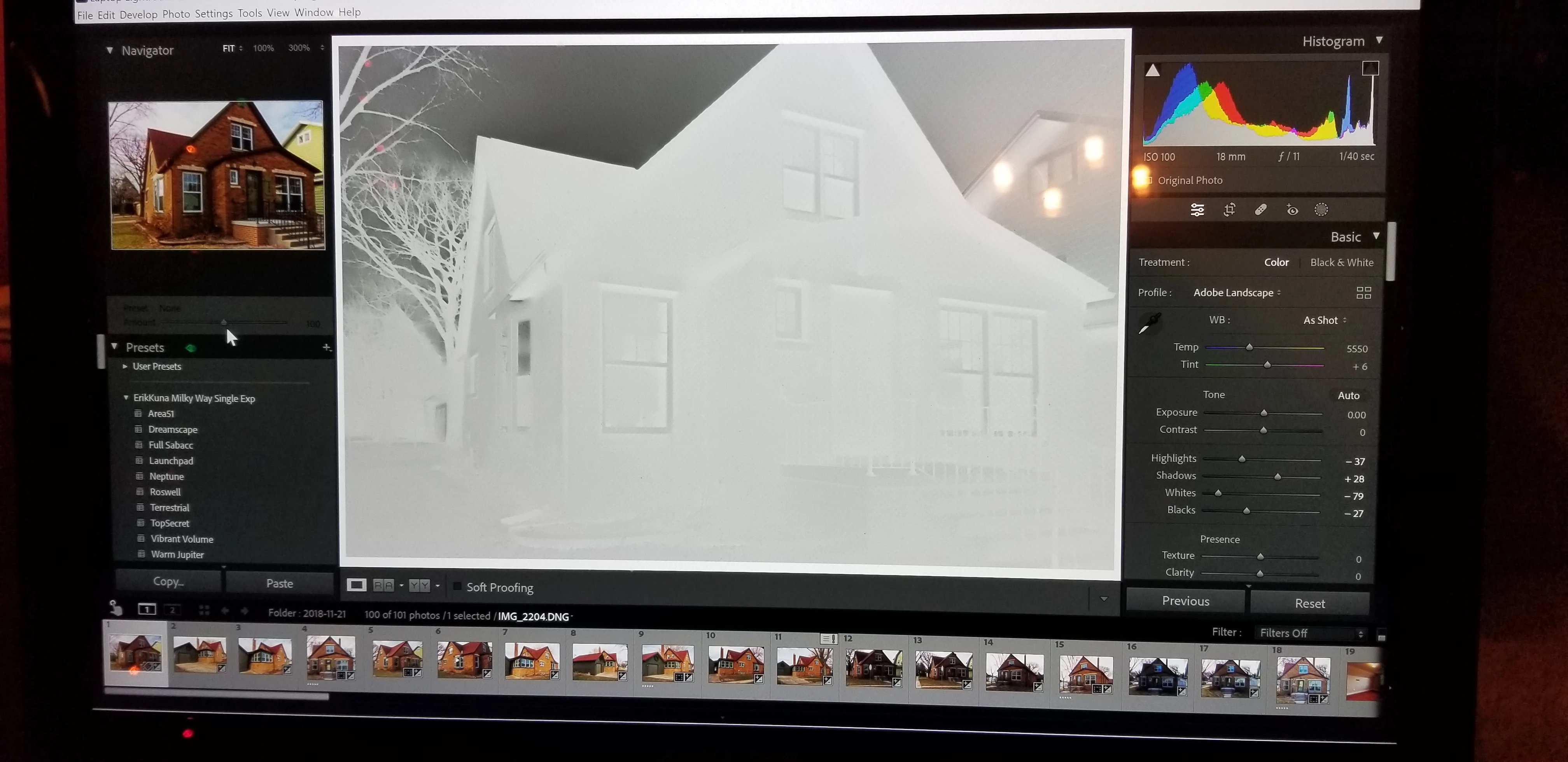
Develop Module showing washed out image.

  • December 10, 2022
  • 2 replies
  • 394 views


LR 12.0.1

Windows 10 Home

Ver. 22H2

OS build 19045.2251


When I select an image, from the Library module, to work on in the develop module it is totally washed out. To correct the issue, In the develop module under tools - process version I need to switch from 5 (current) to 4. It happens that way for all my photos. 
 

{Moved from Lightroom Cloud to Lightroom Classic Forum by Moderator} 

This topic has been closed for replies.

2 replies

Per Berntsen
Community Expert
Community Expert
December 10, 2022

Go to Edit > Preferences > Performance, and set Use Graphics processor to Off.

If that fixes the issue, your graphics driver is probably not up to date.

Go to the  website of the graphics card manufacturer, and download and install the latest driver. If this is an Nvidia card, download the studio driver, if available. Then try to turn the GPU back on.

GoldingD
Legend
December 10, 2022

In support to the reply by Per Bernstein (highly likely the correct answer) see:


https://community.adobe.com/t5/lightroom-classic-discussions/p-gray-negative-image-display-in-the-develop-module/m-p/13006731


kglad
Community Expert
Community Expert
December 10, 2022

<moved from using the community >