
Participating Frequently
August 19, 2020
Question

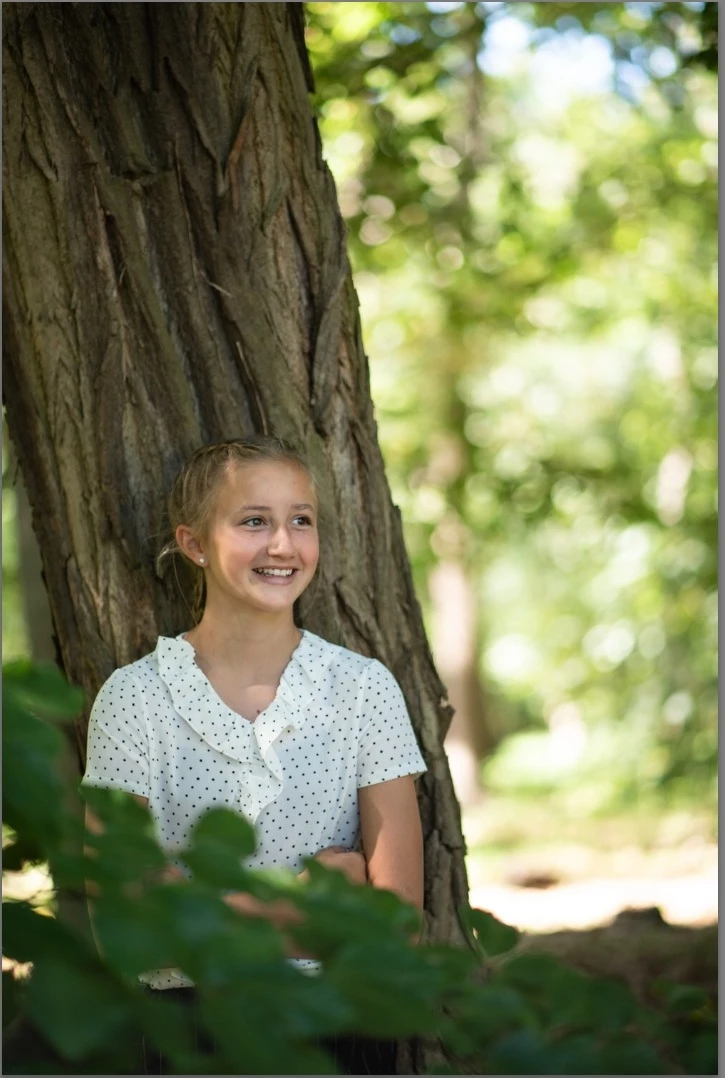
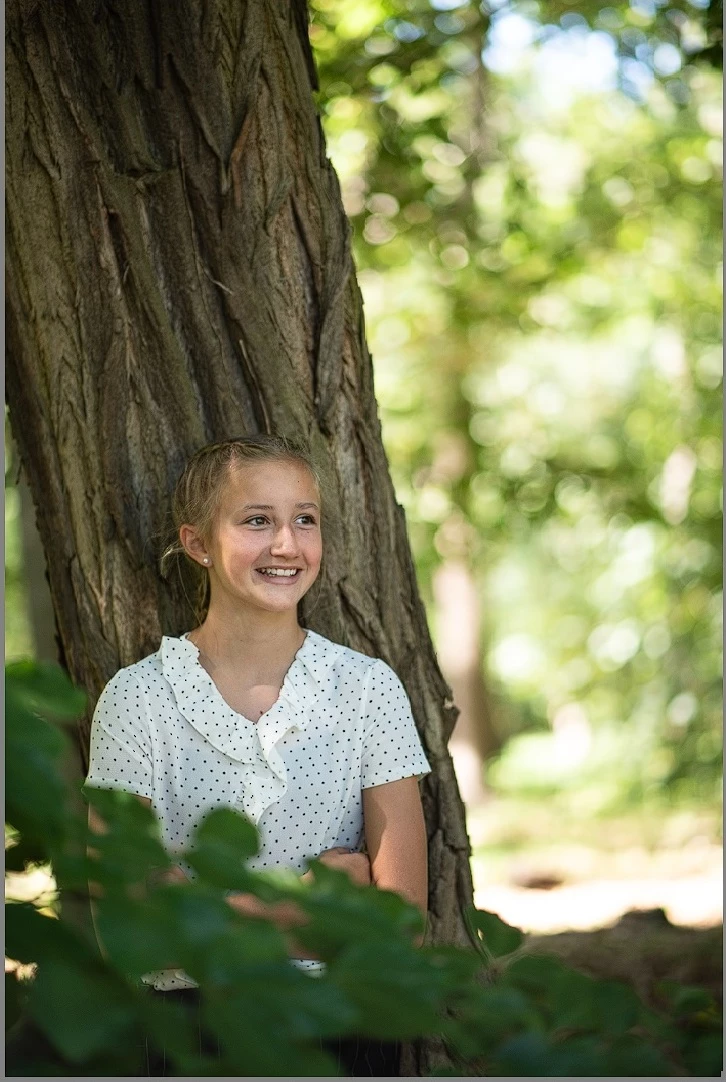
Difference in quality of the same picture in library and develop.

  • August 19, 2020
  • 2 replies
  • 771 views

When i develop my photo, it looks sharp and crisp.

But when i look at it in the library it 'softens' and his less detail.

The way it looks in the library is the same way as it exports.. so all my work in develop is partially disappeared. 

How can i solve this?
This topic has been closed for replies.

2 replies

Community Expert
August 19, 2020

What you are running into is a fundamental limitation of imaging on computer screens. Since your computer display is almost always lower resolution than the image itself, the computer has to scale down the image to the screen resolution. As already mentioned, the display can only be correct at 1:1 zoom. At any other zoom, you will see the result of the scaling algorithm, which ALWAYS softens the image. The scaling algorithm used in Develop is different than that in Library. In Develop, when you are zoomed out, a downscaled version of the raw data is used to speed up rendering. In Library, a jpeg preview is used that is generated from the full raw data but is scaled down to a lower resolution just above the screen size you are using. Than the window system scales that down to the actual display resolution. Unavoidably this leads to softening. You can't do anything about this. 


There are ways to control what your client sees a bit. When you export images, and you want super sharp images to display on your client computers, make SURE you scale down your images to the size you want them to be seen (i.e. 1200 pixels on the long edge for example) AND you use output sharpening in the export panel. If you do not scale down and sharpen on export, the image viewer that your clients use will scale the image down and it will look very soft in general and there is nothing you can do about that. You can also use web services such as smugmug that automatically sharpen all images to compensate for softness introduced by scaling that is unavoidable because you can't control the display resolution of your clients' screens and how large they make their browser windows.

Dirk5C80Author
Participating Frequently
August 19, 2020

Thx for your help!

dj_paige
Legend
August 19, 2020

First, the only proper way to judge sharpness, either in Lightroom Classic or after you export, is to view the photo a 1:1 zoom. Show us part of the photos all zoomed to 1:1.

Dirk5C80Author
Participating Frequently
August 19, 2020

In this picture you'll see that the picture in develop has more detail when you look at her hair, eyebrows, lips, cheeks etc..

In library the picture becomes a little more blurrier.

TheDigitalDog
Inspiring
August 19, 2020

The preview architecture is different in Develop than any other of the modules and what you report is expected. The only accurate way to preview this data is in Develop module, at 1:1 or greater. The other modules are designed for speed and use a different color space and preview architecture. So nothing above isn't an expected preview behavior. 

Author “Color Management for Photographers" & "Photoshop CC Color Management/pluralsight"