

Different color at export, color profile, Color space!?
Hello, first of all I wanna tell you guys that I kinda know what I'm talking about trying to fix this for more than 1 day now, doing non stop research and trying to fix or the main problem, here we go.
Five days ago I have calibrated my monitor IPS with x rite i1 display pro, I have done all the steps, indeed there was some orange light in my room couldn't make it all dark, but I have checked the tab where it.
Now in color management I have the ICC profile it's checked made a default profile, I have also checked use my settings for this device ( the IPS monitor)
The main problem I have is that in LR and Photoshop I'm editing a photo (RAW shot with canon 5d mark II) then when I export it, most of my reds turns orange, Export settings ( .jpn 12 mgps 300 Pixels
sRGB, I know that LR develop uses Prophoto RGB but it's to much of a difference and this is red to orange now some dark areas or white)
Even if I export in Prophoto RGB same the photo would be more orange so I thought it might be a LR problem.
Went in Photoshop edit it there since I can set my work color space to sRGB ( color space under Edit > Color Settings)
Exported under same settings as before, in sRGB again some problem, then after hours of trying to find a fix, I went back in photoshop and changed my work color space into the one the i1 display pro made (ICC profile) and randomply placed reds around the photo when I exported it with the same settings but this time in the color space of my i1 display pro..
everything that was red turned orange.
The exported picture from LR that was orange when I placed it in photoshop just to edit it it look exacly like in LR develop and that's what I'm trying to do to see the photo as it is develop when I export it.
I'm using windows 10 photo viewer I also downloaded faststone photo viewer and pro photo viewer same thing, all the photos are orange "ish" That's a screenshot left 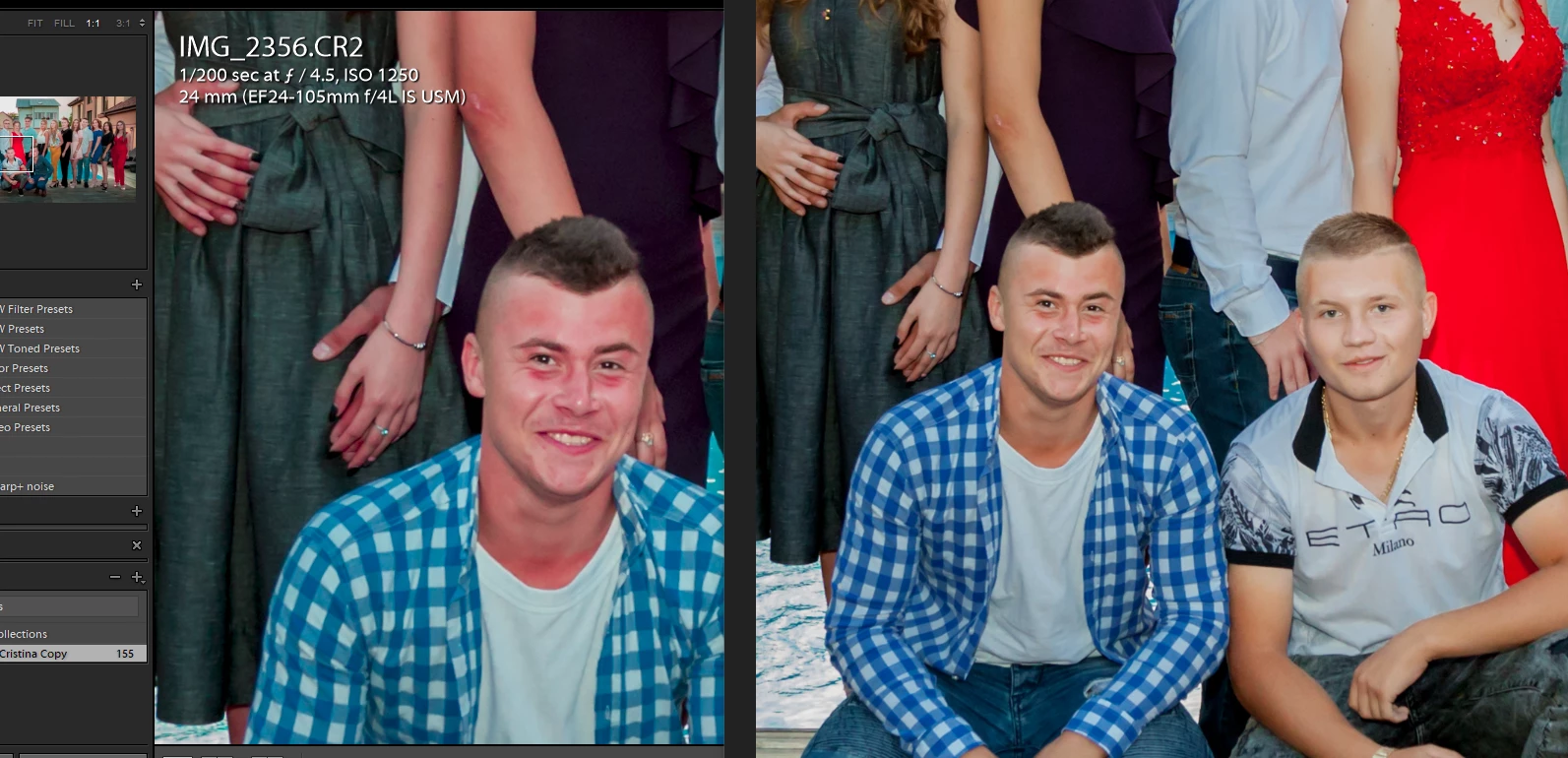
side is in LR develop, right is the exported photo.
 AdChoices