

Different RGB values in Lightroom and Photoshop for the same color
Hi everyone,
I like to experiment colors and I just realized that for the same color, RGB values might be different in Lightroom and Photoshop, which isn't convenient.
For example, for that specific color in Lightroom, the value of Red is 125, the value of Green is 139 and the value of Blue is 153.
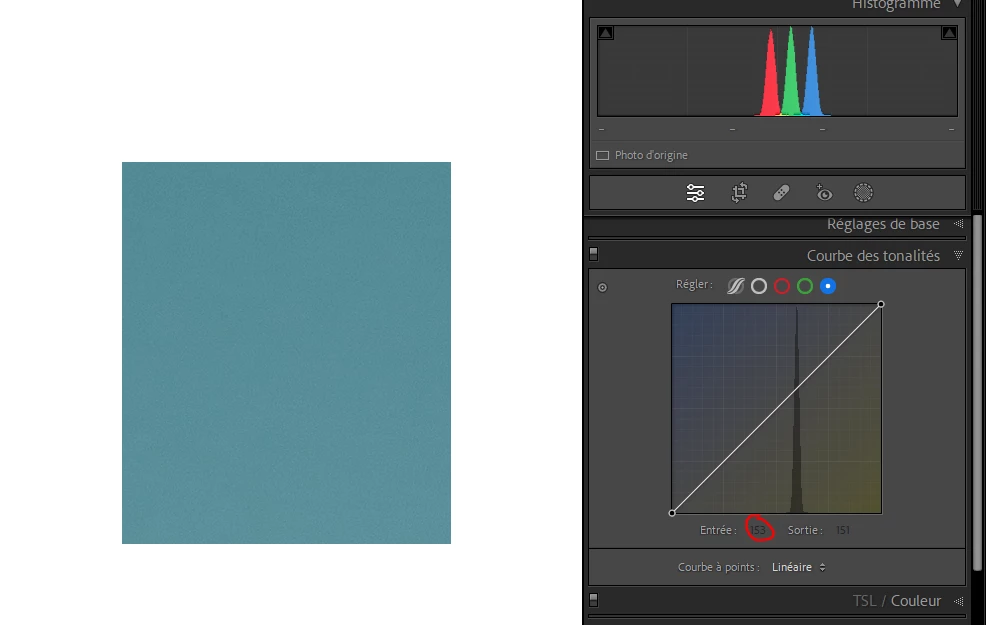
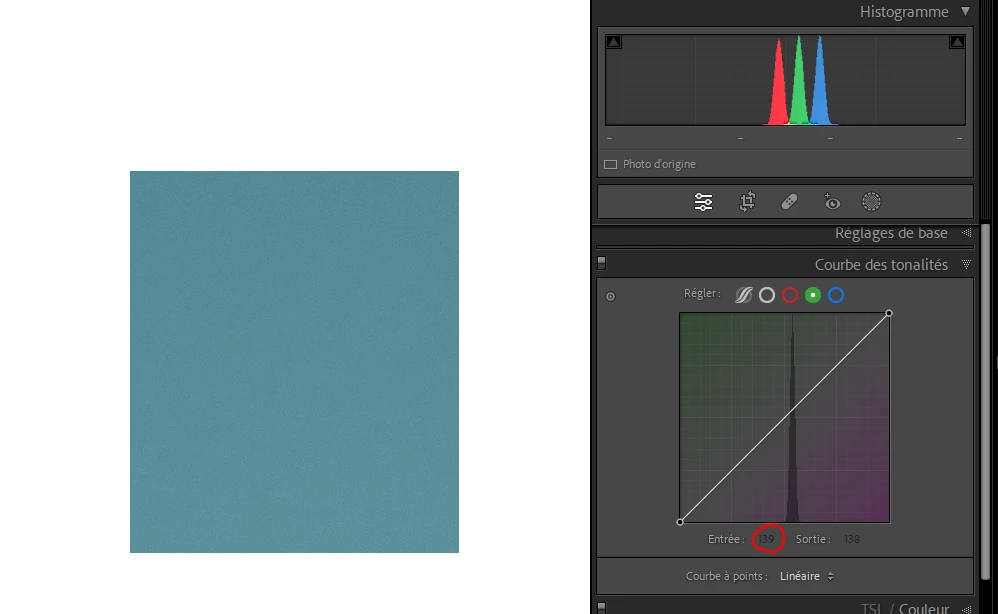
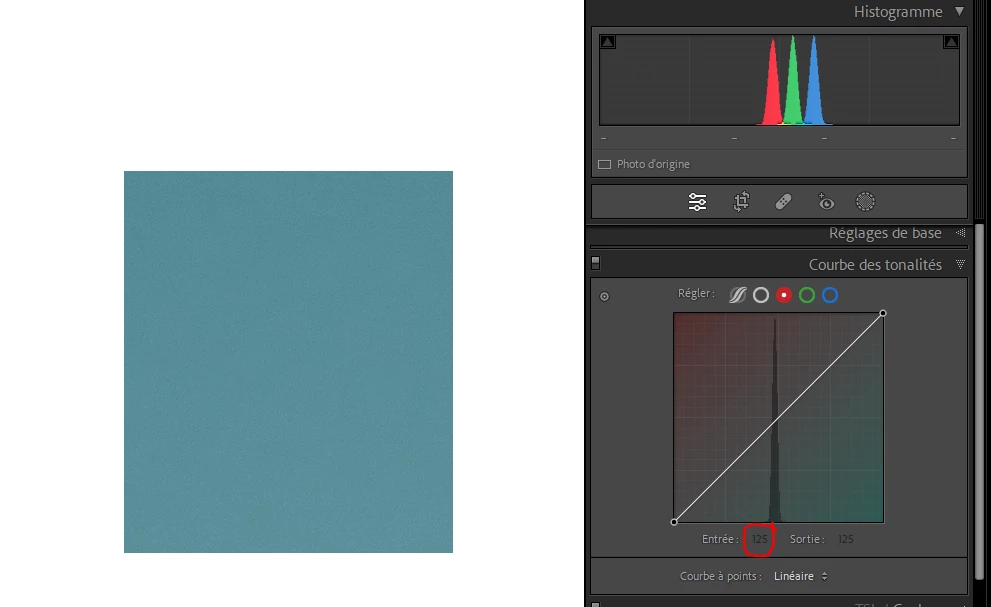
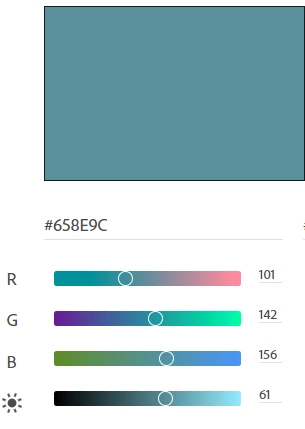
However, in Photoshop, the value are 101, 142 and 156. This is a big difference, essentially for the Red channel.
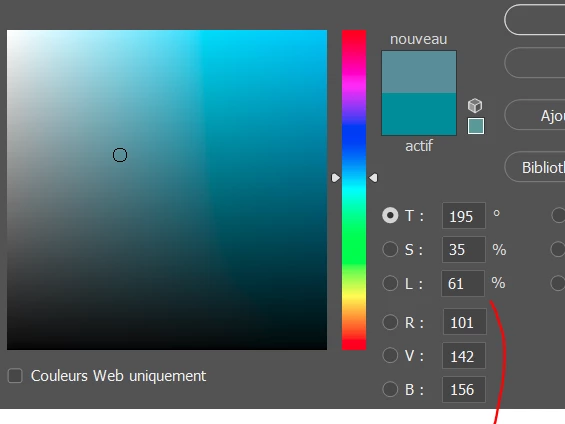
After checking on the Color Adobe website, I can see that the values in Photoshop are correct but not in Lightroom.
Does anyone knows why and how to show correct information in Lightroom? Sometimes I find a nice color on the Color Adobe website that I would like to use in Lightroom on one of my image by playing with Red, Blue and Green curves but this won't be possible if the values shown in Lightroom don't match the "real" values.
Thank you for your help!


 AdChoices