
Different treatment of XMP sidecar when using "import" vs "add to this catalog during export"
I ended up with a bunch of orphan XMP sidecar files and finally figured out what was happening. This happened because of the following
If you use "export as original" for a RAW file and DO NOT choose "add to this catalog" during export and then import this file into the catalog all the adjustments from the XMP file are applied and an entry for Sidecar Files is entered in Library. If you "Delete from Disk" this photo using Lightroom the XMP file is removed too.
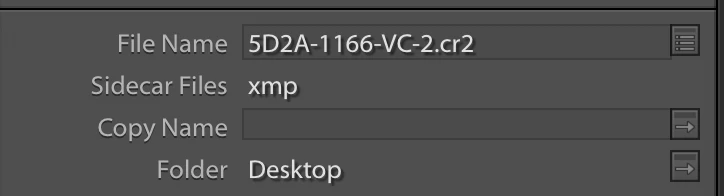
I you use "export as original" for a RAW file and choose "add to this catalog" during export the photo is added to the catalog with all the adjustments from the XMP file are applied but and entry for Sidecar Files is NOT entered in Library. If you "Delete from Disk" this photo using Lightroom the XMP file is NOT removed as there is no link in the Library to the XMP.
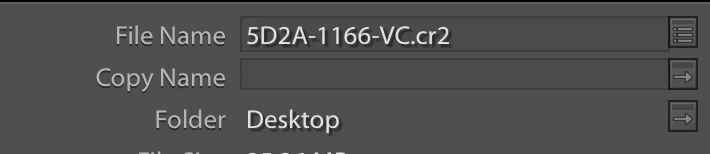
I think this should be considered a bug as "import" vs "add to this catalog during export" should both register the XMP as a sidecar file.
 AdChoices