Inspiring
December 16, 2021
Answered

Difficulty with clone/heal

  • December 16, 2021
  • 2 replies
  • 282 views

I'm a novice LR 11 user, finally reverted to subscription after sporadic use of LR 6.


I'm having trouble using clone or heal to remove large objects from a jpg file.


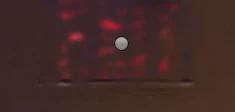
I often end up with orignal background bleeding through my image after using clone/heal or using a brush to create a mask.


Here are my brush settings and the results I achieved.


Using a PC with Windows 10
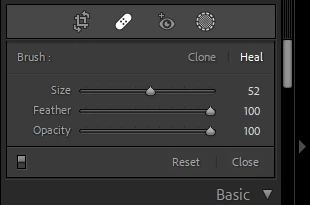


Appreciate any suggestions or pointers to tutorials....Strangely enough, <grin>, on the tutorials I've watched, the clone/heal or masking works perfectly


This topic has been closed for replies.
Correct answer daring_Star15B9

Will give that a try....thought feather "blended" more


2 replies

Ian Lyons
Community Expert
Community Expert
December 16, 2021

If using the new mask feature, then it's a design limitation. The work around is to use clone/heal tool before creating the masks.

Miriam Haugen
Participating Frequently
December 16, 2021

Have you tried  reducing the size of the feather? Less feather gives sharper edges and less bleed.


daring_Star15B9AuthorCorrect answer
Inspiring
December 16, 2021

Will give that a try....thought feather "blended" more