


Horton Photo
Participating Frequently
November 23, 2025
Answered

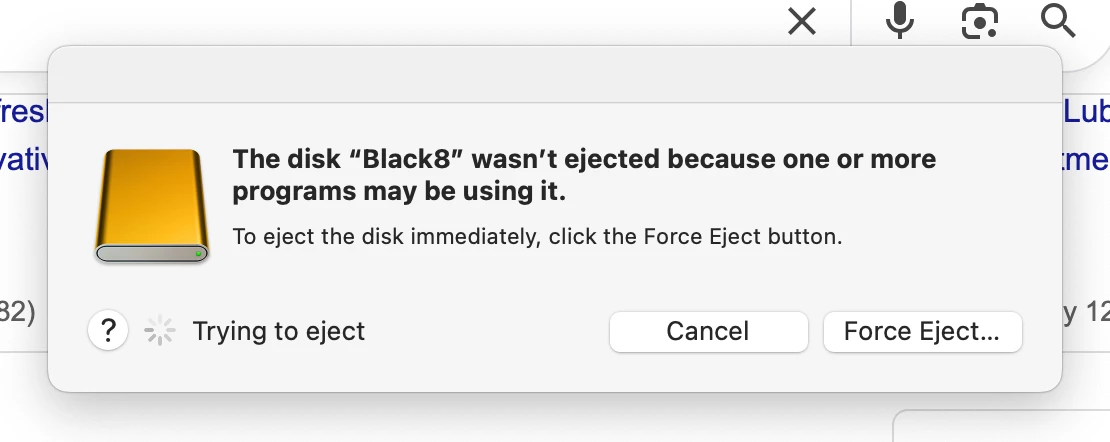
Disk will not eject despite programs closed
  • November 23, 2025
  • 1 reply
  • 266 views

What can I do to get rid of this issue, nothing is open?  I close LrC, and PS and this persists.

Thank you for any ideas to stop this!

Nancy


[Moved from 'bugs' to 'discussions' by moderator. This is obviously not a bug in Lightroom Classic...]

Correct answer JohanElzenga
quote
Yes, I understand I can use Force Eject. I am looking for a resolution to this, since it always comes up and I have to Force Eject.
By @Horton Photo


Most likely this has nothing to do with Lightroom Classic or Photoshop. Something else is accessing that disk. Do you have anti virus software running? Anything else that could access disks in the background?


1 reply

JohanElzenga
Community Expert
Community Expert
November 23, 2025

Press the Force Eject button. That will usually solve this. It could be that some other service (Apple Spotlight?) is still accessing the disk.


-- Johan W. Elzenga
Horton Photo
Participating Frequently
November 23, 2025
Yes, I understand I can use Force Eject. I am looking for a resolution to this, since it always comes up and I have to Force Eject.
DdeGannes
Community Expert
Community Expert
November 24, 2025

@Horton Photo , in your earlier post you indicated " I close LrC and PS ", when you closed LrC did you select to Backup and select the options "Test integrity and Optimize the Catalog" ? if so did the process complete successfully?


Regards, Denis: iMac 27” mid-2015, macOS 11.7.10 Big Sur; 2TB SSD, 24 GB Ram, GPU 2 GB; LrC 12.5,; Lr 6.5, PS 24.7,; ACR 15.5,; (also Laptop Win 11, ver 24H2, LrC 15.3; PS 27.0; ) Camera Oly OM-D E-M1.