Participating Frequently
May 11, 2025
Answered

Display has suddenly changed

  • May 11, 2025
  • 1 reply
  • 297 views

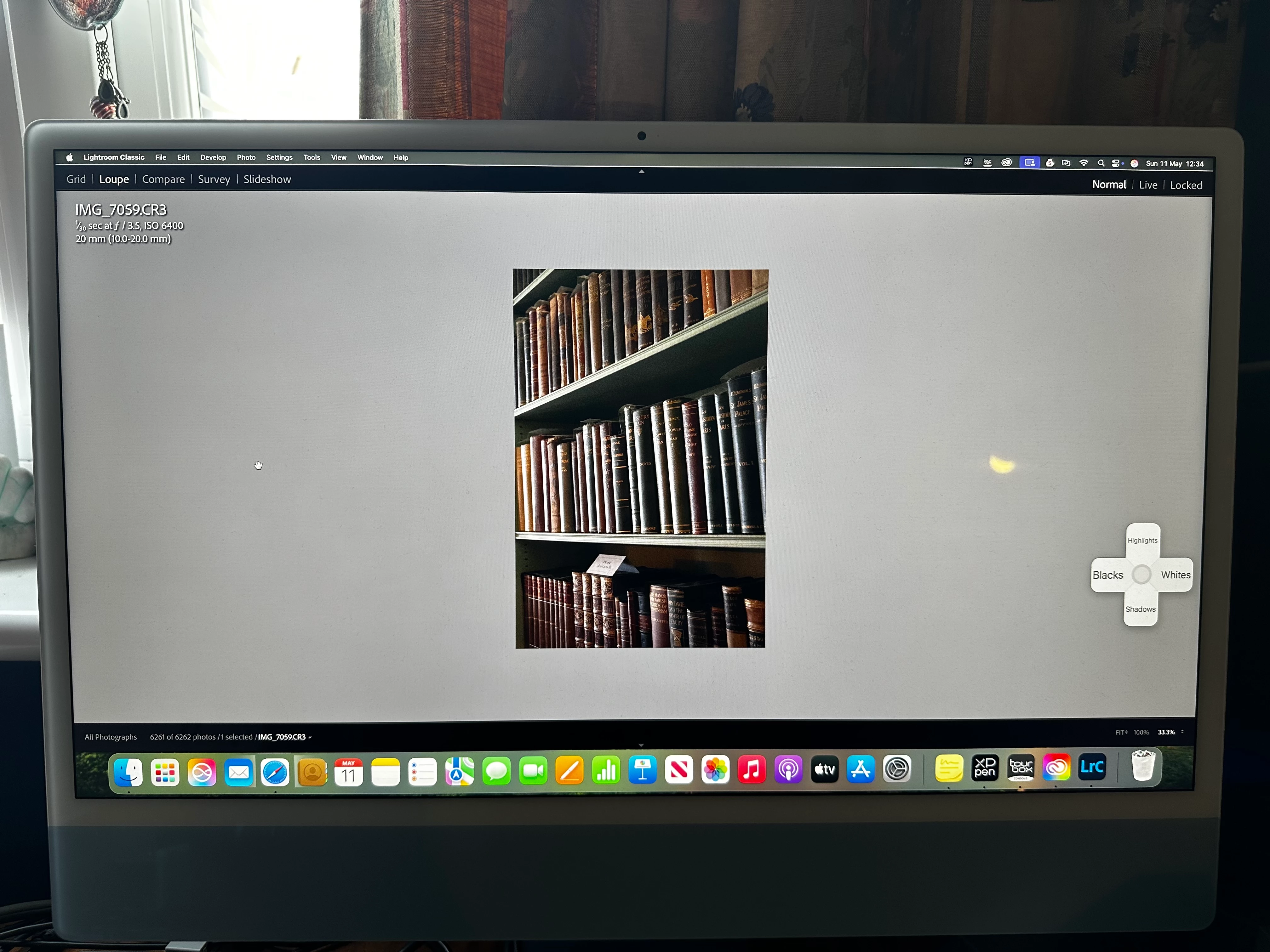
My Lightroom classic display has suddenly gone awry and I have no idea how to get it back to what it was. See attached photo. I did have it set up to open up on my graphics tablet but now it's stuck on the iMac screen and I can't drag it back. There is no minimise or maximise buttons showing (the green, yellow, red) and the view is per the photo. I can't drag the edges to increase or decrease the display size either. I've tried uninstalling and reinstalling but it immediately went back to this view. Can anyone help please?

TIA x
 

Correct answer Per Berntsen

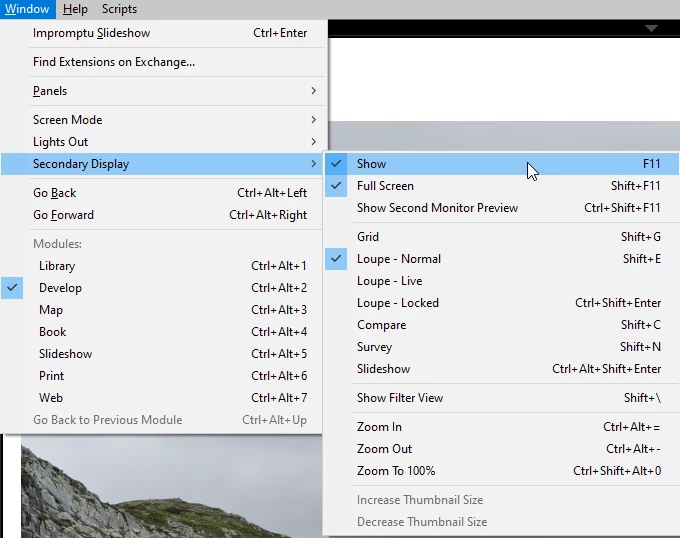
This is the Secondary Display window (which is meant to be used on a second monitor) displaying on top of the main window.

The shortcut to show or hide it is F11. You can also go to Window > Secondary display.


1 reply

Per Berntsen
Community Expert
Per BerntsenCommunity ExpertCorrect answer
Community Expert
May 11, 2025

This is the Secondary Display window (which is meant to be used on a second monitor) displaying on top of the main window.

The shortcut to show or hide it is F11. You can also go to Window > Secondary display.


AndyGTCAuthor
Participating Frequently
May 11, 2025

Thank you. This got me back to the normal view I had although for some reason my Lightroom keeps flitting back to the main monitor rather than sitting on my 3rd monitor (the graphics tablet).