
Answered
Display of thumbnails of profiles in develop module
Having not done any settings changes, the display of profile thumbnails in the Develop tab of LR CC (using latest version, but this started before the upgrade to the latest version) is messed up.
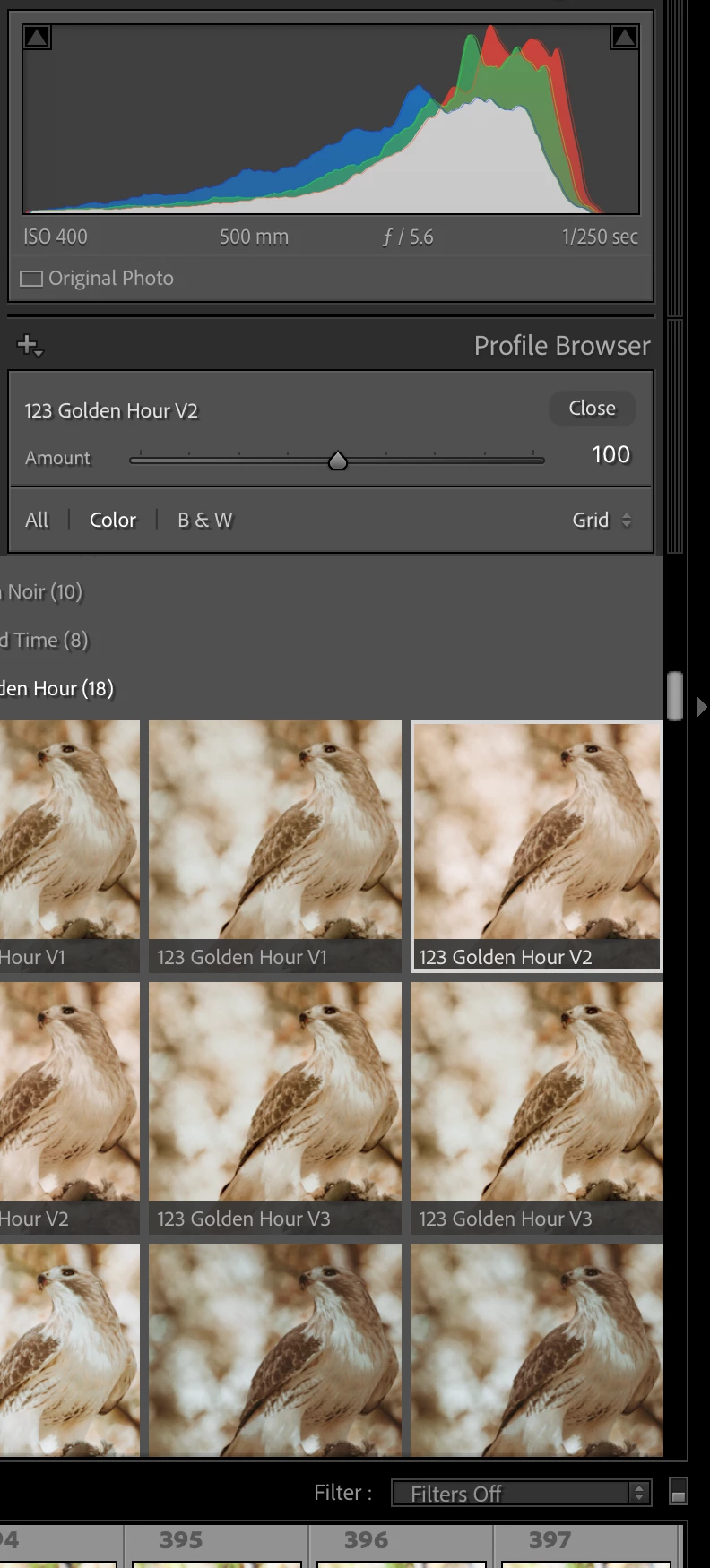
- If I chose grid I used to get 2 thumbnail previews per row with each thumbnail correctly sized to fit. Now the thumbnails are a bit larger so the second one is partially off the screen. If I click on it there is no slider to move back to the move back to the one on the lift except to click on it and apply the profile.
- If I widen the column I get three thumbnails per row but the third one is partially off the screen resulting in the same condition as in bullet 1 (see first attached screen shot).
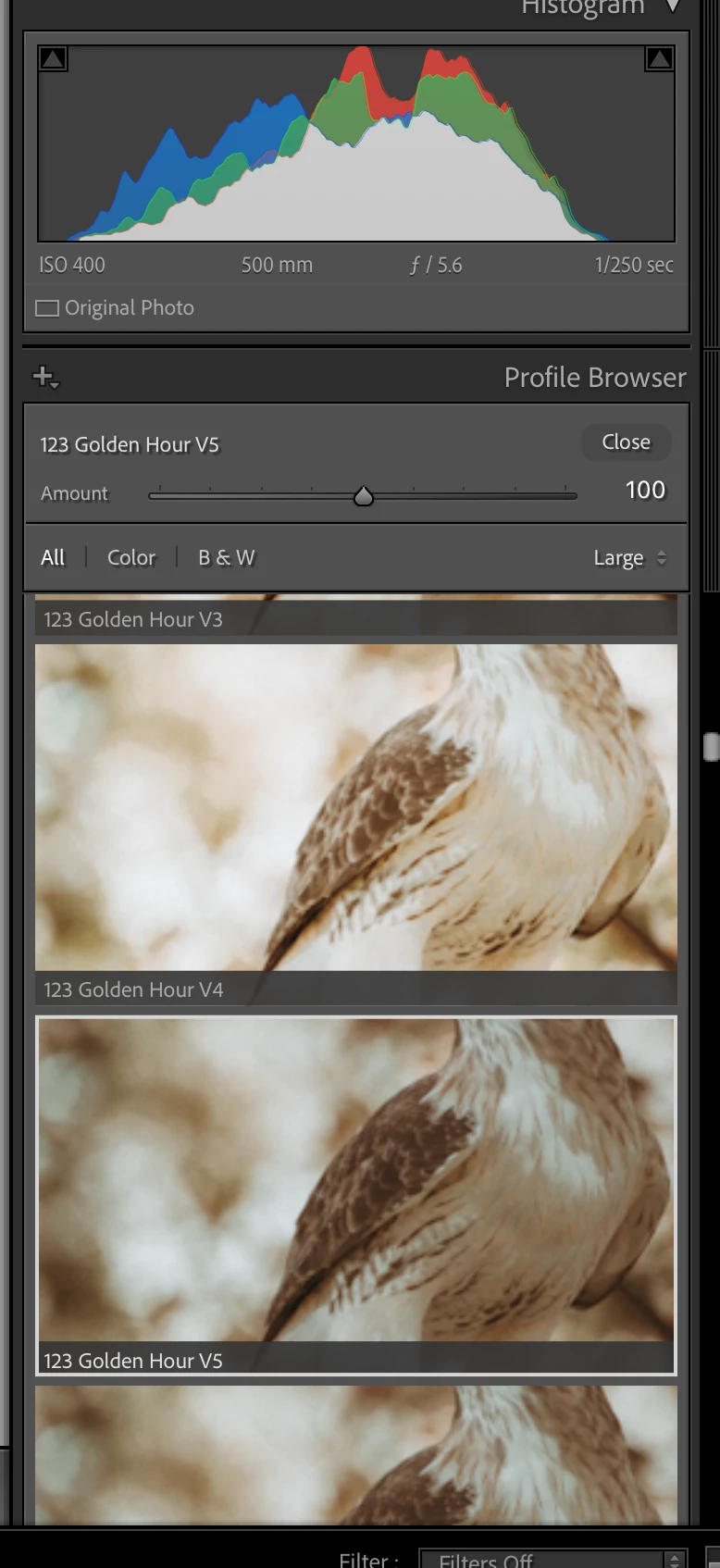
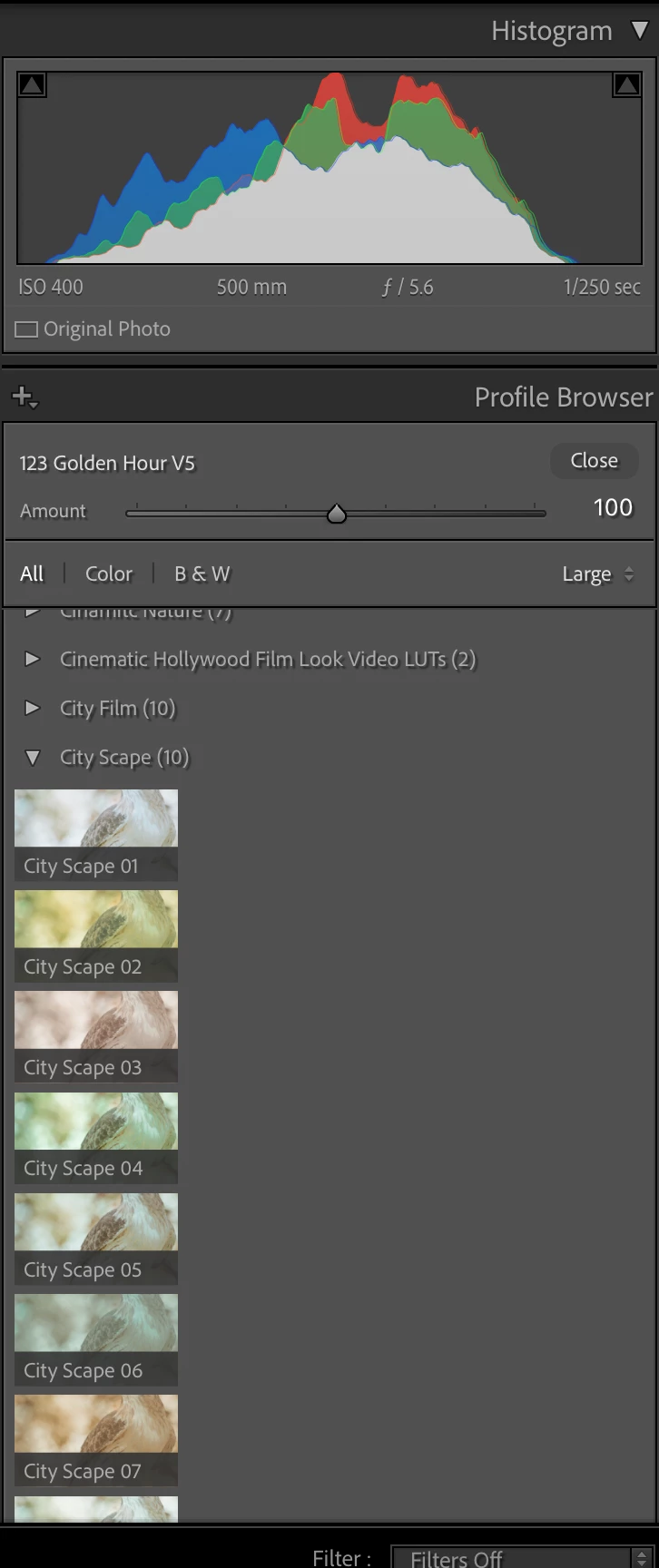
- If I pick large instead of Grid I get stranger results. Some thumbnails are too large to display the full image and in some cases the thumbnails are very small and one per row (see second and third attached screen shots).
Using MAC OS Seqquoie version 15.1.1 and LR CC version 14.1. But these conditions started before the latest OS and LR updates. I searched but it seems no one else if having this problem.
I tried uninstalling and reinstalling LR but this did not fix the issue.
Help please?
Thanks
Nabil


 AdChoices