Participant
Dec 30, 2022 6:02 PM UTC
Question

Distortion with new camera

Hello, 


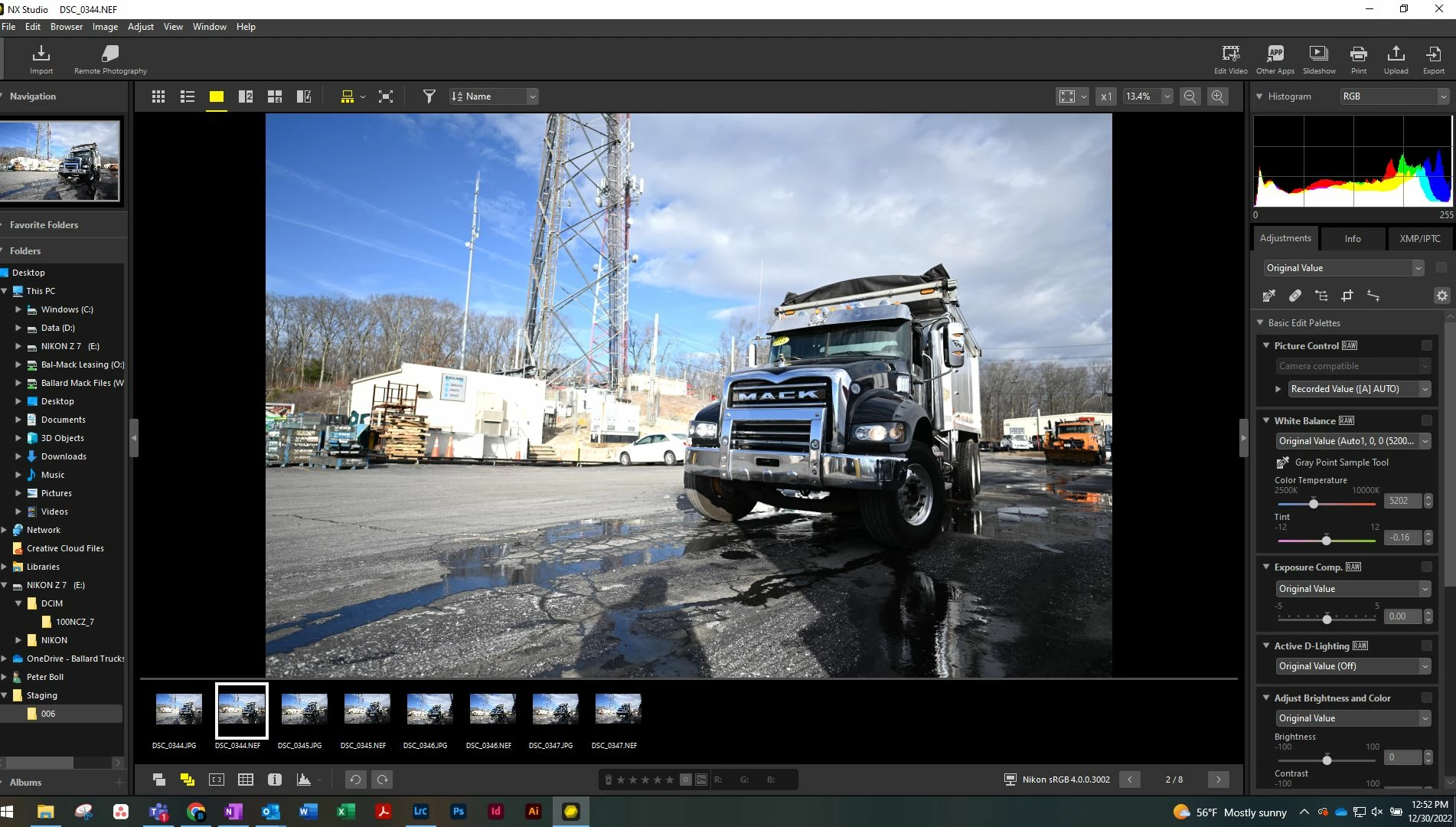
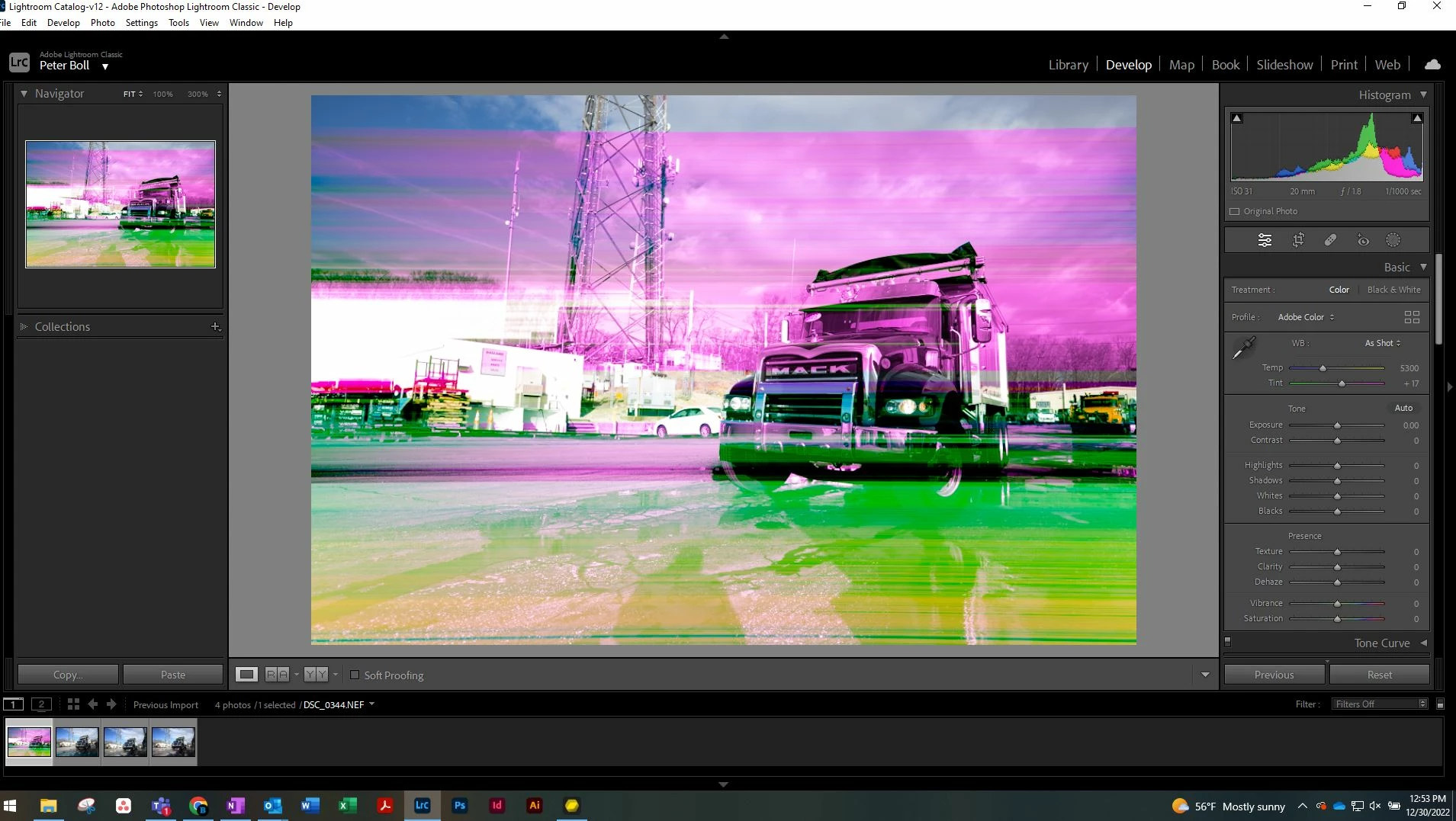
I recently got a Nikon Z7 and have had an issue opening NEF files from it in Lightroom Classic. I never experienced this before with my older camera. When I open the files, they appear damaged. I am posting this here as when I open the same file in Nikon's NX Studio, it seems fine. Has anyone encountered this before? 


Using the Z7 with a CFexpress card. Windows 10 Pro. Lightroom Classic v12. 
 

This topic is closed to new replies. Start a new post to keep the conversation going.

2 replies

TheDigitalDog
Inspiring
Dec 30, 2022 6:45 PM UTC

+1 to the corrupted possibility, that's what it looks like. But you can also try disabling GPU in preferences and if that clears up, the raw is OK and it is the preview path due to a bug in your GPU. But usually, what we see looks a bit different. So do try accessing the raw data, not the JPEG preview and check before doing any more shooting or off loading of your images. 

Translate
Author “Color Management for Photographers" & "Photoshop CC Color Management/pluralsight"
dj_paige
Legend
Dec 30, 2022 6:27 PM UTC

The file is corrupted somehow. THis is caused by hardware malfunction somewhere. It could be the camera card, it could be the camera itself, it could be the card reader or USB cable doing the transfer, it could be the USB port, it could be the computer hard disk, it could be the computer memory. One thing to try is to transfer the file using different hardware, to see if you can isolate what is causing the problem. And try a different camera card.


NX studio displays (so I'm told) the JPG embedded in the original file, and sometimes the JPG is uncorrupted when the original RAW is corrupted.

Translate